
Mastering AI Automation Tools Selection Deployment and Governance 2026

The world of AI is growing super fast. In 2026, we see new smart tools pop up all the time. These AI automation tools help businesses work better and faster. For example, by the first part of 2026, many big companies, about 78 percent, were already using AI in their daily work Enterprise AI Adoption Statistics 2026 – Presenc AI. And almost 9 out of 10 businesses are using AI in some way AI Automation Statistics 2026: 50 Verified Stats.
But here’s the tricky part: with so many new tools, it can be really hard to know which ones are best for your team.

You might hear about tools like power virtual agents or gpt engineer, or even services like Smith AI and Eightfold AI. How do you pick the right ones? How do you make sure they work well with what you already have? And how do you use them safely and fairly?
This guide is here to help you make sense of it all. We will give you a clear, step-by-step way to understand different types of AI automation tools. We’ll show you how to choose the best ones, how to get them working, and how to make sure they are used properly. By the end, you’ll feel much more ready to pick and use the right AI tools for your needs.
To learn more about how to bring AI into your work, read our guide on how to use AI in 2026.
Are you looking for easy-to-understand daily updates on AI and new technology? Get clear daily AI updates from The AI Newsletter Worth Reading.
1) Overview: What counts as an ‘AI automation tool’ in 2026
To truly feel ready to pick the right AI tools, we first need to understand what these tools are. In 2026, an "AI automation tool" is basically any software that uses artificial intelligence to do tasks by itself. These tools help businesses work better, faster, and smarter. They can handle jobs that are usually done by people, but they do so with the help of AI brains.
Think of it this way: AI automation tools are like smart helpers for your business. They take care of repetitive or complex tasks, freeing up your team to focus on bigger ideas. These tools can help with many parts of working with AI, like collecting and getting data ready, training AI models to learn, putting those models into use, and watching them to make sure they still work well. Experts note that AI automation tools in 2026 generally fall into categories like workflow helpers, AI agent builders, and those that automate data tasks, all serving different company needs AI Automation Tools 2026: The Enterprise Buyer’s Guide.
These tools make sure that the whole process of using AI is smooth. For example, some tools focus on how data is managed, making sure it is clean and ready for AI to use. Others help train AI models, teaching them to recognize patterns or make predictions. Then there are tools that help deploy these models, meaning they get them ready to actually start working in a real-world setting. And finally, some tools constantly watch the AI models to make sure they are performing correctly and not making mistakes, which is a key part of MLOps Pipeline Automation Best Practices in 2026.
Different Types of AI Automation Tools
Not all AI automation tools are the same. They come in different forms to fit various needs:
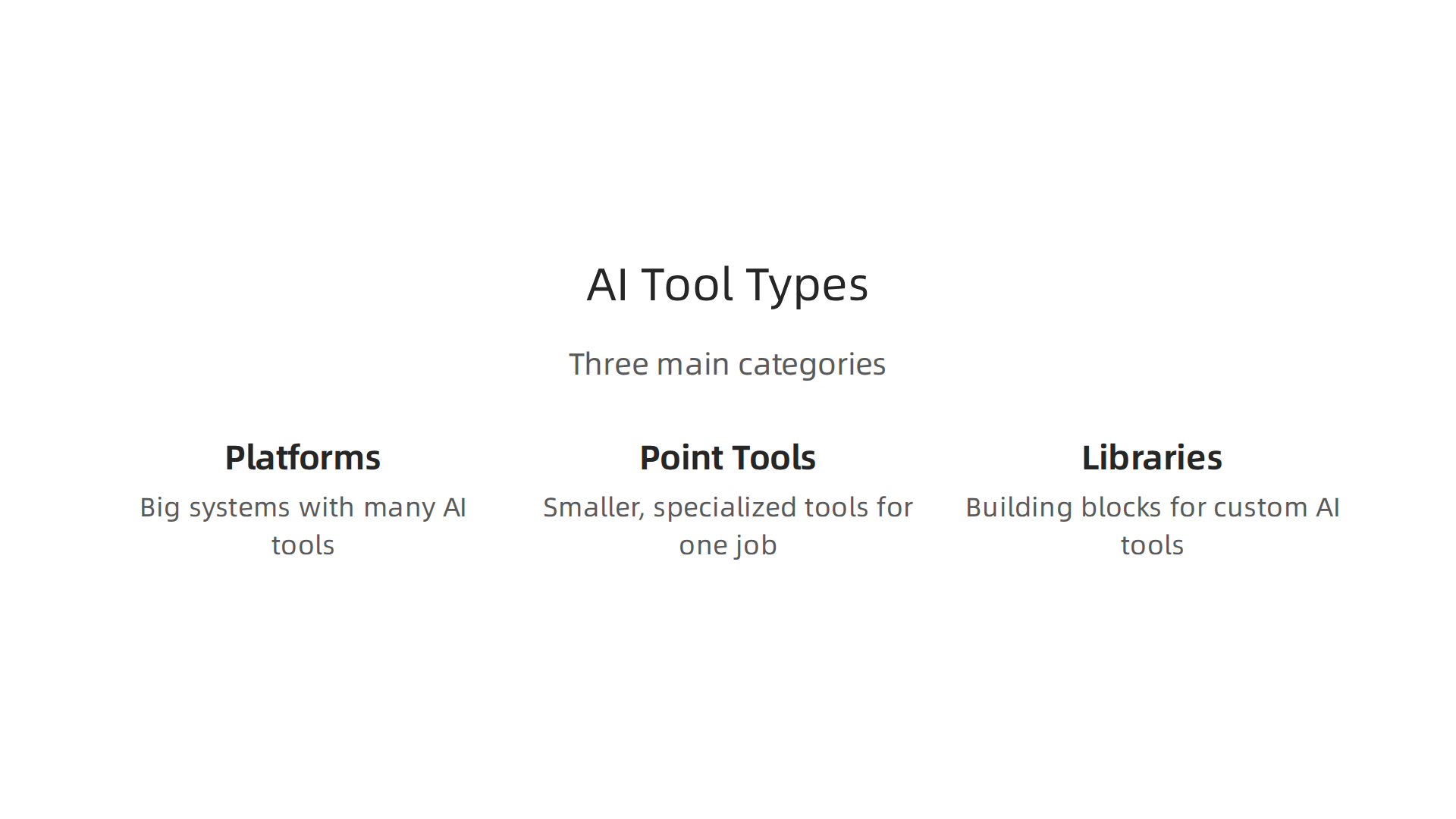
- Platforms: These are big systems that offer many AI tools all in one place. They can handle lots of different tasks and often have many features. Think of them like a Swiss Army knife for AI.
- Point Tools: These are smaller, specialized tools that do one specific job very well. For example, one tool might only be good at taking text from images, while another might only translate languages.
- Libraries: These are like building blocks for people who know how to code. They are not full tools on their own, but they provide the pieces that skilled workers can use to build their own custom AI automation tools. To learn more about the various kinds of AI, check out our guide on types of AI.
Who Builds and Buys These Tools?
Many different groups build these AI automation tools. You’ll find big technology companies making large, all-in-one platforms. But you’ll also see smaller, expert companies that focus on making very specific tools for unique problems.
In 2026, businesses from all over the world are buying these tools. They do this for several reasons:
- To go faster: Automating tasks means work gets done quicker.
- To save money: Machines can do some jobs cheaper than people.
- To work better: AI can often do tasks more accurately and consistently than humans.
Many businesses are getting on board. In 2026, many companies are already using AI, and this number is still growing quickly. About 60% of workers now have access to approved AI tools, which is a 50% jump in just one year The State of AI in the Enterprise. This shows that AI automation tools are not just a passing trend; they are becoming a core part of how businesses operate.
As you consider which tools might be right for your organization, remember to look beyond just what a tool promises. Think about how it fits into your existing work, how easy it is to use, and if it can grow with your needs. Choosing the best tools can be complex, but understanding these basics is a great first step. For more detailed insights, you can read our advice on choosing all AI tools.
Building on our understanding of what AI automation tools are, let’s look at the specific kinds of tools out there and how businesses use them every day. These tools help companies with different parts of their work, from handling data to making important business decisions.
Categories of AI Automation Tools
AI automation tools in 2026 can be put into several groups based on what they do:
-
Data Ingestion & Labeling: These tools are like the first step in any AI project. They help gather raw data from different places and get it ready for AI. "Labeling" means adding tags or notes to the data so the AI knows what it’s looking at. For example, if you’re building an AI to spot cats in pictures, a labeling tool helps you draw boxes around all the cats in your photos. This makes sure the AI learns correctly. These tools are key for research teams building new AI models and for product teams trying to make smarter apps. Improving the quality of this early data work is a cornerstone of AI success, as you can learn more about in our guide on Data Annotation Quality: The Cornerstone of AI Success.
-
Feature Stores: Think of a feature store as a special library for pieces of data (called "features") that AI models use often. Instead of each AI model finding and preparing its own data, they can all go to this central store. This makes sure all AI models use the same good quality data, which speeds up how fast new AI products can be made. It’s especially helpful for product teams wanting consistent results. Reliable enterprise data systems are key for this, as discussed in Why Enterprise Data Systems are the Backbone of AI Success.
-
Automated Model-Building (AutoML): This type of tool makes it easier to create AI models. You don’t need to be an expert coder or AI scientist to use it. AutoML tools can try out many different ways to build an AI model and then pick the best one for your task automatically. For example, a marketing team could use AutoML to quickly build an AI that predicts which customers will buy a new product, without needing deep technical help. Tools like
gpt engineeraim to help in making these processes more accessible. -
MLOps & CI/CD: These tools help manage the entire life of an AI model, from when it’s just an idea to when it’s working in the real world and beyond. MLOps makes sure that AI models are built, tested, put into use, and watched over in a smooth way. CI/CD (which stands for Continuous Integration and Continuous Delivery) helps make sure updates to AI models are rolled out smoothly and often. This helps operations teams keep AI systems running without problems and ensures new features from research teams reach users faster. You can find out more in an AI Development Roadmap for 2026.
-
Inference/Serving Automation: Once an AI model is built and ready, these tools help put it into action. They let the AI model make predictions or decisions on real information as it comes in. Imagine an AI that checks for fraud in credit card payments. Inference automation tools make sure that AI can check each payment in a flash, helping product and operations teams prevent issues immediately.
-
Observability and Retraining Pipelines: Even the best AI models can become less accurate over time as new data comes in. These tools keep an eye on active AI models, watching how well they perform. If a model starts to make more mistakes, the tool can help trigger a "retraining pipeline" to update the AI with new information. This means the AI stays smart and useful for operations teams.
-
Business Process Automation (RPA + AI): This combines older robotic process automation (RPA) tools, which automate simple, repetitive tasks, with AI. By adding AI, these tools can handle more complex jobs that used to need a human brain. For instance,
power virtual agentsand tools likesmith aiuse AI to answer customer questions or sort emails. Tools likeeightfold aihelp automate parts of the hiring process. These tools can greatly improve how operations teams work, as they can automate tasks that require some level of understanding or decision-making. Companies are seeing a lot of value from using these types ofai automation tools, with some reports showing a high percentage of organizations exploring or already using them The GenAI Divide: State of AI in Business 2025. Many find that these platforms offer improved efficiency and cost savings, as detailed in recent comparisons of AI Automation Platform Comparison 2026.
These categories show how diverse AI automation tools are and how they can help different parts of a business. Whether it’s making new products, doing research, or making daily operations smoother, there’s likely an AI automation tool that can help.
Curious about how AI is changing the tech world daily?
The AI Newsletter Worth Reading offers clear, daily updates on the latest in AI.
Choosing the right AI automation tools is a big decision for any business in 2026. After learning about the different kinds of tools available, it’s clear that not all tools are made the same. To make a smart choice, you need a good way to compare them. This means looking at them closely to see which one truly fits your needs.
3) Evaluation framework: how to compare AI automation tools rigorously
To pick the best ai automation tools, you need a clear checklist.
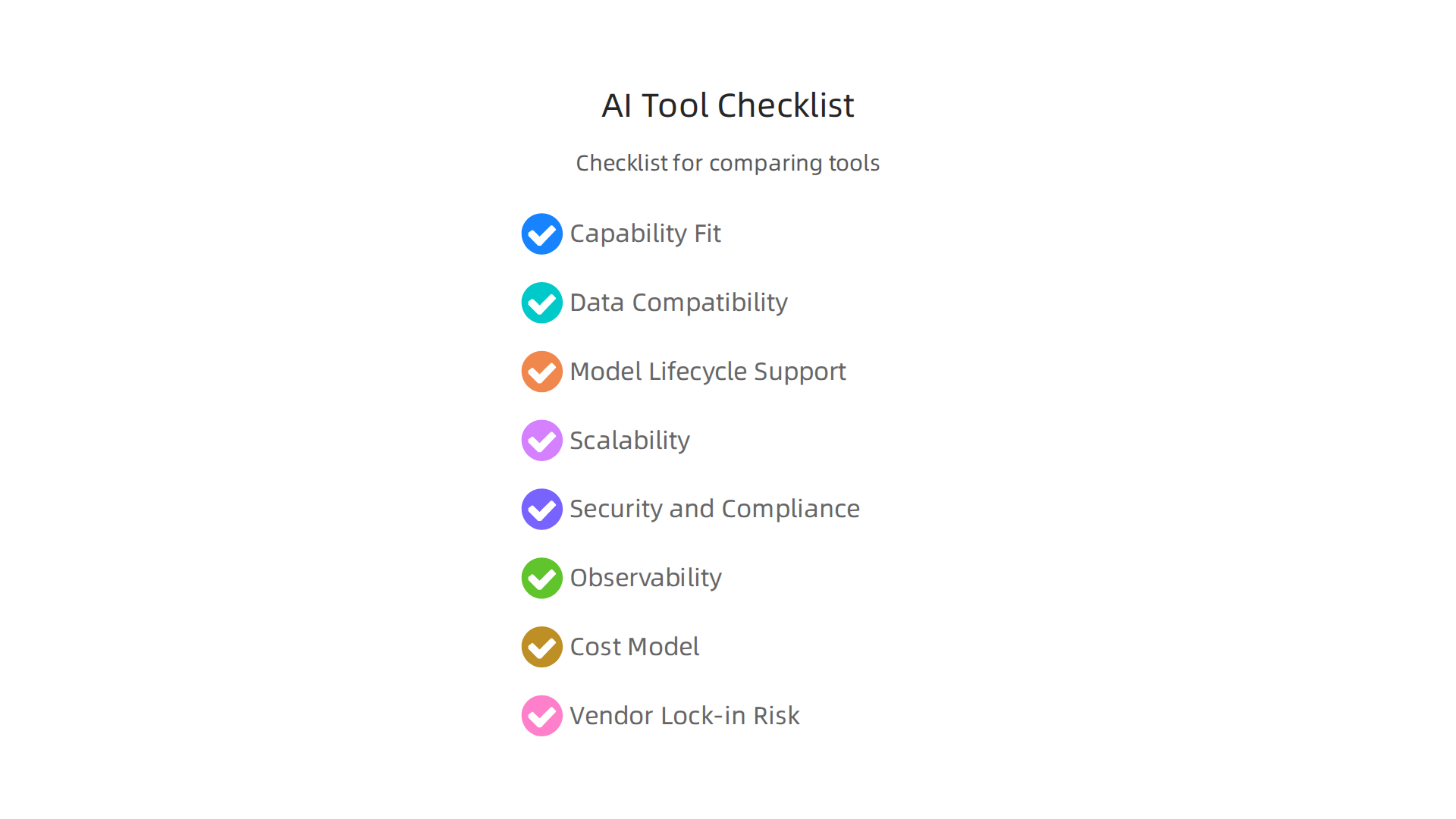
This helps you compare different options fairly and make sure you’re getting what you really need. Here’s a simple framework to help you:
Your AI Automation Tool Checklist
- Capability Fit: Does the tool actually do what you want it to do? For example, if you need to automate customer service, does it offer
power virtual agentsorsmith aifeatures to handle questions well? Or if you’re a developer, does it support creating new AI projects with tools likegpt engineer? It’s important to look at the depth of its AI ability and how flexible its workflows are, especially for bigger companies Best AI Workflow Automation Tools for Enterprise in 2026. - Data Compatibility: Will the tool work with the data you already have? It should be able to connect to your current systems easily.
- Model Lifecycle Support: Can the tool help you manage your AI models from start to finish? This includes building, testing, launching, and updating them. Good MLOps practices are key here, making sure you can easily repeat past training and deploy new versions smoothly MLOps Pipeline Automation Best Practices in 2026.
- Scalability: Can the tool grow with your business? If you have more data or need more AI tasks done, can it handle the extra work without slowing down?
- Security and Compliance: Is the tool safe to use? Does it protect your data and follow important rules and laws? This is especially crucial for enterprise buyers, who often look for strong governance and security controls.
- Observability: Can you easily see how your AI models are working? Good tools let you watch their performance and spot problems quickly. This includes checking things like how accurate the models are, if there’s any bias, and how fast they respond AI Governance Framework 2026: Enterprise Implementation Guide.
- Cost Model: How much does it really cost? Look beyond the basic price. Think about setup, extra features, and any professional help you might need. Sometimes the advertised price is just the starting point Business Automation Software Comparison (2026).
- Vendor Lock-in Risk: How easy is it to switch to a different tool later if you need to? You don’t want to get stuck with one vendor.
Repeatable Tests and Pilot Metrics
Once you have your checklist, you can test the ai automation tools in a structured way. This often means running small pilot projects. Here are some things to measure:
- Performance: How well does the AI model work? This means checking its accuracy, like if it correctly identifies things, or its precision and recall in making decisions. Model performance monitoring is important as models can become less effective over time MLOps for Machine Learning Model Lifecycle Automation.
- Latency: How fast does the tool respond? For things like customer chats or quick decisions, speed matters a lot.
- Retraining Frequency: How often does the AI model need to be updated with new information to stay accurate? A tool that helps automate this process is a big plus.
- Mean Time To Identify (MTTI) and Mean Time To Resolve (MTTR) for Models: These are fancy ways of saying how quickly you can find a problem with your AI model and how quickly you can fix it. Good observability helps here.
- Ease of Use: How easy is the tool to set up and use every day? This includes things like installation, how flexible you can configure it, and how good the instructions are An Empirical Evaluation of Modern MLOps Frameworks. Some tools like
eightfold aiaim to make complex processes much simpler.
By looking at these points, you can make sure the ai automation tools you choose are the best fit for your company. You want tools that not only meet your needs now but also can grow with you and provide real value. To delve deeper into setting up and testing these systems effectively, consider learning about how to optimize your machine learning workflow to cut bottlenecks and speed up model delivery.
After carefully evaluating different ai automation tools, the next big step is putting them to work. It’s one thing to choose a tool that looks good on paper, but it’s another to make sure it runs smoothly and helps your business every day. This part is all about how to properly set up and use your new automation platforms.
4) Integration and deployment best practices for automation platforms
Getting your chosen ai automation tools ready for action involves both technical steps and smart ways of working.

Think of it like building a new road: you need to plan how it will be built (technical) and also how people will use it safely and efficiently (operational).
Smart Technical Steps for AI Deployment
When you’re ready to deploy your AI models, here are some key technical ideas to keep in mind:
- Orchestration: This is like a conductor leading an orchestra. Orchestration makes sure all the different parts of your AI system work together in the right order. It automates tasks like preparing data, training models, and deploying them. Tools like Apache Airflow can help with this.
- Continuous Integration and Continuous Delivery (CI/CD) for Models: This is a fancy way of saying that your AI models should be updated and sent out automatically and often. When you make changes to your model’s code or data, CI/CD helps test these changes and roll them out without much manual effort. This makes sure your
ai automation toolsare always up-to-date and working well. It also helps with reproducibility, meaning you can always get the same results if you need to go back and check. For more on this, check out a guide to MLOps in 2026: Best Practices for Scalable ML Deployment. - Feature Store Integration: In AI, "features" are the specific bits of data your model uses to make decisions. A feature store is like a central library for these features. It helps keep them organized and consistent, so all your models use the same good data. This is very important for making sure your
ai automation toolsare reliable. - Safe Deployment Strategies (Blue/Green or Canary Deployments): When you update an AI model, you don’t want to break everything. These strategies help you update safely:
- Blue/Green Deployment: You run two identical versions of your system at the same time: "blue" is the old one, and "green" is the new one. You send a small amount of traffic to "green" first. If it works, you switch everyone over. If not, you switch back to "blue."
- Canary Deployment: Like a canary in a coal mine, you send the new model to a very small group of users first. If it performs well, you slowly send it to more and more people. This helps you catch problems early. For more detailed insights on how to achieve this, you might be interested in learning about Reliably Run Python Code in Production for Machine Learning Systems.
- Rollback Strategies: Sometimes, even with careful testing, a new model might cause problems. A rollback strategy means you have a plan to quickly switch back to the old, working version if something goes wrong. This is your safety net.
Smart Ways of Working for AI Operations
Beyond the technical side, how your team works with ai automation tools is also very important:
- Clear Team Roles: Everyone needs to know what they are responsible for. Who builds the models? Who deploys them? Who watches them once they are live? Clear roles prevent confusion and make sure tasks get done.
- Runbooks: These are like instruction manuals for common tasks or problems. If an
ai automation toolacts up, a runbook tells your team exactly what steps to take to fix it. This helps solve problems fast and consistently. You can find detailed checklists for deployment practices that include runbooks to automate processes ML Model Deployment Checklist runbook, automated by CloudThinker. - Monitoring Thresholds: You need to watch your AI models closely. Monitoring thresholds are like alarm settings. For example, if your model’s accuracy drops below a certain point, or if it starts giving too many wrong answers, an alert should go off. This lets your team know there’s a problem so they can fix it quickly. Continuous monitoring is key to keeping your AI healthy and trustworthy AI Governance Framework 2026: Enterprise Implementation Guide.
- Cost Controls: Running
ai automation toolscan get expensive, especially as your business grows. You need ways to keep track of how much computing power and storage your models are using. Setting budgets and looking for ways to be more efficient can help keep costs down while still getting great results from your AI.
By following these technical patterns and operational practices, you can make sure your ai automation tools are not just deployed, but truly integrated and running well for your business in 2026. This creates a strong base for future growth and innovation.
Keep up with the fast-moving world of AI. Get clear daily AI updates from The AI Newsletter Worth Reading.
Deploying AI isn’t just about making things work; it’s also about making sure they work fairly, safely, and within the rules. As your business uses more ai automation tools, you need to set up smart ways to control them. This helps avoid problems and keeps everything running smoothly and ethically.
5) Governance, Ethics, Compliance, and Cost Controls
When you let ai automation tools take over tasks, you also take on new kinds of risks.

It’s like having a very fast car; you need good brakes, clear road rules, and someone to make sure the driver is careful. In 2026, understanding and managing these risks is a big part of using AI well.
Key Risks with AI Automation
Here are some important risks to watch out for:
- Data Drift: Imagine your AI model learned from a certain type of data, but over time, the real-world data it sees starts to change. This is called data drift. If your model keeps making decisions based on old patterns, its performance will get worse. For example, a sales prediction tool trained on 2023 data might struggle with the different customer habits of 2026.
- Model Bias Propagation: AI models learn from the data we give them. If that data has unfair patterns or biases, the AI will learn and repeat those biases. This can lead to unfair decisions, like an AI recruitment tool unfairly rejecting certain groups of people. Understanding these unfair outcomes is crucial. You can learn more about the dangers of AI bias.
- Unexpected Automation Loops: Sometimes, an automated system can trigger another system, which then triggers the first one again, creating an endless loop. This can waste resources, cause errors, or even lead to bad business outcomes if not designed carefully.
- Regulatory Exposures: Governments around the world are making new laws about AI. These laws cover things like data privacy, how AI makes decisions, and how much transparency is needed. For example, in the US, states like California and Colorado have regulations about automated decision-making technology (ADMT) that companies must follow, with some rules kicking in as early as 2026 and others in 2027. The UK also saw new rules take effect in May 2026, requiring a code of practice on AI and automated decision-making to be developed by the Information Commissioner’s Office (ICO). Not following these rules can lead to big fines and damage your company’s trust. You can find more information about AI Governance In (and Beyond) Privacy and the US AI regulations you must comply with in 2026.
Practical Governance and Controls
To handle these risks, you need strong governance. This means having clear rules and ways to check that your ai automation tools are working as they should be.
- Service Level Agreements (SLAs) for Model Behavior: These are like promises for how your AI models will perform. They define what "good" performance looks like (e.g., 90% accuracy, response time under 2 seconds) and what happens if the model doesn’t meet these goals.
- Audit Trails: An audit trail is a complete record of every action your AI system takes. It shows who did what, when, and why. This is very important for checking if the AI made a fair decision, fixing problems, and proving compliance with regulations. Keeping detailed audit trails is a key part of AI Data Governance Enforcement in 2026.
- Access Controls: Not everyone should have access to change your AI models or their data. Access controls make sure only authorized people can make changes, which reduces mistakes and protects sensitive information.
- Cost Monitoring and Optimization: As discussed earlier, AI can be costly. Regularly checking how much your
ai automation toolsare spending on computing power and storage helps you manage your budget and find ways to save money without losing performance. - Cross-Functional Review Processes: This means having different teams (like legal, ethics, technical, and business teams) regularly review your AI systems. This helps catch problems that one team might miss and makes sure your AI aligns with all parts of your business strategy and values. Building a clear plan for these steps is part of an AI development roadmap for 2026.
By putting these practical governance measures in place, you can confidently use ai automation tools to boost your business while making sure they are fair, reliable, and compliant with laws in 2026 and beyond.
Using ai automation tools smartly also means looking ahead. The world of AI changes very fast. What’s new today might be standard practice tomorrow. In 2026, we’re seeing some clear trends and new capabilities emerge, shaping how teams will work with AI over the next year and beyond.
6) Future trends and a 12-month roadmap for ML teams
Looking forward, we’ll see even smarter ai automation tools that can do more complex jobs. These new tools are getting better at understanding what people mean, making creative content, and even designing other AI systems. For example, tools like gpt engineer are making it easier for people to create AI applications without needing to be expert coders. This helps more businesses use AI in new ways.
We’re also seeing big changes in the companies that make these AI tools. There’s a trend where bigger companies are buying smaller ones or merging. This is called vendor consolidation. It means fewer, but stronger, companies will offer a wider range of AI services. This can make it easier to choose reliable tools, but it also means fewer choices in the long run. Experts predict that less than 15% of companies will fully use the advanced "agentic" features in new automation tools, suggesting a careful approach to adoption in 2026. You can read more about these broader shifts in Predictions 2026: Automation At The Crossroads.
Companies like Eightfold AI and Smith AI are good examples of specialized tools that help with specific tasks like hiring or customer service. As the market changes, these specialized tools might become part of larger platforms. Another type of tool, power virtual agents, allows businesses to create smart chatbots easily, showing how user-friendly AI is becoming. To understand the bigger picture of AI companies leading the way, check out The open future AI companies leading the industry in 2026.
A Practical 12-Month Roadmap for Your ML Team
Here’s a simple plan for how your team can adopt ai automation tools over the next year:
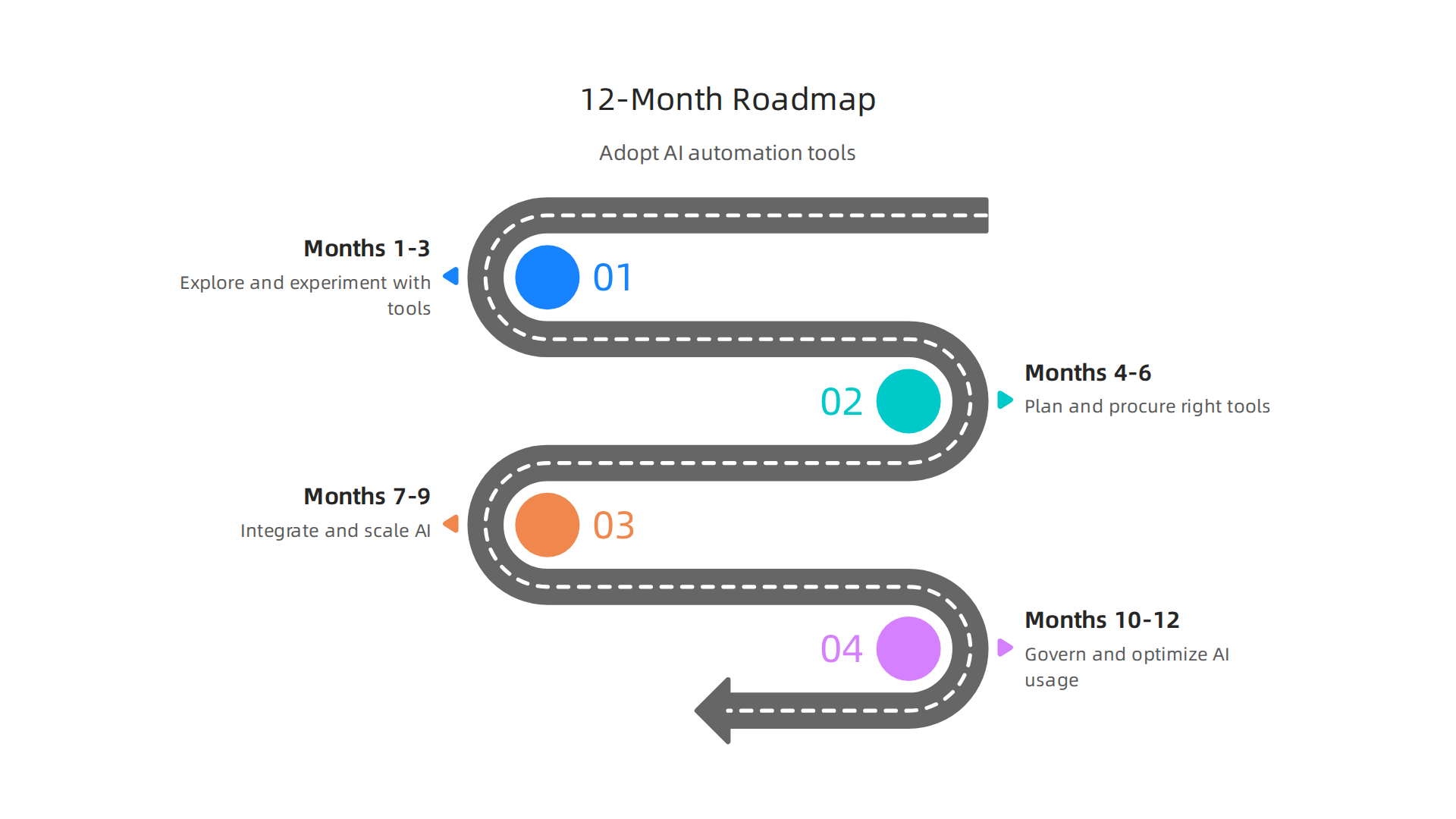
- Months 1-3: Explore and Experiment. Start by learning about the newest AI tools. Pick a small, low-risk project to try out an AI automation tool. Think of it as a pilot project. See how it works and what it can do for your team.
- Months 4-6: Plan and Procure. If your pilot project goes well, start looking into buying the right tools. Make sure they fit your budget and business needs. Plan how you’ll bring them into your existing systems.
- Months 7-9: Integrate and Scale. Begin adding the chosen
ai automation toolsto more parts of your work. Train your team members on how to use them effectively. Expand your projects based on what you’ve learned. - Months 10-12: Govern and Optimize. Set up clear rules for how your AI tools will be used. Continuously check their performance, costs, and make sure they follow all the laws. Look for ways to make them even better and more efficient.
By following a clear roadmap, your team can smartly bring in new ai automation tools. This helps you stay competitive and use AI in a way that truly helps your business grow.
Do you want to stay updated on all the fast-changing AI trends and insights? Get clear daily AI updates from The AI Newsletter Worth Reading.
Summary
This guide explains what AI automation tools are in 2026, how they differ, and why they matter for businesses looking to boost speed, accuracy, and cost-efficiency. It walks through common tool categories—from data ingestion and feature stores to AutoML, MLOps, inference serving, observability, and RPA+AI—so readers can match tools to real use cases. You get a practical evaluation framework covering capability fit, data compatibility, lifecycle support, scalability, security, observability, cost, and lock‑in risk, plus repeatable pilot metrics like performance, latency, retraining frequency, MTTI/MTTR and ease of use. The article also outlines deployment best practices (orchestration, CI/CD, canary/blue‑green, rollback), operational practices (runbooks, roles, monitoring thresholds), and governance controls (SLAs, audit trails, access controls, cross‑functional reviews). Finally, it highlights risks such as data drift and bias, offers a governance checklist, and gives a simple 12‑month roadmap to explore, procure, integrate, and govern AI automation responsibly.