
Python Threading for ML Workloads How It Accelerates Data Tasks

Why Python concurrency matters for ML workloads (and what ‘python threading’ really buys you)
In 2026, machine learning (ML) projects are bigger and more complex than ever.

They need to handle huge amounts of data very quickly. This means that things like getting data ready, bringing data in and out (called I/O), and serving up models all need to work faster. To make things speedy, we often need our programs to do many tasks at the same time. This is where topics like concurrency and parallelism become really important.
You might wonder what python threading has to do with making your ML tasks run faster. Before we dive in, let’s talk about two big ideas: concurrency and parallelism.
- Concurrency is about dealing with many tasks at once. Think of it like a chef juggling multiple cooking tasks. They might start chopping vegetables, then stir a pot, then check the oven, all seeming to happen at the same time, even if they’re only doing one action at a given moment. The tasks take turns using the chef’s attention.
- Parallelism is about actually doing many tasks at the exact same time. This is like having several chefs in the kitchen, each doing their own task simultaneously.
For ML workloads, we want parallelism. We have powerful computers with many processor cores, and we want to use all of them to crunch numbers faster.
The Python Global Interpreter Lock (GIL) and its Impact
Here’s the tricky part with Python. While python threading lets you write code that looks like it’s doing many things at once, there’s a special rule in the standard Python interpreter (called CPython) that changes how this works. It’s called the Global Interpreter Lock, or GIL.
The GIL is like a single-person key to the Python interpreter. It means that even if you have a computer with many processing cores, only one thread can run Python code at any given moment. This happens even when you’re using the threading module, because all threads share the same memory inside one process. This design helps keep things safe in Python, preventing messy issues when different parts of your program try to change the same data at the same time. You can learn more about this by understanding the Global Interpreter Lock (GIL) in Python.

So, if only one thread can run Python code at a time, what’s the point of python threading for ML? This is where the difference between concurrency and parallelism really matters. The GIL limits true parallelism for tasks that mostly involve heavy calculations (CPU-bound tasks). However, the GIL often gets released when your Python program is waiting for something else to happen, like reading a file from your hard drive, downloading data from the internet, or waiting for a database to respond. These are called I/O-bound tasks.
This means that python threading can still be very helpful for ML pipelines when you’re dealing with:
- Data preprocessing: Tasks like loading many images or large datasets from disk.
- Network requests: Fetching data from online sources or communicating with different services.
- Model serving: Handling many user requests at once where each request might involve waiting for I/O operations.
In these cases, while one thread is waiting for data, another thread can jump in and do some other work. This makes your program concurrent and can make it feel much faster, even if it’s not achieving full parallelism for pure number-crunching. To further improve your understanding of how Python helps with these data tasks, explore how to master python data analysis tools for machine learning in 2026.
It’s also worth noting that the landscape for Python’s GIL is changing. As of Python 3.14, there are efforts towards a "free-threaded" build of CPython, which aims to reduce the GIL’s impact on CPU-bound workloads while keeping things safe. This is a big step that could make python threading even more powerful in the future. You can find out more about these changes in the Python support for free threading documentation.
Understanding these details helps you choose the right tools to make your ML projects efficient. The world of AI and machine learning moves quickly, and staying informed is key.
Get clear daily AI updates from The AI Newsletter Worth Reading.
The Global Interpreter Lock, or GIL, is a critical part of how Python works. As we talked about, it’s like a special key that only lets one thread run Python code at any moment, even if your computer has many processing cores. This means that if your task is all about doing heavy calculations (what we call CPU-bound tasks), python threading might not make it truly faster because the GIL keeps other threads from running Python code at the same time. You can think of the GIL as a safeguard, protecting Python’s internal parts from getting mixed up when multiple threads try to change things at once, which is a common reason why it’s used in Python’s standard interpreter, CPython. To learn more about this core concept, you might find a deeper dive into What Is the Python Global Interpreter Lock (GIL)? helpful.
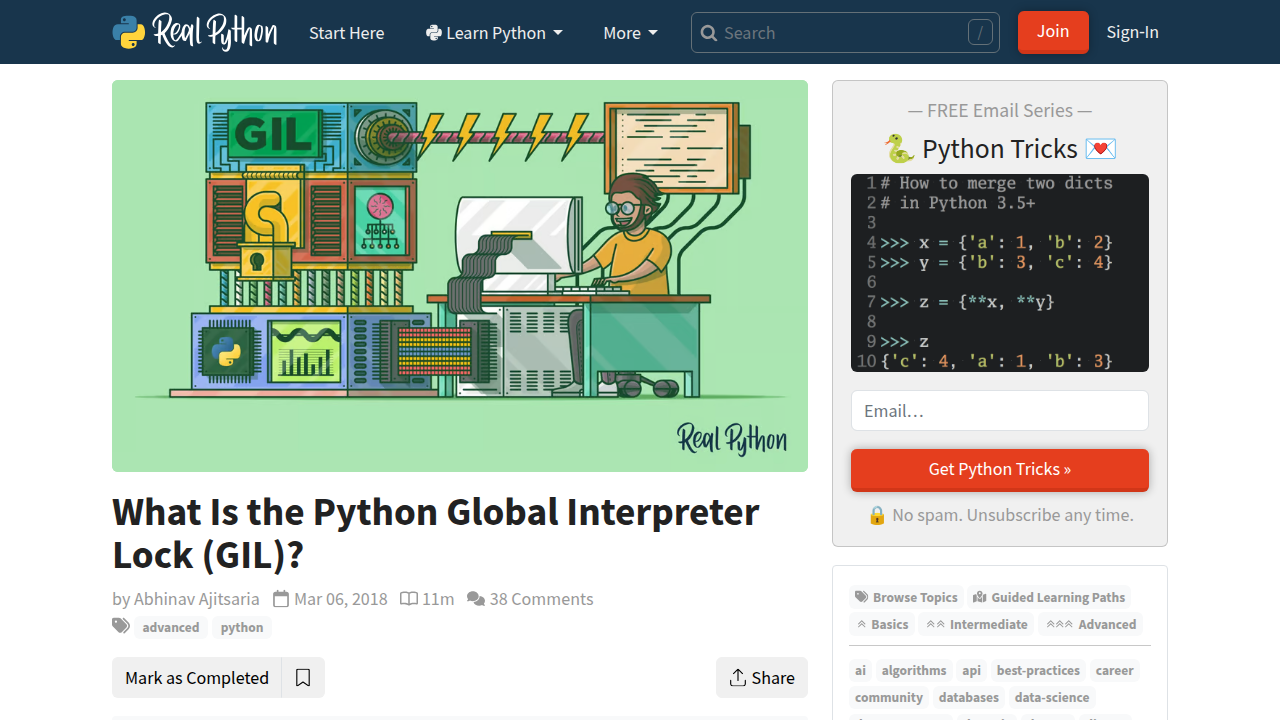
But here’s the good news: the GIL is not always active. When your Python program needs to wait for something outside of Python itself to happen, like reading a file from your hard drive, getting data from the internet, or waiting for a database query to finish (these are I/O-bound tasks), the GIL actually gets released. This is a big deal! It means while one thread is waiting for that external task, another thread can grab the GIL and start running its Python code. This lets your program be concurrent, making it feel much quicker because it’s not just sitting around waiting.
How python threading Works with OS Threads
Now, let’s look at how you actually use python threading. In Python, threads created using the threading module are not just Python-specific concepts; they are real operating system threads. This means they are managed by your computer’s operating system, just like other programs or parts of programs. This helps them work better with tasks that involve waiting for things.
The main way to work with threads in Python is through the threading.Thread class. Here’s how you can use it to manage different tasks:
- Defining a Task: First, you define a function that holds the code you want to run in a separate thread.
- Creating a Thread: You make a new
Threadobject, telling it which function to run. - Starting a Thread (
start()): To get your thread going, you call itsstart()method. This tells the operating system to begin running the task in the background. - Waiting for a Thread (
join()): Sometimes, your main program needs to wait for a thread to finish its work before it can continue. This is where thepython joinmethod comes in. Callingthread_object.join()makes your main program pause until that specific thread has completed its task. This is important for making sure all parts of your program finish in the right order and for preventing the main program from ending too early. For a practical look at how to set up and manage these concurrent tasks, check out this Python Threading Tutorial: Run Tasks Concurrently. - Daemon Threads: You can also mark a thread as a "daemon" thread. These are background threads that get shut down automatically when the main program finishes, even if they haven’t completed their own work. This is useful for non-essential tasks like logging or monitoring.
Using python threading effectively for I/O-bound tasks can significantly improve how fast your machine learning pipelines run, especially in parts where you are loading data or communicating over networks. Understanding these basic building blocks of the threading module is key to mastering Python data workflows for peak performance in your ML projects. The threading module gives you the tools to handle many tasks at once within a single program, letting different parts of your code take turns using the Python interpreter while waiting for other things to happen. You can find more details on how this module works in the official Python threading documentation.
Now that we’ve seen how python threading helps with tasks that wait a lot, it’s time to look at other ways Python lets your programs do many things at once. We call these "concurrency models." Python offers a few main ways to handle more than one task: threading, multiprocessing, and asyncio. Choosing the right one makes a big difference in how fast and well your code runs, especially for machine learning tasks.

Threading vs Multiprocessing vs Async: Choosing the Right Concurrency Model
Think of your computer program as a kitchen.
-
Python Threading(One Chef, Many Dishes, One Stove):
Withpython threading, you have one chef (your Python program) who can juggle many dishes (tasks). But this chef only has one stove burner (the GIL) to cook on. The chef is very good at switching between dishes, especially when one dish needs to wait for something like water to boil (I/O-bound tasks). While the water boils for one dish, the chef quickly stirs another. This makes things feel faster because there’s less waiting around. However, if all dishes need constant cooking on the stove (CPU-bound tasks), the single burner becomes a bottleneck. -
Multiprocessing (Many Chefs, Many Stoves, Many Dishes):
Multiprocessingis like having many chefs, and each chef has their own kitchen and own stove. This means they can all cook different dishes at the exact same time, truly working in parallel. Because each chef has their own stove, the GIL (the single burner rule) doesn’t stop them. This is super helpful for CPU-bound tasks, like crunching big numbers in machine learning models, image processing, or data transformation. Each process runs separately, so they can use all the cores of your computer’s CPU. For example, if you have a 4-core machine, multiprocessing can give you a near 4x speedup for CPU-bound tasks compared to just using one core. You can see how this works to speed up your Python program with concurrency. -
Asyncio (One Super-Fast Chef, Many Dishes, One Stove, Smart Waiting):
Asynciois also one chef with one stove, but this chef is super smart about waiting. Instead of just sitting there when water is boiling, this chef knows to immediately switch to another dish that is ready. When the water boils for the first dish, the chef gets a signal and comes back to it. This is called "cooperative multitasking." It’s best for I/O-bound tasks where you have thousands of small tasks that mostly involve waiting, like fetching data from many websites or talking to a database.Asynciouses less memory thanthreadingfor very high numbers of concurrent tasks and can handle many connections efficiently. This method is often the most efficient for modern I/O-bound tasks, as it scales better thanthreadingwhen dealing with many waiting operations.
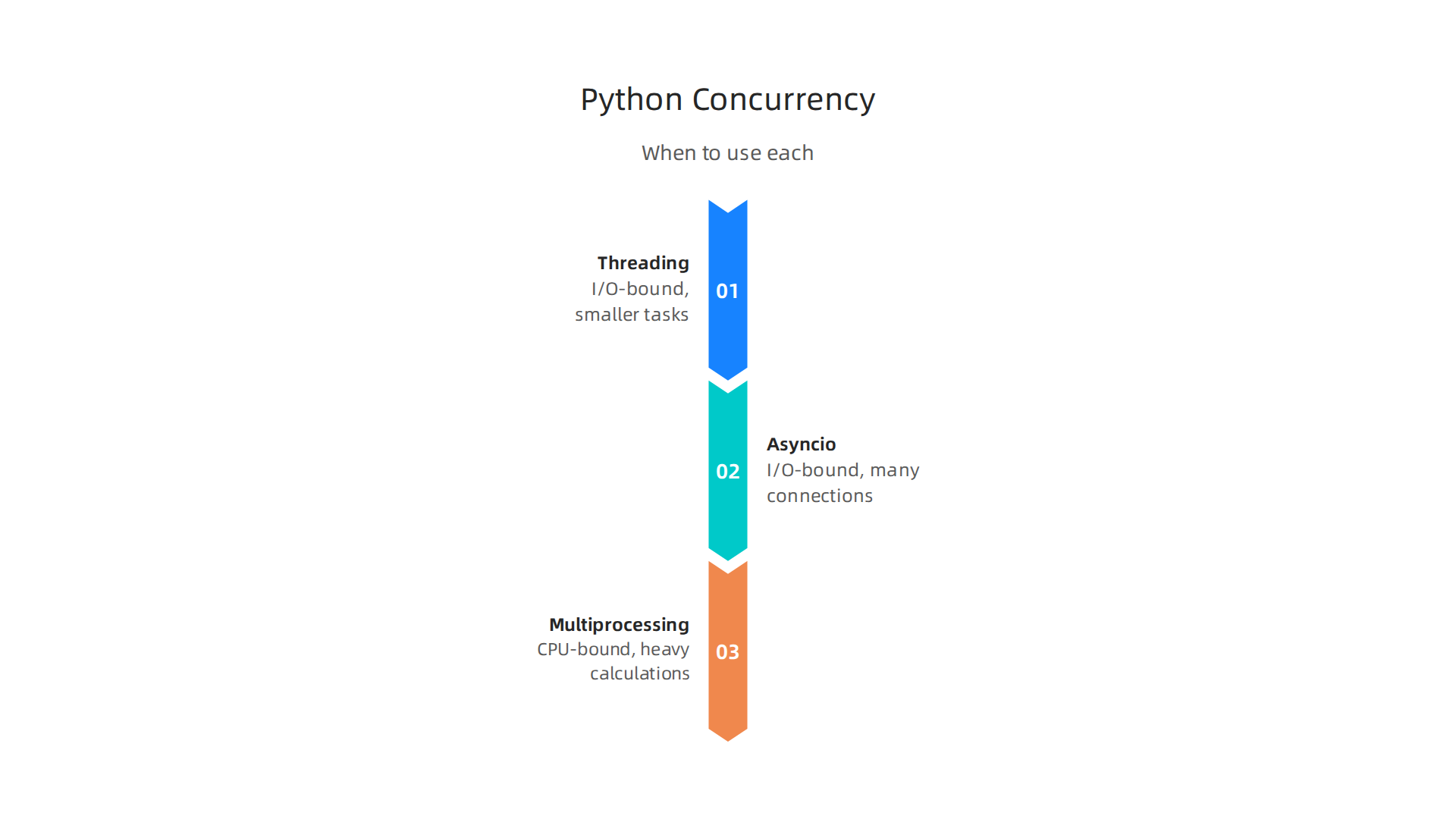
Here’s a quick look at when to use each:
| Workload Type | Best Concurrency Model | Why It’s Good | Example Task |
|---|---|---|---|
| I/O-bound (waiting for network, disk, database) | python threading |
Releases the GIL during waits, improving perceived speed. Good for smaller numbers of I/O tasks. | Downloading a few files, simple web requests. |
| I/O-bound (many connections, high concurrency) | asyncio |
Most efficient for thousands of waiting tasks, lower memory use, single-threaded cooperative switching. | Building a web server, scraping many web pages at once. |
| CPU-bound (heavy calculations) | multiprocessing |
Uses multiple CPU cores for true parallel computing, each process has its own GIL. | Training a machine learning model, complex data analysis, image resizing. |
For machine learning engineers, knowing this helps you make smart choices. If your ML pipeline spends most of its time loading data, sending it over a network, or querying a database, then python threading or asyncio are your friends. In fact, asyncio can be twice as fast as using a synchronous thread pool for I/O-bound tasks and 20 times faster than doing things one by one, according to benchmarks in 2026. If your pipeline is all about heavy number-crunching without much waiting, then multiprocessing is the way to go to get the full power of your CPU cores. For example, multiprocessing can achieve 6 times the performance of other methods for CPU-bound work, depending on your CPU cores and how much CPU-intensive work each task performs.
Understanding these differences is key to building fast and efficient machine learning systems. It helps you choose the right tool for the job, avoiding common slowdowns. To dive deeper into the daily news and research surrounding AI and machine learning, you’ll want to stay informed.
Get clear daily AI updates from The AI Newsletter Worth Reading.
Now that we’ve compared python threading with other ways to do many things at once, let’s look closer at how python threading actually works. We will learn about its main tools, how to keep things organized, and smart ways to use it.
python threading: API, Primitives, and Practical Patterns
When you use python threading, you’re telling your program to do several small tasks that run at the same time within a single main program. Think of it like a main road (your program) with smaller paths (threads) branching off. These paths all share the same space.
Basic Thread Usage
Starting a new thread in Python is quite simple. You mainly use the Thread object from the threading module.
Here’s how you might make a new thread:
- Define a task: Write a function that your thread will run.
- Create a
Threadobject: Point it to your function. - Start the thread: Tell it to begin its work.
- Wait for it to finish (optional): If you need your main program to wait until the thread is done, you can use
thread.join(). This is important if your main program needs the results from the thread. This is a good way to make sure different parts of your program finish in the right order.
For example, if you want to download a file while your main program does something else, you’d put the download task in a thread. While the thread downloads, your main program can keep working. When the download is done, the main program can then use the file.
Synchronization Tools: Keeping Order
Since all threads in a python threading program share the same memory, they can sometimes step on each other’s toes. Imagine two chefs trying to use the same bowl of flour at the exact same time. It can get messy! To prevent this, python threading gives us "synchronization primitives."
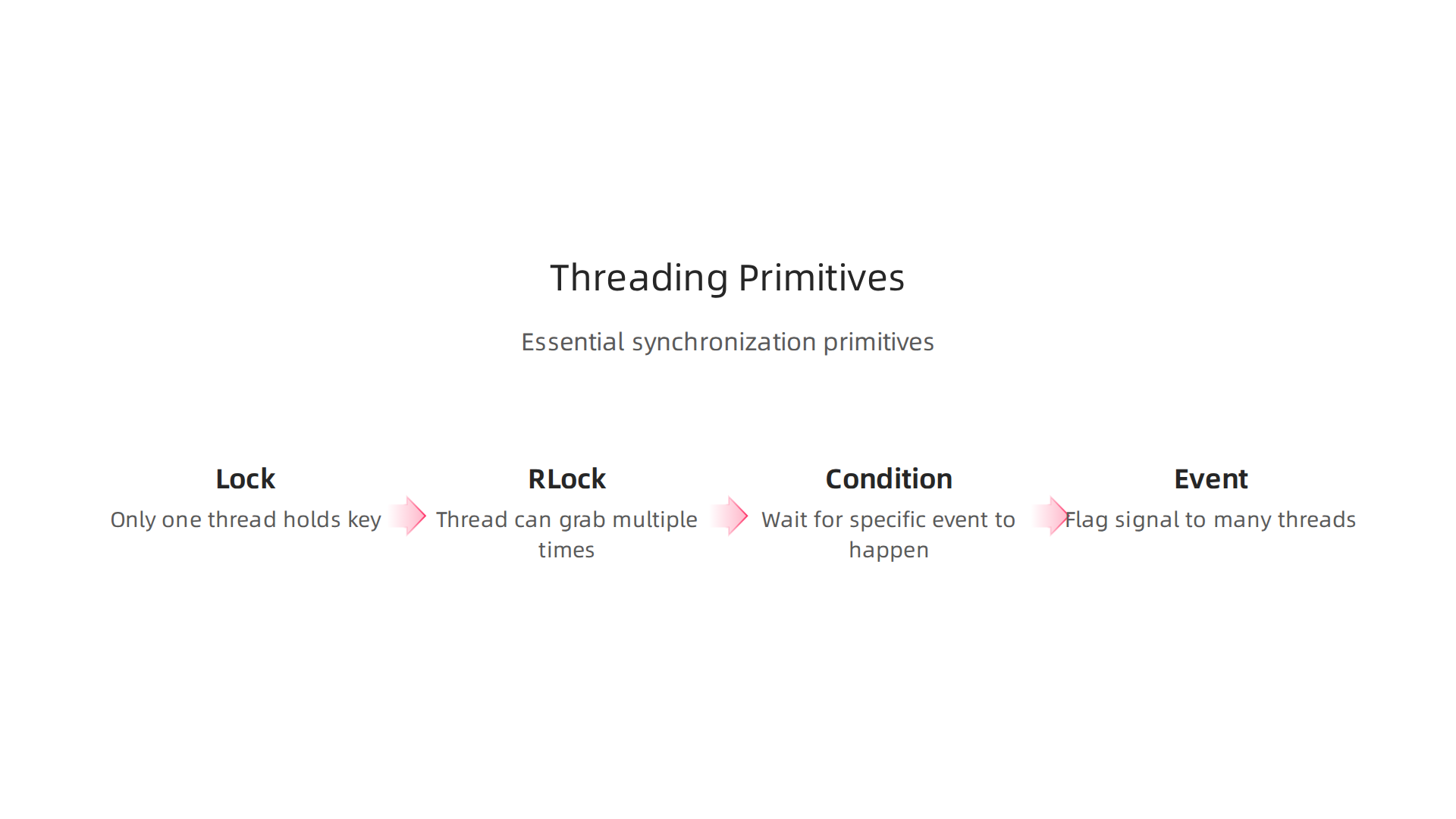
These are like special rules or tools to help threads work together without issues.
Lock: This is the simplest tool. It’s like a key to a room. Only one thread can hold the key at a time. If a thread wants to enter the "room" (a part of your code that changes shared data), it needs to grab the key first. If another thread has the key, the new thread waits until it’s free. This stops two threads from changing the same thing at once.RLock(Reentrant Lock): This is like aLock, but smarter. A thread can grab anRLockmultiple times without getting stuck. This is helpful if one task needs to use the same lock more than once.Condition: This is for when one thread needs to wait for something specific to happen before it can continue. For example, if a thread is waiting for new data to process, it can "wait" on a condition. Another thread that creates the data can "notify" the waiting thread when the data is ready.Event: AnEventis like a flag. One thread can set the flag, and other threads can wait for the flag to be set. Once the flag is set, all waiting threads can move forward. This is good for sending a signal to many threads at once.
Using these tools correctly helps avoid problems like "race conditions," where threads accidentally mess up shared data because they accessed it in the wrong order. The Global Interpreter Lock (GIL) in Python also plays a role here. It makes sure that even with many threads, only one Python operation runs at a time in the standard Python interpreter (CPython). This helps keep things safe but can limit how fast CPU-heavy tasks run in parallel within a single Python process, as explained in articles about understanding the Global Interpreter Lock (GIL) in Python. Even with the GIL, python threading is useful for tasks that involve waiting for outside things, like network requests or reading files, because the GIL is released during these wait times. You can learn more about how to manage your code to best use these features in resources for mastering Python data workflows for peak performance.
Higher-Level Patterns
For more complex tasks, there are smarter ways to use threads:
ThreadPoolExecutor: This is a very handy tool for managing a group of threads. Instead of starting and stopping threads all the time, you create a "pool" of threads once. Then, you give tasks to this pool, and the threads in the pool pick them up and run them. This saves time and effort. It’s great for when you have many similar tasks to run, like processing a list of items.- Producer-Consumer Queues: This pattern is used when one part of your program (the "producer") creates tasks or data, and another part (the "consumer") processes them. They often talk to each other using a
Queueobject. The producer puts items into the queue, and the consumer takes them out. This makes sure that work is balanced and smooth. - Safe Shutdown: When you’re running threads, you need a good way to stop them cleanly when your program ends. This means making sure all threads finish their current work or close properly before the program shuts down completely. This prevents data loss or errors.
Learning how to run a Python script with these threading features can greatly improve your application’s responsiveness, especially for tasks that wait a lot. It allows you to structure your code for better performance without needing to dive deep into very complex system details.
While python threading offers great ways to make programs faster, especially for tasks that involve waiting, it also comes with its own set of challenges. When multiple parts of your program run at the same time, new kinds of problems can pop up. Understanding these common pitfalls and how to fix them is key to writing strong, reliable code in 2026.
Common Pitfalls in Python Threading
When working with python threading, you might run into issues where threads don’t play nicely together.
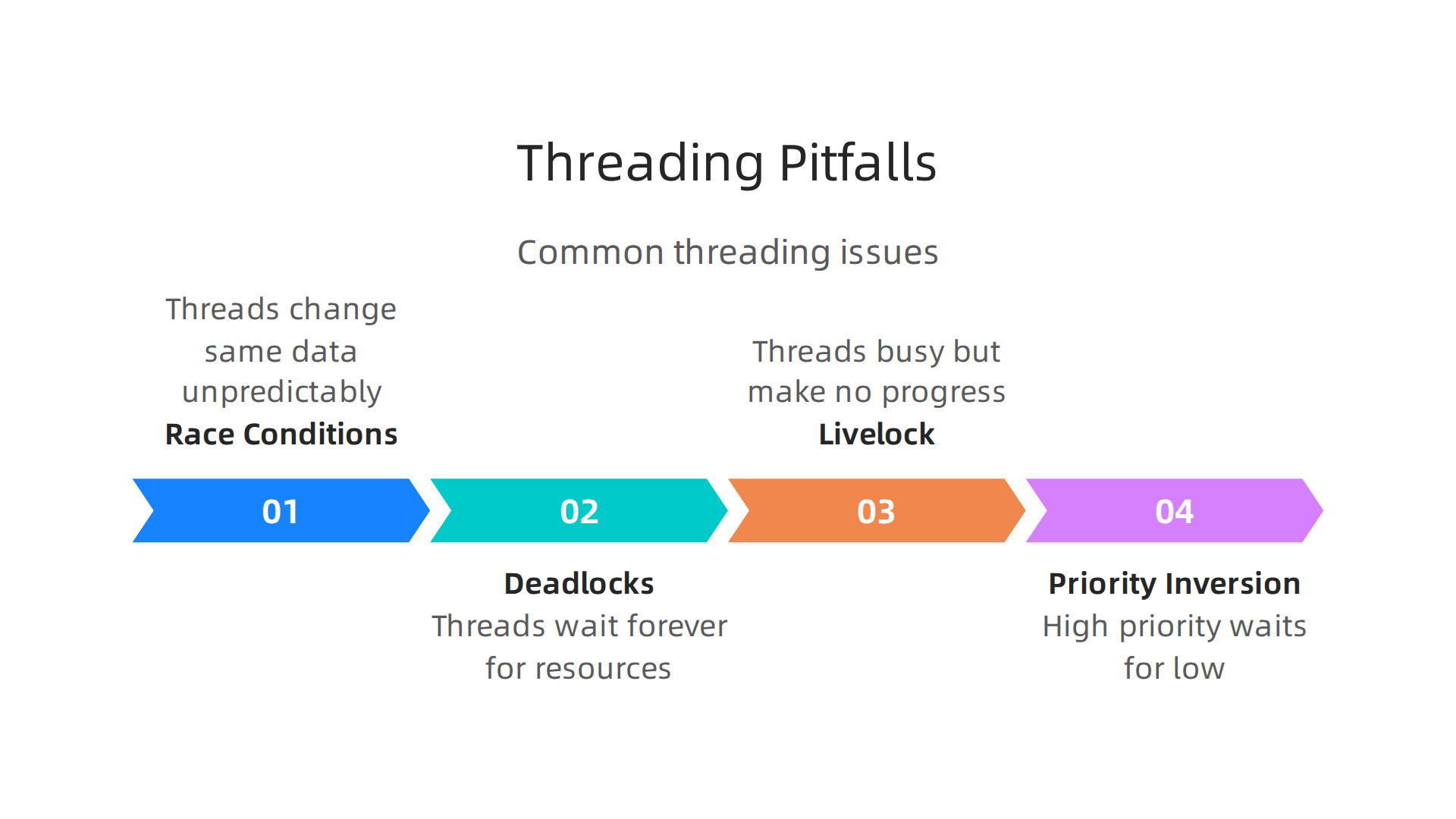
These often happen when threads share resources, like data in memory.
- Race Conditions: This happens when two or more threads try to change the same piece of data at the exact same time. The final result depends on which thread finishes first, which is often not what you want. This leads to unpredictable and incorrect outcomes. Synchronization tools like
LockandRLockthat we talked about earlier are used to prevent race conditions. - Deadlocks: Imagine two threads, Thread A and Thread B. Thread A needs Resource X and Resource Y to finish. Thread B also needs Resource X and Resource Y. If Thread A grabs Resource X and Thread B grabs Resource Y, then both threads will wait forever for the other resource, getting stuck. This is a deadlock.
- Livelock: This is like a deadlock, but worse in a way. Threads are not stuck, but they keep trying to do their work in a loop, getting in each other’s way without making any real progress. They are busy but don’t get anything done.
- Priority Inversion: This less common issue happens when a high-priority thread has to wait for a low-priority thread to finish using a shared resource. This can slow down important tasks.
It is also a pitfall to use python threading for tasks that mostly use the computer’s processor (CPU-bound tasks). Because of Python’s Global Interpreter Lock (GIL), only one thread can run Python code at a time. This means that for CPU-heavy work, threads won’t make your program run faster. Instead, they might even make it slower because of the extra work to switch between threads. For such tasks, you might need to look at other tools like multiprocessing for true parallel computing, as explained in resources comparing AsyncIO VS Threading VS Multiprocessing in Python.

Debugging Strategies
Finding and fixing problems in threaded code can be tricky. Here are some useful ways to debug:
- Logging: Use Python’s
loggingmodule to print messages about what each thread is doing. Include thread names or IDs in your logs to track their actions and see if they are accessing shared data at unexpected times. This is often the first step to understanding what went wrong. - Thread Dumps: A "thread dump" is like taking a snapshot of all threads at a certain moment, showing what each one is working on. This can help you spot if threads are stuck (deadlock) or endlessly waiting. You can usually get a thread dump by sending a specific signal to your Python process.
- Reproducing Race Conditions: Race conditions are hard because they don’t always happen. To fix them, you need to find a way to make them happen every time. This might involve running your code many times with different inputs or making sure certain events always happen in the same order.
- Deterministic Testing: This means setting up your tests so they always run in the exact same way. This helps you catch bugs that only show up sometimes. When you have a test that reliably shows a bug, it’s much easier to fix.
By keeping these pitfalls in mind and using these debugging tools, you can build more robust applications with python threading. Learning to debug effectively is a crucial part of optimizing your workflow.
If you want to stay updated on the latest trends and tools that impact machine learning workflows and performance, including new Python features and AI developments, consider subscribing to The AI Newsletter Worth Reading.
After tackling tricky debugging, the next step is to truly understand how python threading helps or hurts your program’s speed. This means looking at real numbers to see if your efforts made a difference. Performance testing helps you find out if using threads actually makes your code faster, or if other methods might be better.

Performance Metrics for Threaded Python
To measure how well your threaded Python code works, you need to look at a few key things:
- Throughput: This is how much work your program can finish in a certain amount of time. For example, how many data files can it process per second? A higher number usually means better performance.
- Latency: This measures how long it takes to complete a single task from start to finish. Lower latency means your program responds faster.
- CPU Utilization: This shows how busy your computer’s brain (the CPU) is. If it is too low for CPU-bound tasks, it might mean your threads are waiting a lot, possibly due to Python’s Global Interpreter Lock (GIL). If it is too high for I/O-bound tasks, it might mean too much overhead.
- Context-Switch Overhead: Switching between different threads takes a tiny bit of time and effort from your computer. If you have too many threads switching too often, this "overhead" can actually slow things down instead of speeding them up.
To keep an eye on these things, you can use Python’s built-in time module to measure how long parts of your code take. For deeper insights, tools like cProfile can help you find out which parts of your code are taking the most time, as part of a larger strategy for Python Performance Optimization. This helps you see where threads are spending their time.
Benchmarking Threading in Machine Learning Scenarios
When you want to know if python threading is the right choice for your machine learning tasks in 2026, you should set up controlled tests. This is called benchmarking. You compare python threading against other ways to run code, like multiprocessing or asyncio.
Here’s how to think about it for common ML tasks:
- Data Loading and Pre-processing: If your machine learning pipeline spends a lot of time waiting for data to load from a disk or network (I/O-bound),
python threadingcan be very helpful. Threads can fetch different parts of the data at the same time, making the overall process faster. For example, one thread could be reading a file while another is cleaning a different part of the data. - Inference: This is when your trained machine learning model makes predictions. If your inference tasks mostly involve heavy number crunching (CPU-bound),
python threadingmight not give you much speedup because of the GIL. In these cases, tools likemultiprocessingare often better because they use multiple CPU cores at the same time, providing true parallel work. Benchmarks often show that for CPU-bound tasks,multiprocessingis the recommended approach to achieve true parallelism across cores, while threading shines for I/O-bound tasks where the GIL is released during waits for external resources like network or disk access. This is a key difference when looking at Python Performance 2026: Async vs Multiprocessing vs Threads.
To perform a good benchmark, you need to:
- Define clear tasks: Decide exactly what work each method will do.
- Measure time accurately: Use proper timing methods to get correct results.
- Run tests multiple times: This helps make sure your results are reliable.
- Compare results: Look at throughput, latency, and CPU usage for each method.
By doing these comparisons, you can see if python threading actually helps speed up your specific machine learning tasks, or if another method would be a better fit to optimize your machine learning workflow to cut bottlenecks and speed up model delivery.
When we talk about making machine learning programs work well, it’s not just about speed. It is also about how we build them so they are strong and dependable.

After checking how fast our code is, we need to think about good ways to design it. This helps our programs run smoothly, especially when they need to do many things at once.
Design Patterns for Machine Learning Workloads
Using the right design patterns helps a lot with python threading in machine learning (ML) tasks. Here are some key ideas for making your ML systems work better:
- Keep CPU-Heavy Work Separate: Remember that Python’s Global Interpreter Lock (GIL) can slow down tasks that do a lot of number crunching (CPU-bound work) when using
python threading. For these kinds of tasks, it is best to use separate processes instead of threads. Tools likemultiprocessinglet your program use many CPU cores at the same time, giving you real speed benefits. This helps when your model is making predictions and needs lots of processing power. Many engineers agree that separating CPU-intensive tasks into their own processes is a core machine learning system design pattern for efficiency and scale, especially in 2026, as noted in various system design patterns for machine learning. - Use Thread Pools for I/O Work: For tasks that spend a lot of time waiting, like loading data from a disk or downloading files from the internet (I/O-bound work),
python threadingis very useful. To manage this well, use a "thread pool." A thread pool has a fixed number of threads ready to work. When a new I/O task comes, one of the threads in the pool picks it up. This stops you from creating too many threads, which can slow things down due to context switching. It helps in tasks like data loading and pre-processing. - Manage How Much Work You Take On (Backpressure and Resource Limits): Imagine a busy restaurant. If too many orders come in at once, the kitchen gets overwhelmed. The same can happen with your ML program. Backpressure is a way to tell the "order taker" to slow down if the "kitchen" (your program) is getting too busy. This means your system can say, "Hold on, I am processing too much right now, send less data for a bit." Setting limits on resources, like how much memory or how many threads can be used, also keeps your system from crashing when things get busy. This is important for handling high-throughput ML serving in production.
Lifecycle Concerns for ML Models
Running ML models is not just about writing code; it is also about managing them over time. This is called the lifecycle.
- Safe Shutdown: When you need to stop your ML program, you want it to shut down gracefully. This means finishing any tasks that are almost done, saving important data, and closing connections cleanly. If you just yank the plug, you might lose work or leave things in a broken state. For example, a
python joincall can make sure all threads finish their work before the main program stops. - Checkpointing: For long training jobs, it is smart to save your model’s progress regularly. This is called checkpointing. If something goes wrong, like a power outage or a bug, you can restart from the last saved point instead of starting all over again. This saves a lot of time and effort.
- Observability: You need to know what your ML program is doing at all times. This is called observability. It means you have ways to look inside your program to see if it is healthy, if there are errors, or if it is running too slowly. This can involve logging messages, tracking performance numbers, and setting up alerts. Good observability helps you fix problems quickly and keep your models performing well in production, which is a key part of optimizing model serving endpoints for production.
By following these design patterns and thinking about the full lifecycle, you can build machine learning systems that are not only fast but also stable and easy to manage.
To stay on top of the latest developments in AI and machine learning, you should get daily updates that matter.
The AI Newsletter Worth Reading delivers clear, actionable insights directly to your inbox.
Even with good design patterns, sometimes a program grows or the rules change, and what worked before might need to be updated. This is very true for python threading in machine learning. Knowing when and how to change your approach is key to keeping your systems running well.
Real-world examples, migration strategies, and when to refactor away from threading
If you find that your python threading code isn’t giving you the speed or stability you need, it might be time to rethink things. This is called refactoring. Here are some common ways to change your approach:
- From Threading for I/O to Async I/O: We talked about how
python threadingis good for tasks that wait a lot, like getting data from the internet. But there’s an even more efficient way for this called "async I/O." It lets your program manage many waiting tasks without needing lots of threads. Think of it like one person juggling many balls instead of many people each juggling one. Python’sasynciolibrary is often used for this. It can make your programs faster and use fewer computer resources for I/O tasks. - From Threading for CPU Tasks to Processes: If your threads are doing heavy math or lots of data processing, they are "CPU-bound." Python’s Global Interpreter Lock (GIL) makes it so only one thread can do this kind of work at a time, even on computers with many cores. This means
python threadingdoesn’t make CPU-heavy tasks truly faster. For real speed-up on these tasks, you should use separate "processes" instead of threads. Themultiprocessingmodule in Python helps you do this. It lets your program use all your computer’s CPU cores at the same time, leading to much better performance for these kinds of workloads.
In 2026, there’s also exciting news about Python 3.14. It now supports "free-threading" which means the GIL is less of a problem for some CPU tasks. This could change how you think about using python threading for certain jobs, as "Free-Threaded Python Is Production-Ready in 2026" for many applications, though it is important to understand when it is the right fit.
When to Refactor Away from Threading
How do you know it’s time to change your python threading setup? Look for these signs:
- Measurable Contention: This happens when your threads are constantly fighting over the same resources or data. If you see your program spending more time managing threads than doing actual work, it’s a clear sign of trouble. Tools can help you see this happening.
- Testing Difficulty: If your code with
python threadingis very hard to test correctly, or if tests sometimes pass and sometimes fail without a clear reason, that’s a red flag. Complex threading can create "race conditions," where the order of operations changes, causing unexpected bugs. - Brittle Failure Modes: Does your program crash or behave strangely under heavy use, but works fine with light use? If your system breaks in confusing, hard-to-predict ways, especially when many tasks are running, your threading approach might be too fragile. Refactoring can lead to a more stable system.
By looking for these signs, you can decide if it’s time to update your approach to concurrency. Making these changes helps you optimize your machine learning workflow to cut bottlenecks and speed up model delivery. Sometimes, even small adjustments can make a big difference in how your ML models perform. You can find more helpful advice on this through a guide on Migrating to Python Native Threading.
Summary
This article explains why concurrency matters for machine learning workloads and what python threading really gives you. It contrasts concurrency (doing many things at once) with true parallelism and shows how Python’s Global Interpreter Lock (GIL) limits CPU-bound parallel work while still allowing concurrency for I/O-bound tasks. You will learn when threading speeds up pipelines (data loading, network calls, model serving), how threads map to OS threads, and the basics of the threading API (start, join, daemon). The piece covers synchronization tools (Lock, RLock, Condition, Event), higher-level patterns like thread pools and producer–consumer queues, common bugs (race conditions, deadlocks), and practical debugging and benchmarking advice. It also compares threading with multiprocessing and asyncio, outlines design patterns and lifecycle concerns for ML systems, and describes when to refactor away from threads toward processes or async approaches.