
Master Advanced Python Lambda Techniques for ML Engineers

Why advanced Python lambda techniques matter for ML engineers
In 2026, machine learning (ML) engineers use Python for almost everything. From cleaning data to building complex AI models, Python is a go-to tool. One small but mighty feature in Python is the python lambda function. These are tiny, unnamed functions that can do quick tasks. Think of them as shortcuts for simple jobs in your code.
For ML engineers, using python lambda in smart ways can make your code shorter and sometimes easier to read. This is especially true when you’re working with data pipelines or setting up parts of a machine learning model. Imagine you need to quickly change a format in python datetime objects or apply a small rule to python data structures. A lambda function can often do this in one line. It helps keep your code clean and focused.
However, even simple tools can have hidden tricks. When using these anonymous functions, engineers sometimes run into common problems. One big issue is called "late binding." This happens because python lambda functions, like other nested functions in Python, remember variables by their name, not by their value at the time you create them. This means that when the lambda function finally runs, it looks up the current value of that variable. If the variable has changed since the lambda was made, you might get an unexpected result.
For example, if you create many lambda functions in a loop, they might all end up using the final value of the loop variable. This can be very confusing and is a known gotcha in Python programming, especially with closures. As explained by one source, Python’s closures are "late binding," meaning variables are looked up when the function is called, not when it’s defined. You can learn more about this common issue by watching Python Closures & Late Binding: The Loop Trap.
These small quirks can lead to code that’s hard to read or debug, which is a pain point for any engineer. Another challenge is making sure your code runs fast enough (performance) and that you can save and load your functions easily (serialization). While python lambda is great for simple jobs, these issues can become bigger when you use them in complex systems like pca machine learning or unsupervised learning algorithms.
Understanding these advanced python lambda techniques helps you write more robust and predictable code.

This is key for building reliable ML systems. You want your code to do what you expect every time.
To keep up with all the fast changes in AI and machine learning, staying informed is vital.
Get clear daily AI updates from The AI Newsletter Worth Reading.
Lambda fundamentals: anatomy, scope, and typical ML use cases
A python lambda function is like a mini-function you can write in just one line. It starts with the word lambda, then lists its inputs, and finally tells Python what to do with those inputs. It looks like this: lambda input: what_to_do_with_input. For example, lambda x: x * 2 is a python lambda that takes a number x and gives back x times two. It’s quick and handy for simple jobs.
When you use python lambda, it’s important to know how it "sees" the other parts of your code. This is called "scoping." A python lambda function, like any other function that lives inside another, can remember variables from its surroundings. This special ability creates what we call a "closure."
However, there’s a trick to how Python handles these closures, especially with python lambda. It’s called "late binding." This means that when a python lambda function looks at a variable from outside itself, it doesn’t remember the value that variable had when the python lambda was made. Instead, it waits until the python lambda is actually run to check the variable’s value. As explained by some experts, Python closures capture variables by their name, not by their actual value at the time the closure is created. This means a closure holds a link to the variable, not a copy of its value, and looks up the current value when it’s called Weird Python Closure Behavior Explained: Why Your Lambda ….
This can be tricky if the variable changes after the python lambda is created but before it’s used. For instance, if you make many python lambda functions in a loop, they might all end up using the final value of the loop variable, not the value it had when each specific python lambda was created. This is a common pitfall that can make your code do unexpected things.
Where ML Engineers Use Python Lambda
In machine learning, python lambda functions shine in certain places:
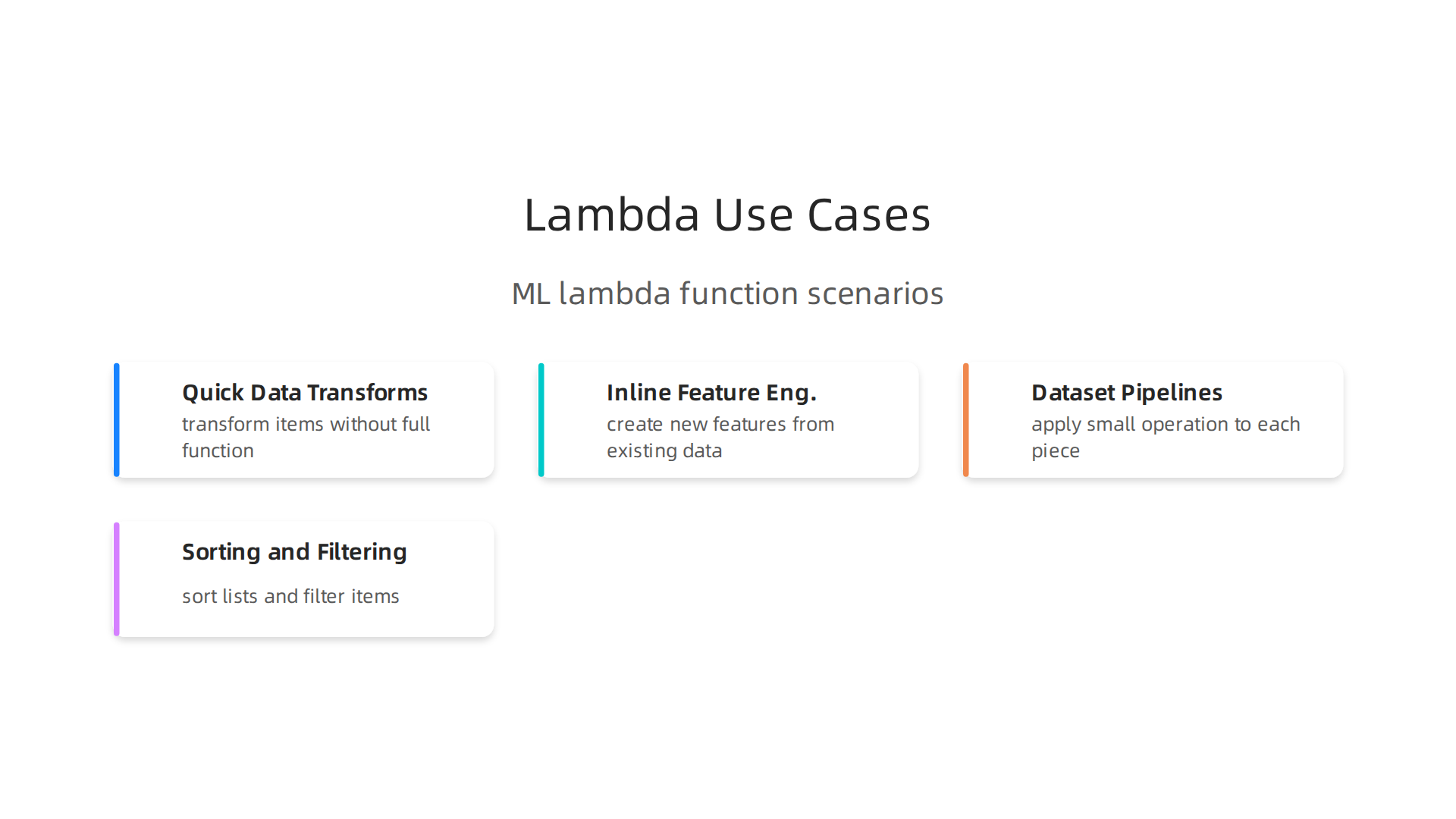
- Quick Data Transforms: Imagine you have a list of numbers or
python datetimeobjects and you need to change them slightly. Apython lambdacan quickly transform each item without writing a full function. For example, changing all numbers to be positive or adjusting dates. - Inline Feature Engineering: When you’re building a machine learning model, you often need to create new features from your existing data. A
python lambdacan help you do this right inside your code where you’re setting up your data, like calculating a new value based on two existing columns in a table. - Dataset Pipelines: Many machine learning tasks involve flowing data through several steps.
python lambdafunctions are often used in these data pipelines, especially when working withpython data structureslike lists or dictionaries, to apply a small operation to each piece of data as it passes through. This helps in preparing data forpca machine learningorunsupervised learning algorithms. - Sorting and Filtering: You can use
python lambdato tell Python how to sort a list of complex items or pick out certain ones based on a simple rule.
Understanding these basics helps you use python lambda wisely. It’s a tool for specific jobs, not every job. Knowing its limits, especially around late binding, helps you write more reliable code for your machine learning projects. To truly get the most out of your code, learning how to handle different ways of working with data is key. You can discover more about these methods by exploring how to Mastering Python Data Workflows for Peak Performance.
Practical patterns: using lambdas for data preprocessing and feature engineering
Now that we understand the basics of python lambda functions, let’s look at how they’re actually used in real projects, especially for getting data ready and making new features in machine learning.
Python Lambda in Pandas DataFrames
One common place you’ll see a python lambda is when working with Pandas DataFrames. You might use the .apply() method to do something to each row or column. For example, if you have a column of numbers and want to quickly square each one, you could use df['column'].apply(lambda x: x * x). Or, if you have python datetime objects and need to pull out just the year, a python lambda can do that easily. This is a common way to quickly transform python data structures within Pandas.
However, it’s important to know that while .apply() with a python lambda is simple, it’s often not the fastest way to work with large datasets. For better speed when dealing with many rows of data, especially for pca machine learning or other data-heavy tasks, you should try to use "vectorized" operations. These are special Pandas or NumPy functions that can work on whole columns at once, much like how you might process data for unsupervised learning algorithms. This can be much faster than applying a python lambda one item at a time. Experts agree that vectorized operations can be 70 times faster than apply() for data processing, and you should always try to use them when possible to Stop Writing Slow Pandas Code: Vectorization & Alternatives.

For example, instead of df['column'].apply(lambda x: x * x), you could just write df['column'] * df['column'] or np.square(df['column']). These vectorized ways of doing things are usually much quicker because they let the computer do a lot of work at once. For more complex transformations, you can also explore tools that help you Master Python Data Analysis Tools for Machine Learning in 2026.
Python Lambda with map() and filter()
Beyond Pandas, python lambda functions are great friends with Python’s built-in map() and filter() functions.
map(): This function takes apython lambda(or any function) and applies it to every item in a list or other collection. It’s perfect for quickly changing all items in a group. For instance,list(map(lambda x: x.upper(), my_words))would make all words uppercase.filter(): This function also takes apython lambda(or any function) but uses it to decide which items to keep from a list. Thepython lambdahere should returnTrueorFalse. For example,list(filter(lambda x: x % 2 == 0, my_numbers))would only keep the even numbers.
These patterns are often used in generator-based streaming pipelines, where data flows through a series of small, fast operations. python lambda functions fit right in for these quick, single-purpose steps.
When to Pick Regular Functions Over Python Lambda
While python lambda is handy, it’s not always the best choice. Here’s when you might want to use a regular def function instead:
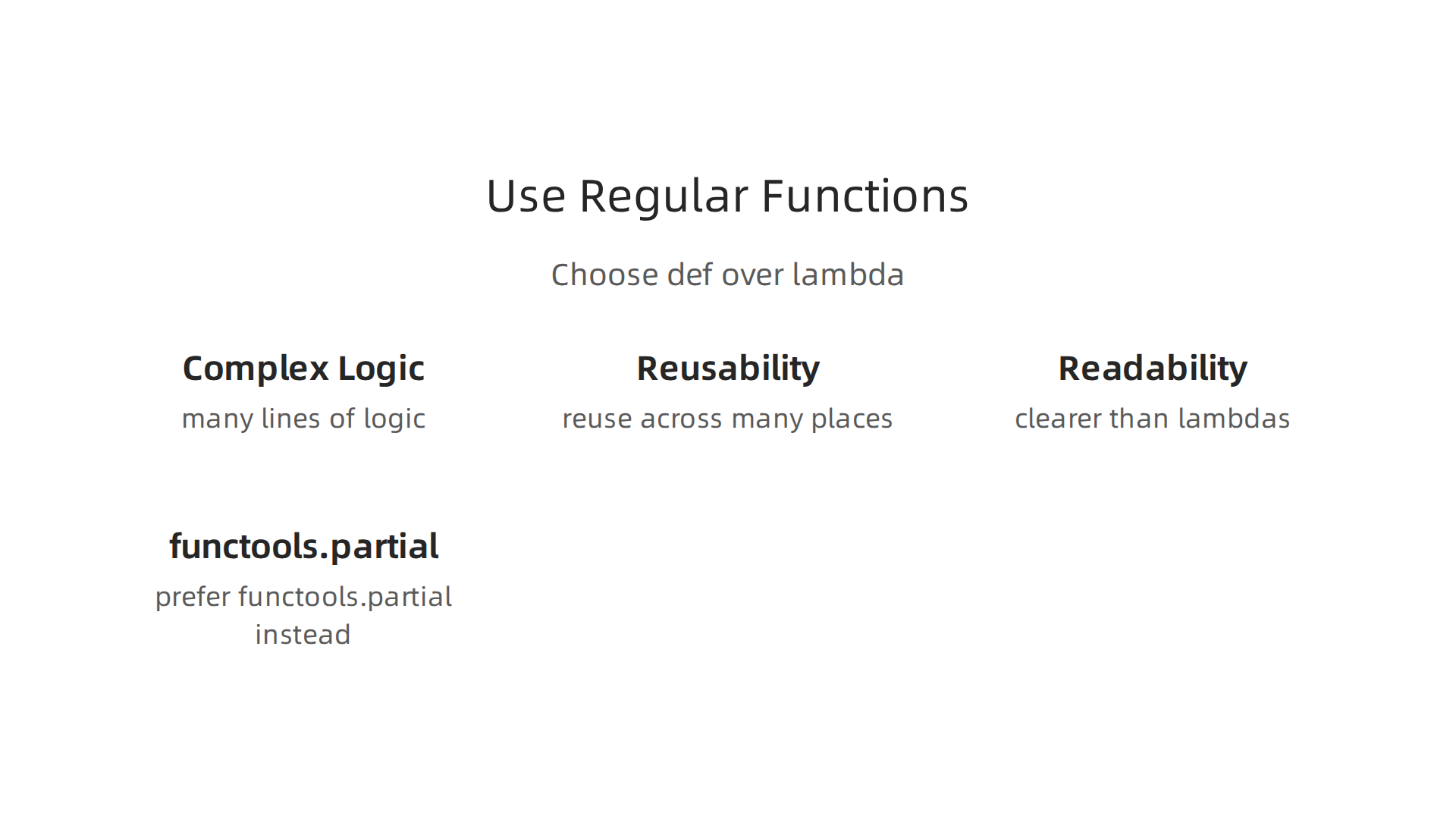
- Complex Logic: If your
python lambdaneeds to do more than one simple thing, or if it stretches across many lines, it quickly becomes hard to read. A regulardeffunction with a clear name and separate lines for each step is much easier to understand. - Reusability: If you plan to use the same little bit of code in many places, giving it a name with
defmakes it easy to call it again and again.python lambdafunctions are meant for one-off uses. - Readability: Code that’s easy to read is easy to maintain. If someone else (or even you in six months) looks at your code, a named function often explains itself better than a compact
python lambda. In fact, tools that check your code quality often suggest avoiding assigning apython lambdaexpression directly to a name, preferring adefstatement instead for clarity, as mentioned byPylintin its guidance on unnecessary-lambda-assignment / C3001¶. - When you need
functools.partial: Sometimes you have a regular function that takes many inputs, but you only want to change some of them for a specific task. Python’sfunctools.partiallets you "pre-fill" some inputs, creating a new function that needs fewer inputs. This can be a cleaner choice than apython lambdaif you’re adapting an existing function.
Knowing when to use a python lambda and when to use a full def function helps you write clear, efficient code. It’s all about picking the right tool for the job.
Staying on top of these coding best practices and the wider world of AI and machine learning is key for any professional.
Get clear daily AI updates from The AI Newsletter Worth Reading.
Performance and memory: benchmarking lambda vs named functions in ML workloads
The previous section explained that sometimes a regular function is better for readability and complex logic. But what about speed? Does using a python lambda make your code faster or slower?

It’s a good question, especially when you are working with big data for machine learning.
How python lambda Affects Runtime Performance
When we talk about how fast code runs, we look at different things:
- Bytecode and Overhead: Both
python lambdafunctions and regulardeffunctions get turned into something called "bytecode" by Python. This is like a set of simple instructions the computer understands. The main point is that calling any function, whether apython lambdaor a regular one, has a tiny cost. This is called "call overhead." For simple jobs, this cost is usually about the same for both. So, for quick, small tasks, you won’t see much speed difference just because one is apython lambda. - Special Speed-Ups (JITs): Sometimes, for very complex math or data tasks, special tools called Just-In-Time (JIT) compilers can make regular Python functions much faster. These tools can sometimes "inline" code, meaning they put the function’s steps right into the main code, avoiding the call overhead altogether. While some JITs might be able to do this with
python lambdatoo, named functions are often easier for these advanced tools to optimize. This is especially true in areas likepca machine learningor other number-heavy tasks.
Memory and Serialization: The "Closure" Effect
This is where python lambda functions can have a tricky side. When a python lambda uses a variable that is not given to it directly as an input, but instead comes from the code around it, that’s called a "closure." The python lambda "remembers" these outside variables.
Here’s the important part: Python closures use something called late binding. This means the python lambda does not remember the value of the outside variable when it’s created. Instead, it remembers where to find that variable. When you finally run the python lambda, it looks up the variable’s value at that exact moment. This can sometimes lead to surprising results, especially when python lambda functions are made inside loops. You can learn more about this common issue with Python Closures & Late Binding: The Loop Trap.
Impact on Memory and Data Structures
If your python lambda captures a very big variable from its surroundings, like a huge list or a large Pandas DataFrame (which are complex python data structures), it can hold onto that memory. Even if you think you are done with the big variable, the python lambda might keep it alive in memory because it is still linked to it. This can be a problem in unsupervised learning algorithms or when working with large datasets, as it can use up a lot of computer memory.
Also, saving (serializing) a python lambda that has captured big outside variables can be tricky. You might try to save the python lambda to use it later, but if it is holding onto a lot of data, that data will also need to be saved. This can make the saved file huge and slow to load. Understanding how python lambda functions interact with variables is key to building reliable ML systems and efficient Python data workflows for peak performance.
In short, while python lambda functions are great for quick, simple tasks, it is wise to be careful when they interact with large amounts of data or complex variable scopes in performance-critical machine learning code.
Making your code easy to test and fix is super important, especially when working with machine learning.

While python lambda functions can be quick to write, they can also make your code harder to understand and fix later. Let’s look at how to make sure your code stays clear and strong.
Testing, debugging, and maintainability: linters, type hints, and refactoring lambdas
Sometimes, a python lambda is simple enough. But when things get complex, it’s harder to test or figure out what went wrong.
How to Make python lambda Functions Easier to Test
python lambda functions do not have names. This makes them tricky to test on their own or to understand what they are doing if an error pops up. Here are some ways to help:
- Use Small Named Functions Instead: For anything more than a super simple task, it’s often better to use a regular
deffunction. This lets you give it a clear name, write comments, and test it by itself. If you have apython lambdathat does many things, changing it to a small named function can make your code much cleaner. - Better Logging: If you must use a
python lambdain a key part of your code, think about adding ways to log what it’s doing. This is harder than with named functions but can be done by wrapping thepython lambdain another small function that also logs. - Type Hints: Even for
python lambdafunctions, you can sometimes use type hints to show what kind of inputs they expect and what kind of output they give. This doesn’t change how the code runs, but it makes it much clearer for other people (and your future self) to understand. This is a good practice for any code, helping you master your Python stack for data science.
How Linters and Other Tools Help
"Linters" are like helpful robot friends that read your code and point out mistakes or ways to write it better. They are a big part of keeping code quality high in 2026, helping you to optimize your machine learning workflow.
These tools can spot common problems with python lambda functions:
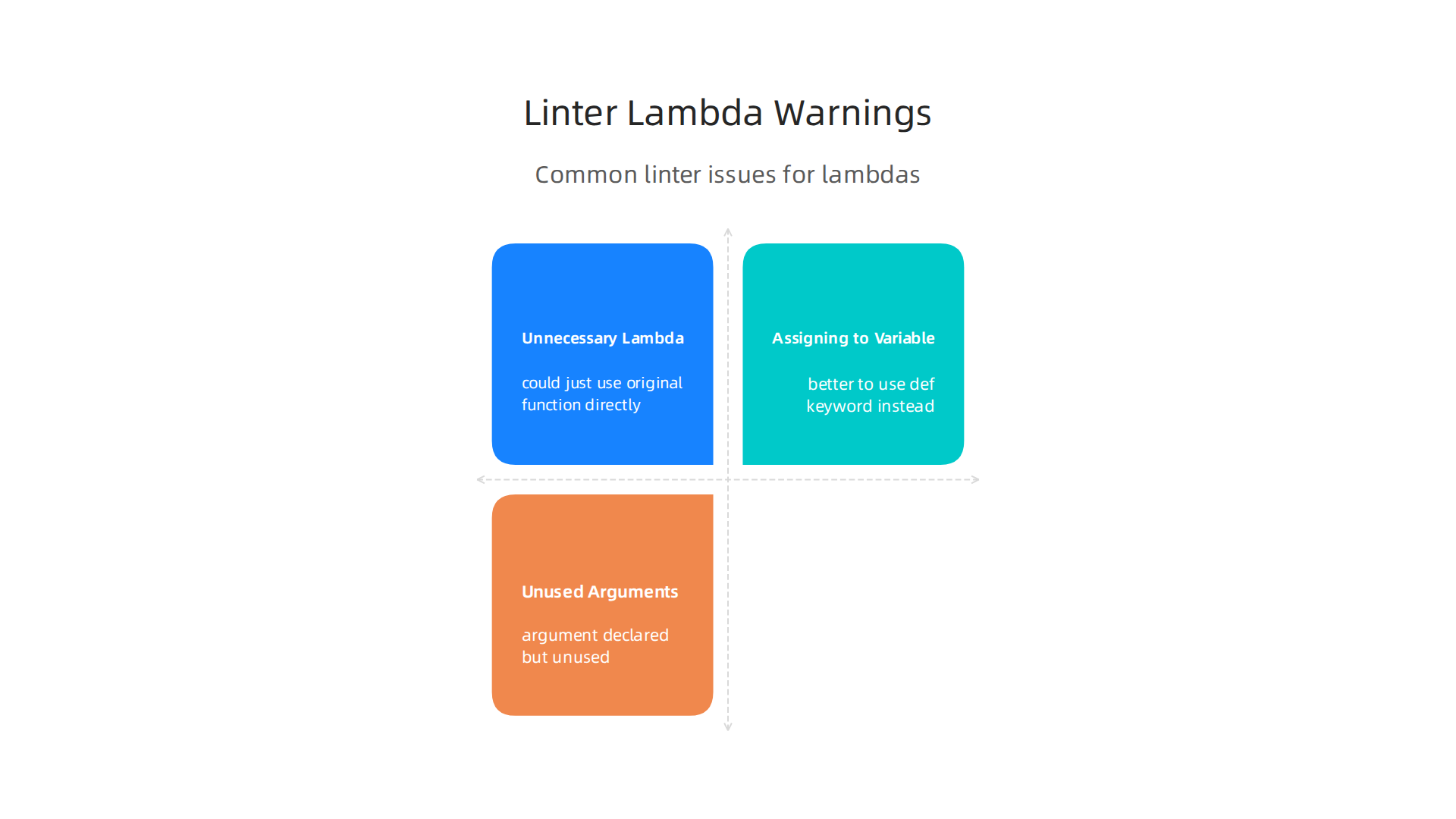
- Unnecessary
python lambda: Sometimes, you might write apython lambdawhen you could just use the original function directly. For example, if you writelambda x: my_function(x), you could often just usemy_functionitself. Linters like Pylint will warn you about this with messages like "Lambda may not be necessary" unnecessary-lambda / W0108#.
- Assigning a
python lambdato a variable: It is generally a bad idea to give apython lambdaa name, likemy_func = lambda x: x + 1. If you need to name a function, it is always better to use thedefkeyword instead. Python style guides and linters like Pylint give warnings like "Lambda expression assigned to a variable" for this, suggesting you define a function using the "def" keyword instead. This is also a common recommendation you might find in discussions about overusing lambda expressions in Python. - Unused arguments: Linters can also find
python lambdafunctions that take an input but never use it. This might mean there’s a mistake in your logic unused-lambda-argument (ARG005).
Using linters helps you catch these issues early. They guide you to refactor your python lambda functions into clearer, named functions when it makes sense, leading to more reliable and easier-to-maintain code for your Python for data science and machine learning projects.
For a deeper dive into the world of AI and technology trends that shape machine learning, you’ll want to stay informed. Get clear daily AI updates from The AI Newsletter Worth Reading.
Even with helpful tools like linters, some advanced ways of using python lambda functions and other programming tricks can be very useful, especially in machine learning.

These methods, called functional programming techniques, help you build complex code from smaller, simpler parts.
Advanced Functional Techniques: Closures, Currying, and Higher-Order Patterns for ML
Sometimes, you need to create functions that are extra smart or flexible. This is where advanced functional programming comes in. It helps you make parts of your code that can be easily put together like building blocks.
Building Flexible Data Transforms with Higher-Order Functions and Closures
In machine learning, you often need to change your data in many ways before it goes into a model. These changes are called data transforms. Advanced techniques can make these transforms very powerful.
Higher-Order Functions: Think of these as special functions that can do one of two things:
- They can take other functions as their input.
- They can give back a new function as their output.
Python has some built-in higher-order functions like map and filter that can use python lambda functions to quickly change lists of data. But you can also make your own. For example, you might have a higher-order function that creates a special data cleaner based on certain rules you give it. This helps you build reusable data processing steps for your ML pipelines.
Closures: A closure is a neat trick where a function remembers information from the place it was created, even after that place is gone. Imagine you have a python lambda function that needs a specific setting, like a scaling factor for data. A closure lets you "bake in" that scaling factor when you make the python lambda, so it always uses it, no matter where you call it later.
This is super useful for making custom data transforms. You can set up a general transform, and then use a closure to create many specific versions of it, each with its own special settings. For example, if you’re preparing data for a machine learning model, you might need different ways to handle missing values or to normalize data based on different columns. Closures allow you to create specific, tailored functions for each task, making your data transformations flexible and clear. You could even use this to handle different python datetime formats by creating specific parsing functions.
Currying and Partial Application
Currying is a fancy word for breaking down a function that takes many inputs into a series of smaller functions, each taking just one input at a time. This might sound complicated, but it’s like setting up a chain reaction. The first small function takes one piece of information, then it gives back a new function that expects the next piece, and so on. This helps you build up complex data operations step by step.
Partial application is a similar idea. It means giving some inputs to a function now, and saving the rest for later. Python’s functools.partial tool is great for this. You can take a function that normally needs three things, give it one or two of those things, and it will hand you back a new python lambda or function that just needs the remaining inputs. This is perfect for creating specialized versions of more general functions.
For example, if you have a data cleaning function that takes many settings, you can use partial application to create a "quick clean" version that has some settings already filled in. This can make your code for handling python data structures in machine learning pipelines much more organized and easier to manage.
Keeping Functional Code Debuggable and Working with Model Pipelines
Using these advanced techniques can make your machine learning pipelines very flexible. You can easily swap out data transforms or create special ones for different parts of your data. This is great for tasks like feature engineering or creating custom steps for pca machine learning or other unsupervised learning algorithms.
However, when you use python lambda functions inside closures or with partial application, they can sometimes be hard to debug. Because python lambda functions don’t have names, figuring out where an error came from can be a puzzle. It’s often better to use small, named functions (def functions) for anything complex. This makes it easier to test each piece and see what’s going on.
Another thing to think about is saving your work. When you’re ready to deploy your machine learning model, you often need to save its entire state, including any custom data transforms or functions. This process is called "serialization" or "pickling" in Python. The standard Python pickle tool is good for many objects, but it often struggles with python lambda functions and closures because they don’t have names or might rely on specific environments where they were created.
If you need to serialize python lambda functions or closures, you might need special tools like dill or cloudpickle. These libraries extend what Python’s pickle can do, allowing you to save and load these more advanced functional parts of your code. For example, dill can serialize and deserialize lambdas, even those inside closures, while cloudpickle offers extended pickling support for Python objects, including constructs not handled by the default pickle module. This is important for ensuring your ML models can be saved and reused reliably. You can learn more about how dill helps with unpickleable data types and dill or explore how dill can serialize lambdas inside closures.
By understanding these techniques and their challenges, you can use python lambda functions and other functional programming tools wisely to build powerful and flexible machine learning systems.
Using clever tricks like python lambda functions can make your machine learning code really flexible. But when it’s time to put your model and its helper functions into action, you run into some new challenges. This is especially true for saving your code and making it ready for use in different places, like on cloud computers.
What Happens When You Try to Save python lambda Functions?
When you build a machine learning model, you often need to save it along with all the special steps you used to prepare your data. Python has a built-in tool called pickle that helps you do this. It takes Python objects and turns them into a format that can be saved to a file and loaded back later. This process is called "serialization" or "pickling" and helps in recreating your model exactly as it was. The pickle module is good for saving many kinds of Python objects, making it easier to save and load data structures for machine learning. You can learn more about how it works for Python object serialization.
However, pickle often has trouble with python lambda functions and closures. Why? Because python lambda functions don’t have a proper name like regular functions made with def. Also, closures remember things from the environment where they were created. The standard pickle tool usually saves functions by their name and where they came from (their module), so it struggles to save unnamed python lambda functions or the specific memory context of a closure. This means that if you try to pickle a python lambda function that’s part of your data cleaning process for unsupervised learning algorithms, it might not work.
Making Your Functional Code Ready for Deployment
Don’t worry, there are ways to make your python lambda functions and closures ready for saving and deployment.
Special Tools for Pickling:
For those tricky python lambda functions and closures, you can use other libraries that are more powerful than the standard pickle module.
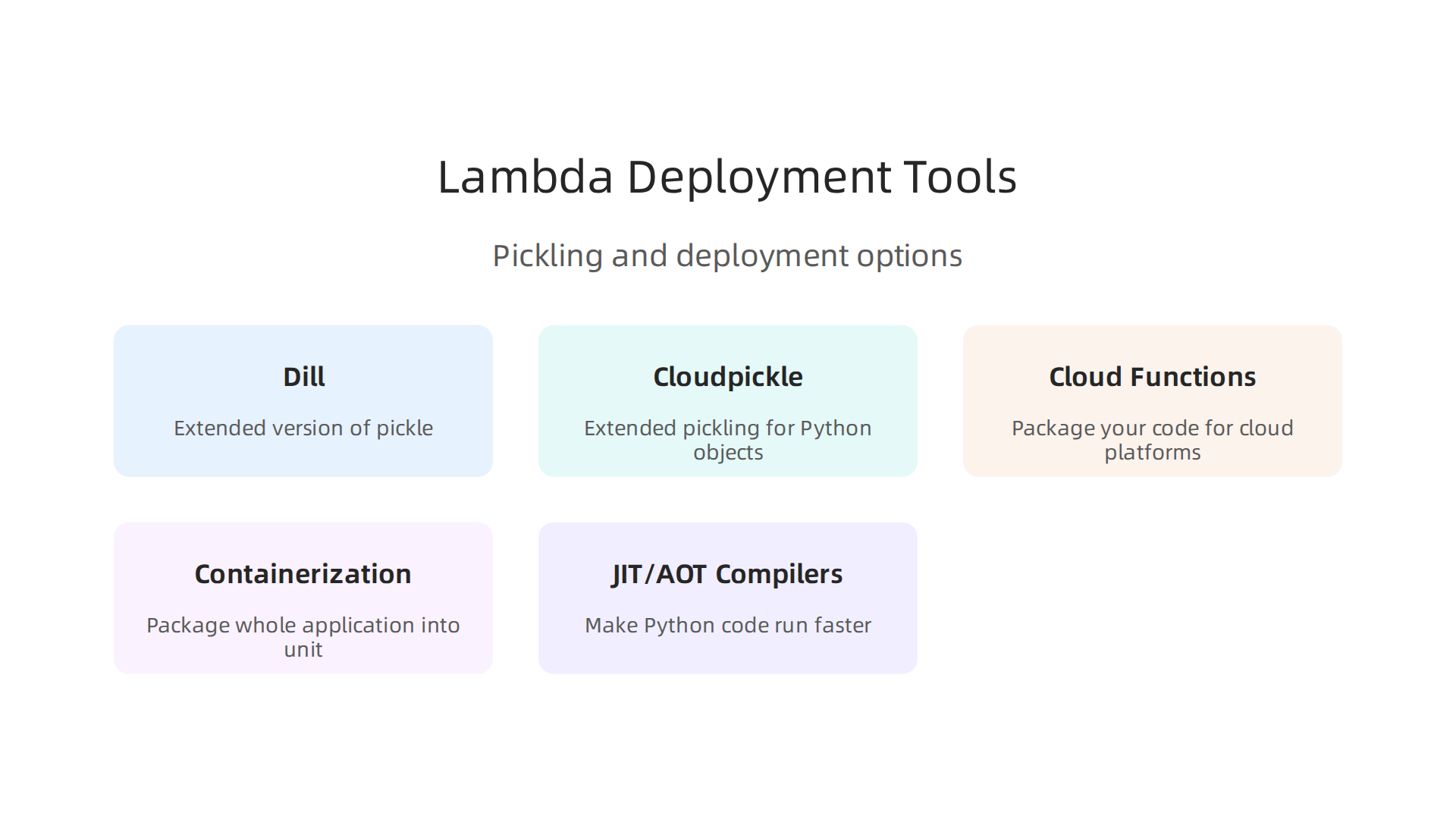
dill: This tool is an extended version ofpickle. It can handle many more types of Python objects, includingpython lambdafunctions, nested functions, and closures, whichpicklecannot. You can often just "import dill as pickle" and it works like a charm for saving complex objects. You can find more details on Unpickleable Data Types and dill and how it can handle serializing and deserializing lambdas.cloudpickle: This is another helpful library, especially designed for working with big data tools like Apache Spark. It offers extended pickling support for Python objects that the defaultpicklemodule can’t manage. This makes it easier to pass functions, includingpython lambdafunctions, between different computer processes or across a cluster.
By using these specialized tools, you can reliably save your data transforms and other custom functions, even those that use python lambda functions. This is super important when you’re building machine learning pipelines that need to be saved and run many times. For instance, if you have a custom transform for pca machine learning that uses a python lambda, these tools ensure it can be saved with your model.
Deploying to the Cloud and Working with Modern Tools
Once your functions can be saved, you can deploy them.
- Cloud Functions: When you want to run your machine learning code on cloud platforms like AWS Lambda or Google Cloud Functions, you often package your code. If your functions or data transforms rely on special
python lambdafunctions, making sure they can be correctly serialized and deserialized is key. It’s also vital to be careful about security. Deserializing data from unknown sources can be risky, as it might lead to running harmful code. Some platforms even suggest replacingpicklewith safer data formats like JSON for external data to prevent security issues, as highlighted in "Python AWS Lambda Tainted Pickle Deserialization". - Containerization: Tools like Docker let you package your whole application and all its parts into a single unit. This helps a lot when deploying machine learning models, as it ensures that all your
python data structures, libraries, and even custompython datetimeparsingpython lambdafunctions are present and work correctly in any environment. - JIT (Just-In-Time) and AOT (Ahead-Of-Time) Compilers: These are advanced tools that can make your Python code run faster. While they often work well with standard Python, using very complex
python lambdafunctions or closures might sometimes require extra care to ensure they are fully compatible and still get the performance boost. Usually, the main concern forpython lambdafunctions in deployment is serialization, not direct JIT compatibility.
Being able to save and deploy your python lambda functions and data transformations correctly is a big step towards building strong and reliable machine learning systems in 2026. This is part of mastering your Python stack for data science.
For those who want to keep up with the fast-moving world of AI and machine learning, staying informed is critical.
The AI Newsletter Worth Reading delivers clear daily updates to help you stay ahead.
Summary
This article explains why advanced Python lambda techniques matter for machine learning engineers and how to use them safely and effectively. It begins with lambda fundamentals—syntax, scope, and how closures use late binding—then shows common ML use cases such as quick data transforms, inline feature engineering, and pipeline steps with map/filter or Pandas .apply(). The piece compares lambdas to named functions for readability and reuse, discusses performance trade-offs (and why vectorized operations often beat apply()), and warns about closures holding large objects in memory. It also covers testing and linting best practices, advanced functional patterns like currying and partial application, and practical guidance for serializing and deploying lambdas using tools like dill or cloudpickle. After reading, you’ll know when to pick a lambda, how to avoid common traps, and how to prepare functional code for production ML workflows.