
Master Your Python Stack for Data Science in 2026

For data scientists in 2026, working with Python is a daily task. But sometimes, things can get tricky. Have you ever written code that worked perfectly on your computer, but then broke when a teammate tried to run it?

Or maybe you looked at your old code and couldn’t remember how to set it up again? These common problems make work slower and less reliable.
The challenge often comes down to managing the entire collection of tools and setups that make your Python projects run. This whole system, from the Python version itself to all the extra libraries you use, is what we call the python stack. If you don’t manage it well, your projects can become hard to share, hard to update, and sometimes, they just stop working right. For example, making your research reproducible means recording the exact software environment, including Python and library versions, to ensure others can get the same results you did Reproducible Research with Python: A Complete Guide. You should always share a clear way to set up your environment, not just your code Clean Code Tips for Scientists #1 – Reproducible ….
Learning how to handle your python stack properly helps you avoid these headaches. It means your code works the same way every time, no matter who runs it or when. It also helps you work faster because you spend less time fixing setup issues and more time on actual data science. Understanding tools for managing virtual environments and dependencies is key. Best practices often include creating a new virtual environment for each project and documenting all dependencies Python Virtual Environments – Research Computing Resources.
This guide will walk you through the core operations and smart ways to use your python stack. We’ll share practical patterns and talk about the pros and cons of different choices. By the end, you’ll know how to make your Python data science work more reliable and productive. For more on essential tools and workflows, check out our guide on Python for data science and machine learning in 2026 tools and workflows.
Stay ahead of the curve in the fast-changing world of AI and machine learning.
The AI Newsletter Worth Reading
1) Environment & Dependency Management: virtualenv, venv, pip, and reproducible environments
Okay, so we know that handling your python stack carefully helps you avoid problems. Now, let’s look at why this is super important for your data science work, especially when you need to make sure your results can be checked by others or used in real-world systems.
Why Reproducible Environments Matter
Imagine you run an experiment and get great results. If you don’t save the exact Python version and all the specific libraries you used, someone else trying to repeat your work might get different answers. This is a big problem in science and data analysis. To avoid this, you need "reproducible environments." This means setting up your project so that it always works the same way, no matter who runs it or when.
For your data science projects, especially for machine learning, "pinned environments" are key. This means you record the exact version number of every single library you use, not just a range. For example, instead of saying "pandas >= 1.0," you’d say "pandas == 1.3.5". This helps prevent surprises when a new version of a library changes how something works. Many experts say to pin everything, from your Python version to every library Best Practices for a New Research Project Repo in 2026. When you share your code, you should also share a clear way to set up the exact environment Python Environment Management Best Practices.
Reproducible builds are not just for experiments. They are also critical when you move your data science model from your computer to a server where it will run for real users. If the server has different library versions, your model might not work as expected, leading to big headaches.
Common Tools for Managing Your Python Stack
To achieve this level of control over your python stack, several tools are commonly used in 2026:
-
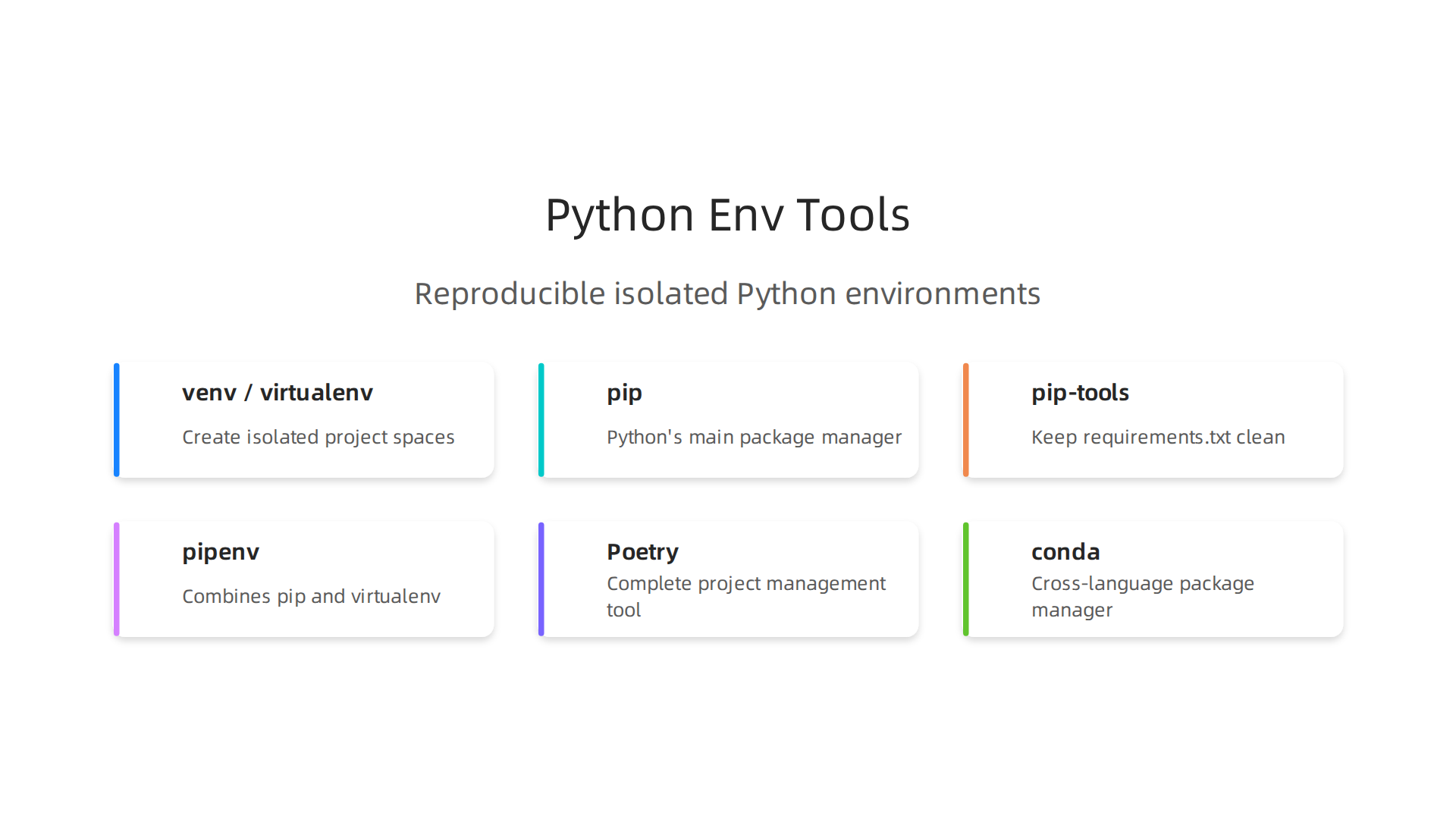
venv and virtualenv: These are tools that create isolated spaces for your Python projects. Think of them like separate boxes. Each box can have its own Python version and its own set of libraries. This way, Project A can use one version of a library, and Project B can use a different version without them clashing.
venvis built right into Python since version 3.3, whilevirtualenvis an older, standalone tool that works similarly and is often used for older Python versions or more advanced setups. Best practices for virtual environments include creating a new one for each project Python virtual environment best practices guide for 2026. -
pip: This is Python’s main tool for installing and managing packages (libraries). When you use
pip install pandas, it downloads and installs the pandas library into your active environment.pipis also how you create arequirements.txtfile, which is a simple list of all the libraries your project needs. You can make this file by runningpip freeze > requirements.txt. This file is crucial for reproducible builds because it lists the exact versions of all your project’s dependencies, making it easy for others to set up the same environment. -
pip-tools: This helps
pipbe even better. It makes it easier to keep yourrequirements.txtfile clean and updated. It can help you find and install the right versions of packages that work well together. -
pipenv: This tool combines
pipandvirtualenvinto one package manager. It aims to make Python project setups simpler by automatically creating virtual environments and managing your package lists in aPipfileandPipfile.lockfile. -
Poetry: This is a more complete tool for Python project management. It not only handles your dependencies and virtual environments but also helps with building, packaging, and publishing your Python projects. It’s often praised for making the whole development workflow smoother and more robust.
-
conda: While
venv,virtualenv, andpip-related tools focus only on Python packages,condais a cross-language package manager. It can manage packages for Python, R, Java, and more, along with their environments. This makes it very popular in the data science world, especially when projects involve tools beyond just Python.
Choosing the right tool depends on your project’s needs and how complex your python stack is. The goal is always to make your development process clear and your results reliable. If you’re looking to make your machine learning operations more efficient, understanding how these tools fit into your larger workflow can help you optimize your machine learning workflow to cut bottlenecks and speed up model delivery.
After setting up a reliable python stack for your projects, the next step is to write code that’s not only correct but also easy to read and efficient. For data scientists, knowing how to use Python’s core features well makes a big difference in how fast your code runs and how easily others can understand your work.
Practical Patterns for Better Python Code
Learning common Python ways of doing things, also called "idioms," can make your data science tasks much smoother.

Iteration and Comprehensions
You probably know about for loops for going through lists or other data. But Python offers clearer, shorter ways to do this, especially when making new lists or dictionaries. These are called comprehensions.
- List Comprehensions: Instead of writing a loop to make a new list, you can often do it in one line.
# Old way
squared_numbers = []
for num in range(5):
    squared_numbers.append(num * num)

# New way with list comprehension
squared_numbers = [num * num for num in range(5)]
This is not just shorter; it’s often faster too.
- Dictionary and Set Comprehensions: You can do similar things to create dictionaries or sets quickly. This is super useful for cleaning data or building lookup tables. For example, to quickly create a dictionary from two lists or count things.
Generators for Memory-Aware Handling
When you’re dealing with very large datasets, creating a huge list in memory can crash your computer. This is where generators come in handy. They don’t make all the results at once. Instead, they give you one result at a time, only when you ask for it. Think of it like a chef slicing vegetables one by one as you need them, instead of chopping all of them at once and putting them on a huge plate. This saves a lot of computer memory.
Context Managers (with statement)
Working with files, network connections, or databases needs careful handling. You have to open them, use them, and then make sure they are properly closed, even if something goes wrong. A context manager, using the with statement, makes this easy.
with open('my_data.txt', 'r') as file:
    data = file.read()
# The file is automatically closed here, even if there was an error.
This simple structure helps prevent common problems like leaving files open or not closing database connections, which can waste resources or cause issues.
Handling Big Data Efficiently
For data scientists, being smart about memory is key. Tools like Apache Arrow and Parquet files are becoming standard for handling very large datasets in 2026. Using these with libraries like Pandas or Dask can give you a huge speed boost and save memory compared to older methods like CSV files Utilizing PyArrow to improve pandas and Dask workflows. This kind of efficient data handling is a core part of optimizing your python stack for big data tasks.
Idiomatic Python vs. Micro-Optimizations
When you write Python code, there’s often a "Pythonic" way to do things. This means writing code that is clear, simple, and follows the common style of Python. For instance, using comprehensions instead of long loops is often considered more Pythonic.
Most of the time, choosing clear, readable code is better than trying to make every single line as fast as possible (called micro-optimizations).

Clear code is easier to fix, update, and understand for others on your team. It saves time in the long run.
However, sometimes you need speed for a specific, very important part of your data science pipeline. In these cases, you might focus on tiny speed gains, but always make sure to test if those changes truly help. Remember, your code should be correct first, then clear, and then fast.
You can also use tools like python assert statements to check if your code is working as expected during development. This helps catch mistakes early. Conditional statements like if, elif python, and else are also fundamental for directing your code’s flow based on different conditions. And when dealing with numbers, knowing how to use python round ensures your results have the right precision.
Learning these practical patterns and knowing when to use them effectively will help you write better code and manage your data tasks with more ease. For more in-depth knowledge, explore how to further enhance your capabilities by mastering advanced Python techniques for data.
Want to stay ahead in the fast-moving world of AI and machine learning? The AI Newsletter Worth Reading delivers clear daily updates right to your inbox.After setting up a reliable python stack for your projects, the next step is to write code that’s not only correct but also easy to read and efficient. For data scientists, knowing how to use Python’s core features well makes a big difference in how fast your code runs and how easily others can understand your work.
Practical Patterns for Better Python Code
Learning common Python ways of doing things, also called "idioms," can make your data science tasks much smoother.
Iteration and Comprehensions
You probably know about for loops for going through lists or other data. But Python offers clearer, shorter ways to do this, especially when making new lists or dictionaries. These are called comprehensions.
- List Comprehensions: Instead of writing a loop to make a new list, you can often do it in one line.
# Old way
squared_numbers = []
for num in range(5):
    squared_numbers.append(num * num)

# New way with list comprehension
squared_numbers = [num * num for num in range(5)]
This is not just shorter; it’s often faster too.
- Dictionary and Set Comprehensions: You can do similar things to create dictionaries or sets quickly. This is super useful for cleaning data or building lookup tables. For example, to quickly create a dictionary from two lists or count things.
Generators for Memory-Aware Handling
When you’re dealing with very large datasets, creating a huge list in memory can crash your computer. This is where generators come in handy. They don’t make all the results at once. Instead, they give you one result at a time, only when you ask for it. Think of it like a chef slicing vegetables one by one as you need them, instead of chopping all of them at once and putting them on a huge plate. This saves a lot of computer memory.
Context Managers (with statement)
Working with files, network connections, or databases needs careful handling. You have to open them, use them, and then make sure they are properly closed, even if something goes wrong. A context manager, using the with statement, makes this easy.
with open('my_data.txt', 'r') as file:
    data = file.read()
# The file is automatically closed here, even if there was an error.
This simple structure helps prevent common problems like leaving files open or not closing database connections, which can waste resources or cause issues.
Handling Big Data Efficiently
For data scientists, being smart about memory is key. Tools like Apache Arrow and Parquet files are becoming standard for handling very large datasets in 2026. Using these with libraries like Pandas or Dask can give you a huge speed boost and save memory compared to older methods like CSV files, as explained in a guide on Utilizing PyArrow to improve pandas and Dask workflows. This kind of efficient data handling is a core part of optimizing your python stack for big data tasks.
Idiomatic Python vs. Micro-Optimizations
When you write Python code, there’s often a "Pythonic" way to do things. This means writing code that is clear, simple, and follows the common style of Python. For instance, using comprehensions instead of long loops is often considered more Pythonic.
Most of the time, choosing clear, readable code is better than trying to make every single line as fast as possible (called micro-optimizations). Clear code is easier to fix, update, and understand for others on your team. It saves time in the long run.
However, sometimes you need speed for a specific, very important part of your data science pipeline. In these cases, you might focus on tiny speed gains, but always make sure to test if those changes truly help. Remember, your code should be correct first, then clear, and then fast.
You can also use tools like python assert statements to check if your code is working as expected during development. This helps catch mistakes early. Conditional statements like if, elif python, and else are also fundamental for directing your code’s flow based on different conditions. And when dealing with numbers, knowing how to use python round ensures your results have the right precision.
Learning these practical patterns and knowing when to use them effectively will help you write better code and manage your data tasks with more ease. For more in-depth knowledge, explore how to further enhance your capabilities by mastering advanced Python techniques for data workflows and peak performance.
Want to stay ahead in the fast-moving world of AI and machine learning? The AI Newsletter Worth Reading delivers clear daily updates right to your inbox.
3) The data stack: Pandas, Dask, Arrow, Parquet — picking the right tool for scale
After learning about core Python coding styles, the next big step for data scientists is choosing the right tools to handle your data. This is key for building a strong python stack, especially when dealing with large amounts of information. The tools you pick can greatly change how fast your work gets done and how much computer memory you use.
When to Use Pandas: Your Go-To for In-Memory Data
Most data scientists start with Pandas, and for good reason. It’s a powerful library that lets you work with data tables, much like spreadsheets. Pandas is great when your data fits neatly into your computer’s memory (RAM).
- Why it’s good: Pandas is easy to learn and use. It has many built-in functions for cleaning, exploring, and changing data. If your dataset has a few million rows or is less than a few gigabytes, Pandas is often the fastest and simplest choice.
Dask and Ray: Scaling Up for Bigger Data
What happens when your dataset is too big for Pandas to handle? This is where tools like Dask and Ray come in. They are designed to work with data that’s larger than your computer’s RAM, or to speed up tasks by using many computer cores at once.
- Dask: Think of Dask as a way to use Pandas, NumPy, and other Python libraries across many parts of your computer or even many computers. It breaks big problems into smaller pieces that can be worked on at the same time. This is called "out-of-core" or "parallel computing."
- Ray: Ray is another tool for scaling Python code. It’s more general than Dask and can run many different types of tasks in parallel, not just data tables. Both Dask and Ray help you handle huge datasets without running out of memory, making them vital parts of a powerful
python stackfor big data. Choosing between them often depends on your specific needs and currentpython stack.
The Importance of File Formats: Parquet and Arrow
The way you save your data on disk also matters a lot.
- CSV (Comma-Separated Values): CSV files are simple text files. They are easy for humans to read and understand. However, for large datasets, CSVs are often slow to read and take up a lot of space. This is because they store data "row by row," which means your computer has to read through every piece of information to find what it needs, even if you only want data from a few columns. In fact, CSV files can be four times slower to write and at least twice as slow to read compared to other methods, regardless of compression Saving Pandas DataFrames Efficiently and Quickly.
- Parquet and Apache Arrow: These are modern file formats that store data "column by column." Imagine a spreadsheet where instead of listing all the details for John, then all for Jane, you list all the names, then all the ages, then all the cities.
- Benefits: This "columnar" storage makes reading data much faster, especially when you only need a few columns. It also compresses data better, so files are smaller and use less memory. Research shows that reading Parquet files with Apache Arrow can be much faster than reading CSV files with Pandas, leading to impressive speed advantages for large files How fast is reading Parquet file (with Arrow) vs. CSV with Pandas?.
* **Why use them:** For tasks with Dask or Ray, using Parquet with Apache Arrow is often the best choice for speed and memory efficiency. It's becoming a standard way to work with big data in Python in 2026.
Choosing the Right Tools
Here’s a simple rule:
- Small to Medium Data (fits in RAM): Use Pandas with formats like CSV for simple data, or Parquet for better speed even on smaller datasets.
- Large Data (doesn’t fit in RAM) or Complex Parallel Tasks: Use Dask or Ray along with Parquet or Apache Arrow for maximum speed and efficiency.
Mastering these tools and knowing when to use each one will greatly improve your ability to handle data science projects of any size. For more strategies on optimizing your data work, consider exploring how to further enhance your Mastering Python Data Workflows for Peak Performance.
After choosing the right tools for handling large datasets, the next important step in building a strong python stack is understanding how numerical data works deep down. NumPy is the core library for doing math with numbers in Python. It’s the engine behind Pandas, Dask, and many other data tools. Knowing how NumPy handles data can help you avoid mistakes and make your code run much faster.

Understanding Data Types (dtypes)
NumPy arrays are special because they hold numbers of the same type. This is what dtypes means. For example, an array might hold only whole numbers (integers) or numbers with decimal points (floats).
- Why it matters: When all numbers are of the same type, NumPy can store them very efficiently in your computer’s memory. This makes calculations much quicker than if Python had to deal with many different types of objects. Picking the right
dtypealso saves memory. For instance, if you know numbers won’t go over 255, you can use a smaller integer type instead of a larger one, cutting down memory use. Using smart data types like Arrow-backed DataFrames can significantly improve performance in Python data processing in 2026, especially when dealing with large CSVs by optimizing how data is stored in memory and converted to NumPy arrays Python Data Processing 2026: Deep Dive into Pandas.
Memory Layout and Contiguity
How data is arranged in your computer’s memory is called memory layout. For NumPy, this usually means storing numbers close together.
- Contiguous memory: When numbers are stored right next to each other, your computer can read them much faster. Think of it like reading words in a sentence versus reading words scattered randomly across a page. When data isn’t contiguous, NumPy might need to make a copy to work with it efficiently, which uses more memory and time. This is similar to how "columnar" file formats like Parquet (mentioned in the last section) help with faster data access because they store data from the same column together.
Broadcasting: Working with Different Shapes
Broadcasting is a clever trick NumPy uses. It lets you do math operations on arrays that have different shapes or sizes without making copies of the smaller array.
- How it works: Imagine you have a list of numbers and you want to add 5 to each one. Instead of making a new list of 5s that’s the same size as your first list, NumPy simply "stretches" the number 5 in its mind to match the shape of your list. This saves a lot of memory and makes your code cleaner. It’s a key part of why NumPy is so powerful for numerical computing.
Views vs. Copies: Avoid Surprises
When you work with NumPy arrays, some operations create a "view" and others create a "copy."
- Views: A view is like a window into the original data. If you change something through the view, you are also changing the original array. This is fast and saves memory because no new data is made.
- Copies: A copy, as the name suggests, creates a brand new array with its own data. Changes to a copy do not affect the original array.
- Gotcha: If you don’t know if you have a view or a copy, you might accidentally change your original data when you didn’t mean to, or use up too much memory by making unneeded copies. Always be clear about whether you intend to work on the original data or a separate version. You can use a quick
python assertto check conditions in your code to prevent such errors. For precise calculations, especially with floating-point numbers, sometimes you need to usepython roundto ensure consistency, but be aware of how rounding can affect your data.
Mastering these NumPy basics is crucial for anyone building a robust python stack for data science. It helps you write code that is not only correct but also fast and efficient, which is vital for handling the large datasets common in 2026. If you’re looking to enhance your understanding of Python for data tasks, consider learning more about Master Python data analysis tools for machine learning in 2026.
Stay informed on the latest advancements and insights in the world of AI by subscribing to The AI Newsletter Worth Reading.
Now that you understand how NumPy handles data efficiently, the next step in building your strong python stack is to show off your data. This is where exploratory data analysis (EDA) and visualization come in. Making good charts helps you understand your data better and share what you learn with others. For this, Python has amazing tools like Matplotlib, Seaborn, Plotly, and Altair.
Choosing the Right Tools: Static vs. Interactive Plots
When you pick a tool, think about what you need the graph for.
- Static Plots (Matplotlib, Seaborn): These are like pictures. Once you make them, they don’t change. They are great for reports, papers, and when you need your results to be exactly the same every time someone looks at them. Matplotlib is the basic tool, and Seaborn builds on it to make plots look nicer with less effort. These are good for creating images that are easy to share and reproduce Top 12 Python Libraries for Data Visualization in 2026.
- Interactive Plots (Plotly, Altair): These charts you can play with. You can zoom in, pan around, or click on parts of the data to see more details. They are perfect for exploring data on your own or for dashboards that people will use online. Plotly and Altair are strong choices for interactive visualizations, letting users dive deeper into the data they see. Tools like Plotly can handle lots of data and offer many interactive features awillats/interactive-visualization-resources-and-advice.

Plotting Large Datasets
Working with really big datasets can slow down your plots. Here are some tips:
- Be Smart with Data: You might not need to plot every single data point. Sometimes, showing a summary or a sample is enough.
- Choose the Right Library: Some libraries are built to handle large amounts of data better. For web applications, techniques like progressive rendering help load essential parts of a visualization first, then add more details Large-scale data visualization is essential for dynamic web applications.
- Memory Use: Be mindful of how much memory your plots use. This goes back to what we talked about with NumPy dtypes.
Making Your Graphs Reproducible
Reproducibility means that if someone else runs your code with the same data, they should get the exact same graph. This is super important for good science and teamwork.
- Keep Your Code Clean: Write clear code. Use comments to explain what you’re doing.
- Version Control: Save different versions of your code and data. This way, you can always go back and see exactly how a graph was made. Using version control is key to reproducible research because it tracks exact code states that produce results A Tutorial on Reproducible Visualization Research.
- Notebooks: Tools like Jupyter Notebooks let you combine code, text, and plots in one place, making it easier to share your work and show exactly how you got your results.
For more helpful guides on using Python for data tasks, check out these Exploratory data analysis techniques for machine learning in 2026. Mastering data visualization is a key part of any good python stack and helps you tell the story hidden in your data.
After you’ve seen your data clearly through graphs, you also need to be sure that your data and the code you use are working correctly.
This is where testing, debugging, and making your work repeatable come in. They are very important parts of building a strong python stack for any data work, especially in 2026.
Testing Your Code and Data
Testing helps you find mistakes early. Think of it like checking your homework before turning it in.
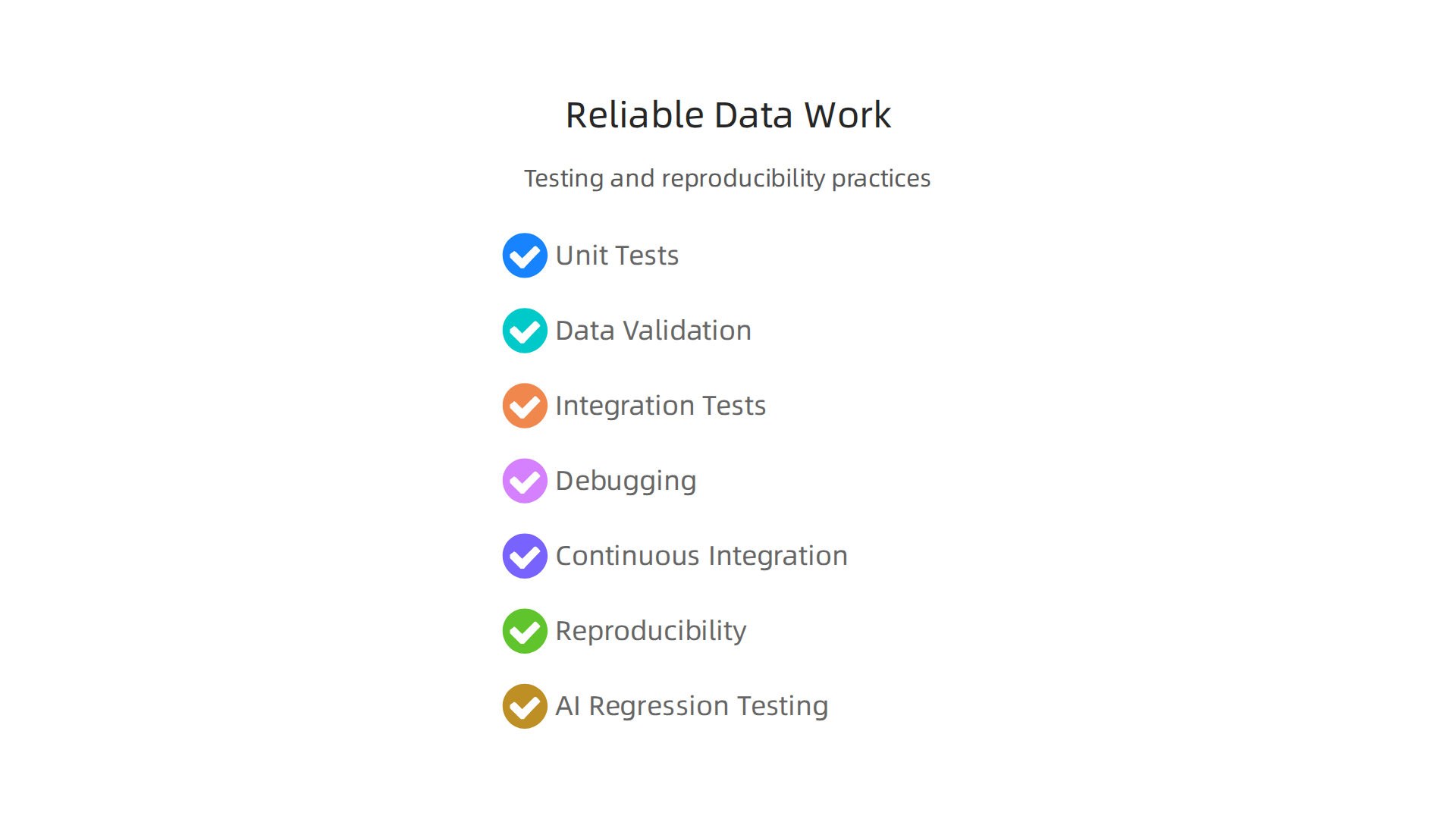
- Unit Tests: These are small checks for tiny parts of your code. For example, if you have a function that adds two numbers, a unit test makes sure that function always gives the right answer. You can use a
python assertstatement to check if a condition is true, and if it’s not, the test will fail, letting you know there’s a problem. This is how you confirm that each small piece of your program works as expected. - Data Validation and Data Contracts: Your data needs to be good too. Data validation is about making sure your data is clean and follows certain rules. Imagine having a "data contract" that clearly states what your data should look like, such as no missing values or numbers within a certain range. This helps prevent bad data from messing up your results. For complex data setups, "property tests" can check if your data always holds true to these bigger rules, no matter what specific data you feed it. Using advanced methods for your data pipelines can really help catch problems early on Advanced Testing Techniques for your Python Data Pipeline with Dask and Pytest Fixtures.
- Integration Tests: These tests check if different parts of your
python stackwork well together. For example, does your data processing code correctly send information to your model? Does your model correctly send its results to your reporting tool?
Debugging When Things Go Wrong
Even with good tests, sometimes things go wrong. Debugging is the process of finding and fixing those errors. Python gives you tools to step through your code line by line, so you can see exactly where a problem starts. This helps you understand why your code is not doing what you expect.
Making Your Work Repeatable
Reproducibility means that if someone else runs your code with the same data, they should get the exact same results. This is super important for science and teamwork, especially with machine learning models.
- Continuous Integration (CI): This is a way to automatically run tests every time you make changes to your code. If any test fails, you know right away that something is broken. This helps keep your code stable and reliable. Having a clear plan for these tests, also known as regression testing, is very helpful Unraveling the Key Techniques and Best Practices of Regression ….
- Reproducibility Checkpoints: For experiments and model training, you need to be able to go back to an exact point in time. This means saving not just your code, but also the specific versions of your data and any models you trained.
- Regression Testing for AI: When working with AI models, it’s also important to prevent them from getting worse over time, which is called model degradation AI Regression Testing: Preventing Model Degradation.
You can use special "golden datasets" for this. These are small, fixed sets of examples with known correct answers. You run your model on these examples and check if the answers are still good. If they change for the worse, you know you have a problem. Building a bank of test cases, including both common and tricky situations, is a smart way to start A tutorial on regression testing for LLMs.
Building reliable systems needs careful thought about testing and how to make your work reproducible. For a deeper dive into making your machine learning workflows smoother, you might find this guide on optimize your machine learning workflow to cut bottlenecks and speed up model delivery helpful.
Want to stay ahead of the curve with insights into AI and broader tech trends?
The AI Newsletter Worth Reading delivers clear daily AI updates to your inbox.
Once your python stack is reliable and your results are trustworthy, the next step is often to make it fast. This is where profiling and making your code run better come in. You want your programs to work well, not just correctly, especially when dealing with lots of data or important tasks.
Finding Slow Spots in Your Code
Think of profiling like finding the parts of a race car that are slowing it down. In code, a profiler is a tool that watches your program run and tells you which parts take the most time or use the most memory. These slow spots are called "hotspots."
A good way to profile your work goes like this:
- Find the Hotspots: Use special tools to pinpoint exactly where your code spends most of its time. Is it a calculation? Loading data? Sending information?
- Measure and Compare: Once you think you’ve made a change to speed things up, measure its performance. You can compare it to how it ran before. This is called benchmarking. For example, when reading big data files, tools like Dask and PyArrow can be much faster than older methods, and measuring helps confirm this. Research shows that reading Parquet files with Apache Arrow can offer impressive speed advantages over CSV files with Pandas How fast is reading Parquet file (with Arrow) vs. CSV with Pandas?. Benchmarking helps you see if your changes actually make things better, like when testing Dask workflows Benchmarking a dask-parquet-s3 workflow – Anaconda.
- Keep Making It Better: Repeat the process. Make small changes, then measure again. This way, you keep improving your code’s speed.
Making Your Code Run Faster
There are many ways to speed up your python stack:
- Better Ways to Solve Problems (Algorithms): Sometimes, the fastest change is to pick a smarter way to do something. For example, if you’re sorting a list, some sorting methods are much quicker than others for very large lists.
- Using Faster Libraries: Python has many tools. Some are written in ways that make them very fast. For data, libraries like Dask and PyArrow can greatly speed up how you handle large datasets. They use special tricks, like storing data in columns instead of rows, which helps when you only need to look at certain parts of your data. This approach is key to building very large data pipelines Dask + PyArrow for super-large data pipelines. This can lead to big speed-ups and use less memory too, boosting pandas and Dask workflows significantly Utilizing PyArrow to improve pandas and Dask workflows.
- Doing Many Things at Once (Parallelism): Imagine having many workers instead of just one. In computing, this means your program can do several tasks at the same time. This is especially useful for tasks that don’t depend on each other.
- Hardware-Aware Tuning: Making sure your code uses your computer’s parts smartly. This could mean optimizing for the computer’s memory or its special processing units.
- Deployment Choices: How you set up and run your code in the real world also affects performance. Thinking about how your applications will live on servers or in the cloud is part of making your overall
python stackefficient.
Learning to make your Python programs faster is a valuable skill, especially for big data and machine learning tasks. If you want to understand more about getting the most speed out of your data tools, check out how to master python data analysis tools for machine learning in 2026.
Summary
This article explains how to build and manage a reliable python stack for data science so your projects run the same way for you, teammates, and production systems. It covers environment and dependency management (venv/virtualenv, pip, pip-tools, pipenv, Poetry, conda) and why pinned, reproducible environments matter for research and deployment. You’ll learn how to choose data tools—when to use Pandas, when to scale with Dask or Ray—and why Parquet and Apache Arrow speed I/O. The guide also reviews NumPy fundamentals (dtypes, memory layout, views vs copies), idiomatic Python patterns (comprehensions, generators, context managers), testing and CI practices, visualization trade-offs, and profiling techniques to find and fix performance bottlenecks. By following these patterns you’ll spend less time debugging setups, handle larger datasets efficiently, and deliver more reliable, reproducible data science work.