
Python Hashmap Mastered For Faster Machine Learning Data

Machine learning engineers work with lots of data every day. To do their job well, they need smart ways to keep this data organized and easy to find.

This is where understanding the python hashmap becomes super important.
What is a python hashmap, you ask? Well, in Python, we mostly know it as a "dictionary." A Python dictionary is like a special list that stores information in pairs. Each pair has a "key" and a "value." Think of it like a real-life dictionary: you look up a word (the key) to find its meaning (the value). This way of storing data is also called a hash table or an associative array Dictionaries, Maps, and Hash Tables in Python.
The main idea behind a python hashmap is to find information super fast. Instead of looking through every single item, it uses a trick called "hashing." When you give it a key, like a python string or a number, it quickly figures out where the value for that key is stored How Python Dictionaries Really Work: Hashes, Keys …. This makes it very quick to get the data you need, which is a big deal when you are working with huge amounts of data in machine learning models. For a key to work properly, it must be "hashable," meaning its special code (hash value) does not change Python dict Internals: Hash Tables, Collision Resolution ….
Why ML Engineers Need to Know Hashmaps
For ML engineers, choosing and using the right mapping tools is key for making their projects run smoothly in 2026. Imagine you have a lot of user data, and you need to quickly get a user’s details by their ID. A python hashmap lets you do this almost instantly, no matter how many users you have. This quick access is often called "O(1)" lookup, which just means it’s super fast, almost like magic!
But even with such a powerful tool, ML engineers can hit some roadblocks:
- Choosing the Best Mapping: With so many ways to store data, picking the right one for a specific task can be tricky. Should you use a dictionary, or maybe a different kind of array in python?
- Performance Problems: When you’re dealing with truly massive datasets, even small mistakes in how you use your hashmap can slow everything down. A slow process means models take longer to train or respond. Learning about how Python data types are the foundation of data science can help.

- Handling Tricky Data: Sometimes, the data you want to use as keys might not be simple. Understanding what makes a good key and how to handle different data types is vital.
Being good with a python hashmap means you can build faster, more efficient machine learning systems. It helps you avoid common mistakes that can waste a lot of time and computing power. Getting good at using Python dictionaries can really speed up your data science tasks Python dictionary for faster data science and machine learning.
To stay ahead in the fast-paced world of AI and machine learning, a strong grasp of foundational tools like the python hashmap is a must. Knowing how to use them effectively can make all the difference in your ML projects.
Get clear daily AI updates from The AI Newsletter Worth Reading.
What ‘python hashmap’ means: mapping concepts and terminology
When we talk about a python hashmap, we are really talking about the same thing as a "dictionary" in Python. These terms often get used together, and it’s good to know how they relate. Think of it this way:
- Hashmap and Hash Table are general computer science ideas. They describe a clever way to store information so you can find it super fast. They use a special calculation, called a "hash function," to turn a key into a specific spot where its value is kept.
- A Python dictionary is Python’s way of bringing this "hash table" idea to life. So, when you create a dictionary in Python, you are actually using a very efficient hash table under the hood. It maps each unique "key" to its "value" using this hashing method.
This means a python hashmap is basically a Python dictionary. They both store data as key-value pairs, letting you look up a value just by knowing its key. This mapping concept is at the heart of how these data structures work. You give it a key, and it gives you back the value that matches that key.
For example, if you have a dictionary of customer details, the customer’s ID could be the key, and all their information (name, address, email) would be the value. When you need to find a customer, you just give the dictionary their ID, and it hands you their details almost instantly. This speedy lookup is possible because Python computes a special "hash code" for the key and uses it to jump right to the data’s location Internals of sets and dicts.
Keys and Values in a Python Hashmap
In a python hashmap (your dictionary), the "key" is like a label, and the "value" is the information connected to that label.
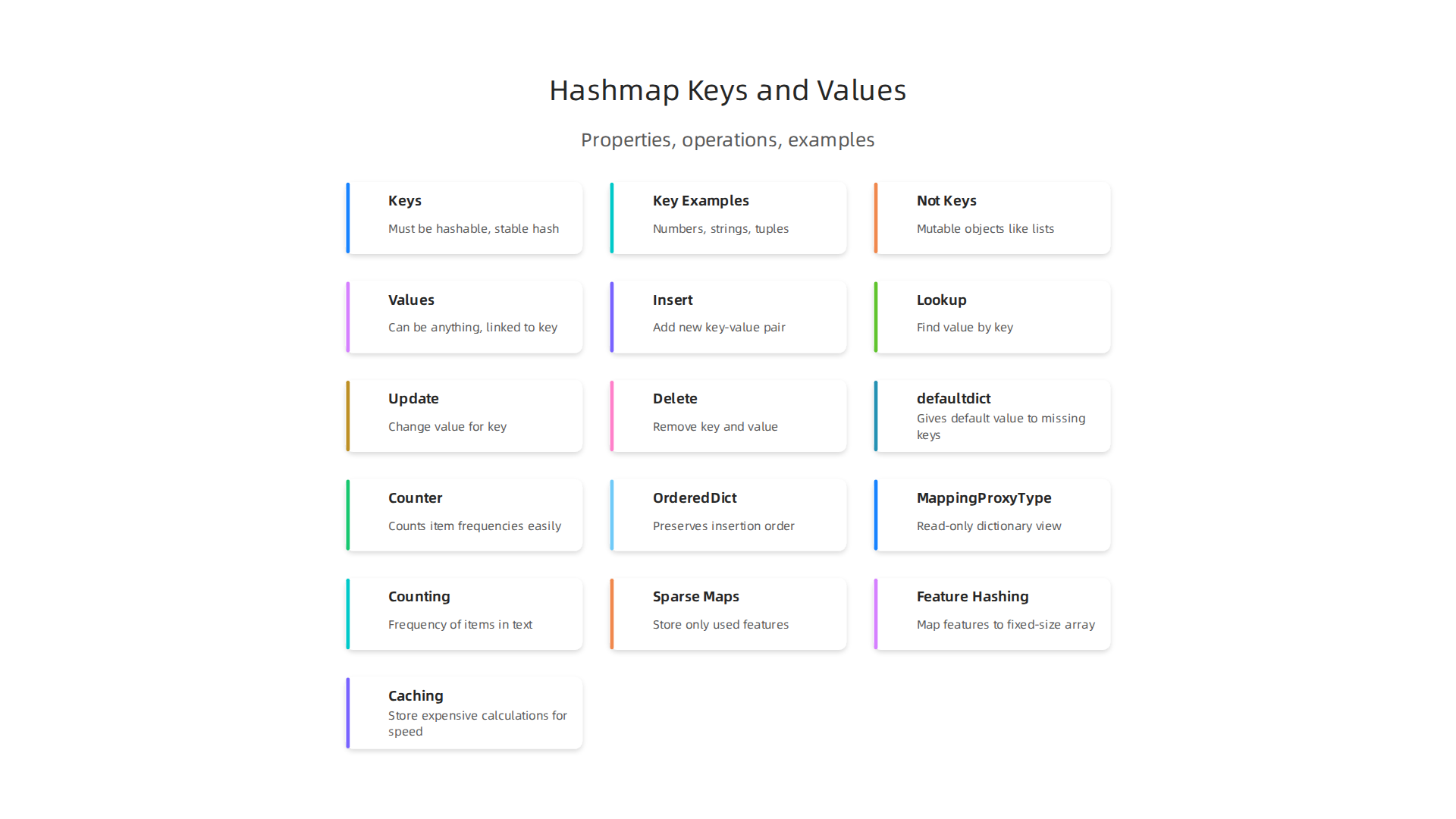
- Keys: Keys must be "hashable." This means they must always give the same special code (hash value) and they can’t change. Good examples of keys are numbers, words (like a python string), or "tuples" of simple items. You can’t use things that can change, like lists, as keys. When Python makes a dictionary, it sets up an internal structure that’s like an array in python to hold these key-value pairs efficiently Dictionary Hashing Mechanism.
- Values: Values can be anything. They can be numbers, words, lists, other dictionaries, or even more complex things.
This clear separation of keys and values helps organize your data perfectly for quick access. This understanding is key for tasks like creating and using large datasets for machine learning models. If you want to dive deeper into how Python manages its data, you can learn more about mastering python data workflows for peak performance.
In essence, whether you call it a python hashmap, hash table, or dictionary, the goal is the same: to provide a powerful and quick way to map one piece of data (the key) to another (the value).
Python dict: implementation essentials and how it actually works
Now that we know a python hashmap is really just a Python dictionary, let’s peek under the hood to see how it works. Python dictionaries are super clever because they store your data in a way that allows for incredibly fast lookups.

How Python Dictionaries Store Data
Imagine a dictionary as a special kind of closet with many compartments, or "buckets." When you put something into this closet (a key-value pair), Python first takes the key and does a quick math trick called "hashing" to figure out which compartment it should go into. This trick gives back a special number called a "hash value."
Here’s how it generally works:
- Buckets and Slots: Python sets up an internal table, much like an array in python. This table has many slots, which we can call "buckets." Each bucket is a place where a key-value pair can be stored. Python often starts with a small number of buckets, like eight, and grows bigger if needed Python Hash Tables Under the Hood.
- Entry Structure: Each slot in this internal
python hashmapholds a few important pieces of information. It stores the hash value of the key, a pointer to the actual key object, and a pointer to the value object How Python Dictionaries Really Work: Hashes, Keys …. So, when you look for a key, Python first checks the hash value, then the key itself, to make sure it found the right one. - Hash Collisions: Sometimes, two different keys might produce the same hash value. This is called a "hash collision." When this happens, Python doesn’t just give up. Instead, it uses a smart method called "open addressing" with "probing." This means if the first spot the hash points to is already taken by another key, Python will look for the next empty spot in the table. This makes sure every key finds its own home Python dict Internals: Hash Tables, Collision Resolution ….
Memory Layout and How Keys/Values are Stored
The way Python lays out dictionaries in memory is designed for speed and efficiency. While it can get a bit technical, the basic idea is that Python tries to store things as compactly as possible.
For Python versions 3.6 and newer, dictionaries are even more memory-friendly. They use two main parts:
- An array of indices: This is a sparse table that helps Python quickly find where a key’s information is actually stored.
- A dense array of entries: This table holds the actual key, value, and hash for each item in your dictionary. This design helps save space, especially when your dictionary has many items or a
python stringas a key. You can think of it like having an index in a book that tells you the page number (the dense array entry) for a certain topic (the key) Deep Dive Python: Dictionary Internals.
This clever organization means that whether you’re working with a small dictionary or a huge python hashmap for a big project, getting data in and out is always fast. Understanding these internal workings can help you write better code and make the most of your data structures. If you want to dive deeper into optimizing your data work, consider exploring Python dictionary for faster data science and machine learning.
Now that you have a good idea of how Python dictionaries, also known as a python hashmap, work inside, let’s learn how to actually use them.
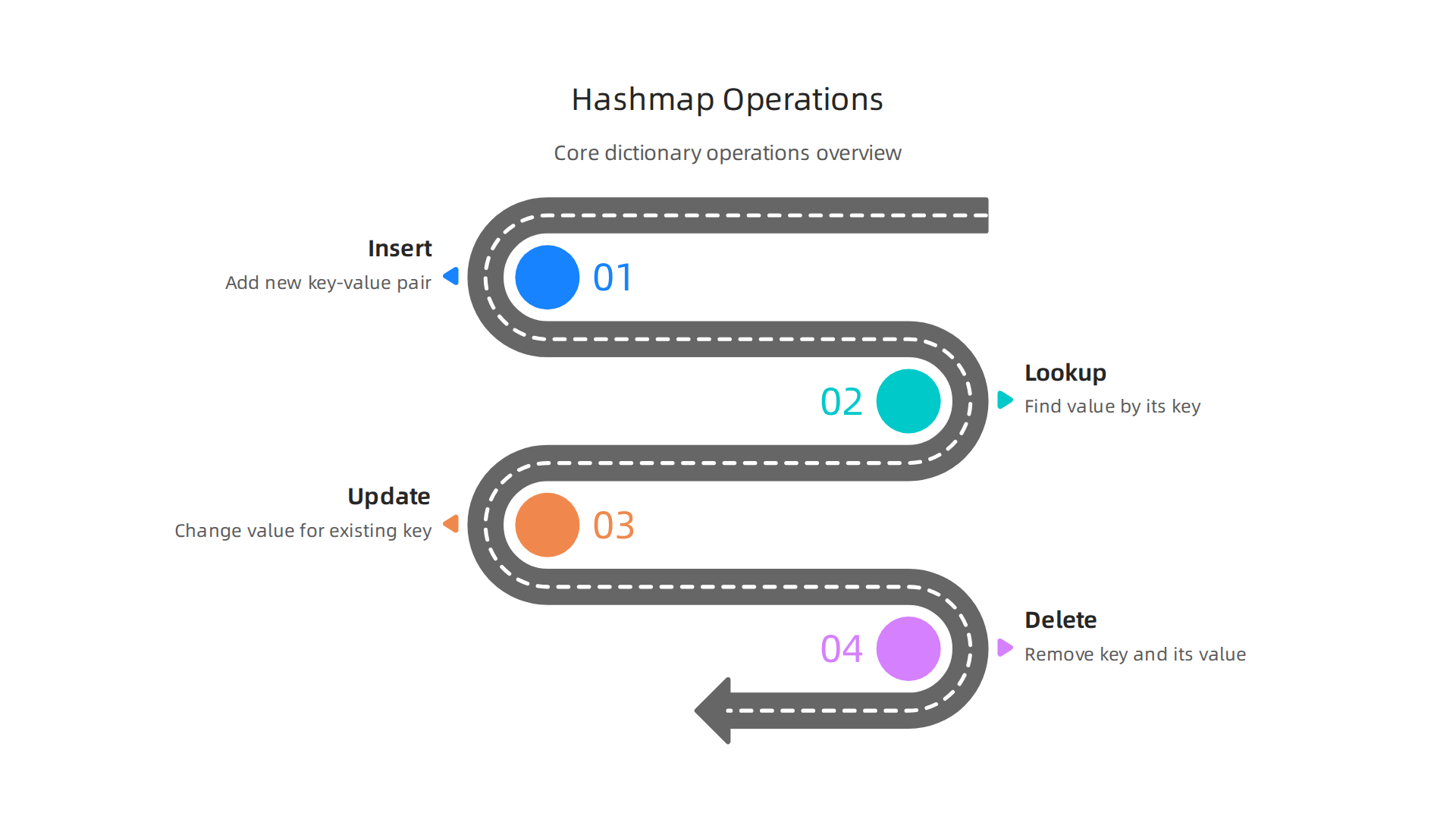
Python dictionaries are super handy tools for storing information. You can put things in, find things, change things, and take things out very easily.
Putting New Things In (Insert)
Adding new information to a dictionary is like labeling a new box and putting something inside. You pick a unique "key" for the box and then put your "value" (the actual item) in it.
Here’s how you add a new item:
my_grades = {"Math": 95, "Science": 88}
my_grades["History"] = 92 # Adding a new subject and its grade
print(my_grades)
# Output: {'Math': 95, 'Science': 88, 'History': 92}
In this example, "History" is the key, and 92 is its value. Keys must be "hashable," meaning they can be turned into a special number for quick finding. Things like numbers, python string values, and tuples work well as keys.
Finding Things (Lookup)
To find a value, you just need to know its key. It’s like looking for the box with a specific label.
my_grades = {"Math": 95, "Science": 88, "History": 92}
print(my_grades["Math"]) # You ask for the 'Math' grade
# Output: 95
But what if you ask for a key that isn’t there? Python will give you an error! To avoid this, you can use a "safe lookup" method called get().
my_grades = {"Math": 95, "Science": 88, "History": 92}
print(my_grades.get("Art", "Not Graded Yet")) # Asks for 'Art', if not found, says "Not Graded Yet"
# Output: Not Graded Yet
print(my_grades.get("Science", "Not Graded Yet")) # Asks for 'Science', finds it
# Output: 88
The get() method is great for preventing your program from crashing if a key isn’t found. For more tricks, check out Advanced Python Dictionary Techniques.
A special type of dictionary called defaultdict can make handling missing keys even easier. You tell it what kind of "default" value to create if a key doesn’t exist yet. This is part of Python’s collections module, which offers many helpful tools for working with data collections — Container datatypes.
from collections import defaultdict

# Imagine we want to list favorite colors for each person
favorite_colors = defaultdict(list) # If a person isn't there, start with an empty list of colors
favorite_colors["Alice"].append("Blue")
favorite_colors["Bob"].append("Green")
favorite_colors["Alice"].append("Red") # Alice already exists, just add another color

print(favorite_colors["Charlie"]) # Charlie wasn't added yet, but no error! A new empty list is made.
# Output: []
print(favorite_colors)
# Output: defaultdict(<class 'list'>, {'Alice': ['Blue', 'Red'], 'Bob': ['Green'], 'Charlie': []})
This makes grouping items or building nested structures much simpler, as you don’t need to manually check if a key exists before adding to it The Specialized Archives: defaultdict, Counter, and OrderedDict.
Changing Things (Update)
To change the value for a key that already exists, you simply use the assignment operator, just like when you inserted it.
my_grades = {"Math": 95, "Science": 88, "History": 92}
my_grades["Science"] = 90 # Updating the 'Science' grade
print(my_grades)
# Output: {'Math': 95, 'Science': 90, 'History': 92}
Taking Things Out (Delete)
If you need to remove a key and its value from a python hashmap, you can use the del keyword.
my_grades = {"Math": 95, "Science": 90, "History": 92}
del my_grades["History"] # Removing the 'History' grade
print(my_grades)
# Output: {'Math': 95, 'Science': 90}
Knowing these core operations helps you manage data efficiently. For more ways to manage your Python variables and data, you can learn about Mastering Python variables to build reliable ML systems. Working with dictionaries is a fundamental skill, especially if you’re exploring Python for data science and machine learning in 2026 tools and workflows.
Understanding how to use Python dictionaries is key, but it’s also helpful to know a bit about what goes on behind the scenes. This involves knowing about "hashability," how things stay the same (immutability), and how Python deals with keys that might seem similar (collision behavior). These ideas explain why certain things can be dictionary keys and how a python hashmap works so fast.
What is Hashability?
For any item to be a key in a Python dictionary or python hashmap, it must be "hashable." Think of "hashable" as meaning Python can give that item a special, fixed number called a hash value. This number is like a quick ID card for the item. When you ask for a value using a key, Python first looks up this hash value. It’s a very fast way to find where your key might be stored, like jumping straight to a section of a big book Python dict Internals: Hash Tables, Collision Resolution ….
There are two main rules for an object to be hashable:
- Its hash value must not change over time.
- If two objects are considered equal, they must have the exact same hash value.
Why Immutability Matters
The first rule about hash values not changing brings us to "immutability." Immutable objects are ones that cannot be changed after they are created. Things like numbers, python string values, and tuples are immutable. Their hash value stays the same because the object itself never changes. This is why they make good dictionary keys. For instance, the python string "hello" will always have the same hash value.
On the other hand, mutable objects, like lists or other dictionaries, can be changed. If you could change a list while it was a dictionary key, its hash value might also change. Then, Python wouldn’t be able to find it anymore! So, mutable objects cannot be used as dictionary keys. Understanding how Python handles different data types, like arrays in Python or specific data structures, is fundamental to data science. You can learn more about Why Python Data Types are the Foundation of Data Science.
Equality and Collisions
It’s important that if two keys are considered "equal" by Python, they produce the same hash value. This makes sure that if you use my_grades["Math"] and another "Math" string that looks identical, Python finds the same grade.
Sometimes, two different keys might accidentally produce the same hash value. This is called a "hash collision." A python hashmap is designed to handle these collisions. Even if two different keys have the same hash value, the dictionary has smart ways to store and retrieve them correctly Python Collision Handling. It’s like having two people named John in a group; you need more information to tell them apart, even if their "name-hash" is the same. While this extra work to resolve collisions can make an individual lookup slightly slower, Python dictionaries are generally very fast and efficient. For tips on speeding up your code, consider Mastering Python Data Workflows for Peak Performance.
Even with collision handling, Python dictionaries are known for their speed. Let’s look at how quick they truly are and what might change that, so you know what to expect and when to think about other options.
Performance and Complexity: What to Expect and When to Worry
When we talk about how fast computer programs run, we often use terms like "time complexity." This simply means how the time an operation takes changes as your data gets bigger. For a python hashmap, also known as a dictionary, most everyday actions are incredibly fast.
How Fast Are Python Dictionaries?
Python dictionaries are built using something called hash tables. This special setup allows them to do three main things very quickly:
- Adding a new item: Putting a new key and value into the dictionary.
- Getting an item: Finding the value linked to a key.
- Deleting an item: Taking a key-value pair out.
For these common tasks, Python dictionaries usually work in what we call "average-case O(1) time." Think of O(1) as "constant time." This means that no matter if your dictionary has 10 items or 10 million items, these operations generally take about the same small amount of time to complete Python Dictionary Methods: A Complete Guide.

It’s super efficient! For example, finding a key usually takes less than a millionth of a second, even in large dictionaries Is python dict very slow for searching key?.
This constant speed is a big reason why a python hashmap is so popular for handling data. It’s like having a special filing system where you can always find or put away a paper in the same short amount of time, no matter how many papers are in the cabinet.
When Performance Might Change (Worst-Case Scenarios)
While O(1) is the average, there are rare times when a dictionary operation might slow down. This happens in what’s called the "worst-case O(n) scenario." O(n) means the time taken grows with the number of items (n) in the dictionary.
The main reason for this slowdown is too many hash collisions. If many different keys all produce the same hash value, Python has to do more work to sort them out and find the right one. Python’s internal design, with good hash functions and clever ways to deal with collisions, makes this worst-case scenario very uncommon in real-world use Python: Dict with Integer Keys vs Long List for Lookup Speed …. So, for most tasks, you can count on your python hashmap to be fast.
Practical Tips for Using Dictionaries
Knowing how dictionaries work can help you use them even better in 2026:
- Using
dictvs.{}: When you want to make an empty dictionary, using curly braces{}is actually a bit faster thandict(). It’s a small detail, but every little bit helps with speed! - Lists for sequential numbers: If your "keys" are just whole numbers that go in order, like 0, 1, 2, 3, a plain list (which is like an
array in python) might be faster and use less memory than a dictionary. This is because lists are designed for quick access by number position. - Avoid
dict.keys()for checking if something is there: If you want to see if a key exists in your dictionary, doif key in my_dict:instead ofif key in my_dict.keys():. The first way is much faster becausemy_dict.keys()creates a new object that needs more work python set、dict、dict.keys 性能对比. - Storing dictionaries (Serialization): When you need to save a dictionary to a file or send it over the internet, you "serialize" it. Two common ways are JSON and Pickle.
- JSON is great for sharing data with other programs or people, as it’s human-readable.
- Pickle is Python-specific and can handle more complex Python objects, but it’s not always faster, and it’s not safe to use with untrusted data Python Pickle Example: A Guide to Serialization & …. Recent tests in 2026 show that JSON can sometimes be much faster for reading and writing data than Pickle, especially for larger amounts Pickle vs JSON – Which is Faster?. If you don’t need to share data with other systems and only use Python, Pickle can be faster for certain Python objects, but for general data, JSON is often preferred for its speed and safety Pickle or json? – python.
Understanding these points helps you make smart choices for your Python programs, ensuring they run as smoothly and quickly as possible.

For more in-depth knowledge on how to leverage dictionaries for data science and machine learning tasks, check out our guide on Python dictionary for faster data science and machine learning.
Stay ahead with the latest in AI and machine learning.
Get clear daily AI updates from The AI Newsletter Worth Reading.
Even though basic Python dictionaries (or python hashmap as we sometimes call them) are very fast, Python offers special kinds of dictionaries that come in handy for certain tasks. These specialized "mapping types" live in Python’s collections module. They add useful features that a regular dictionary doesn’t have, making your code cleaner and sometimes even faster for specific jobs.
Specialized mapping types: defaultdict, Counter, OrderedDict, MappingProxy and more
While a standard python hashmap is often enough, there are times when you need extra powers. This is where Python’s collections module steps in. It provides tools that are built on top of the regular dictionary but add new features for common programming patterns. This way, you don’t have to write the same extra code over and over again yourself Python collections: defaultdict, Counter, deque, and namedtuple.
When a Regular Dictionary Isn’t Quite Enough
Let’s look at some of these specialized dictionary types and what they’re good for:
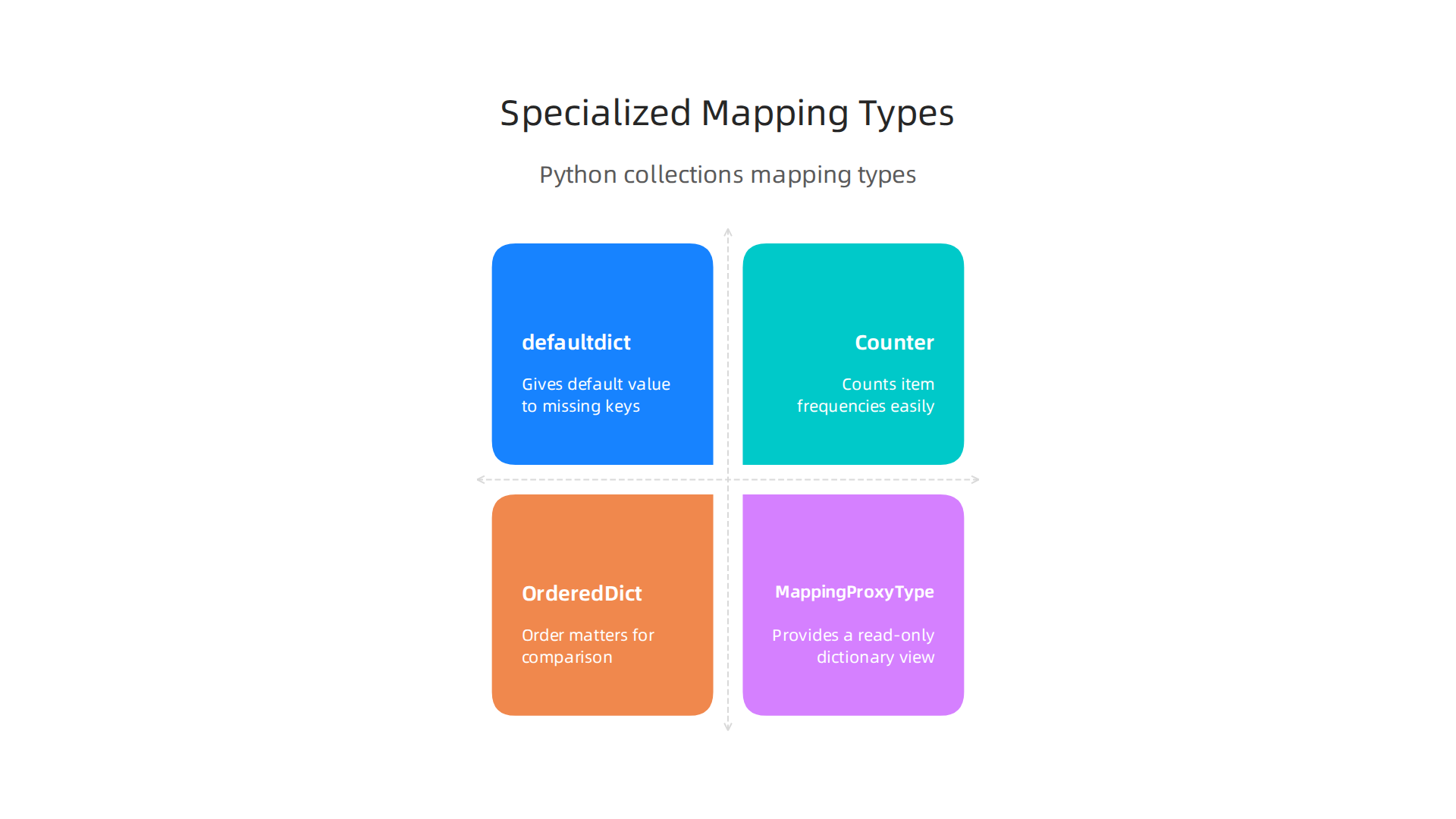
defaultdict: Never Worry About Missing Keys
Imagine you’re trying to count how many times each python string appears in a list, or you want to group items into lists. With a normal dictionary, you’d have to check if a key exists before adding to it. If the key isn’t there, you get an error.
A defaultdict solves this by giving a default value to any key you try to access that isn’t already there. For example, if you set it up with defaultdict(int), any new key will automatically start with a value of 0. If you use defaultdict(list), new keys will get an empty list. This makes your code much simpler for tasks like:
- Counting things: Like counting words in a document.
- Grouping items: Such as putting all names starting with ‘A’ into one list and ‘B’ into another The Specialized Archives: defaultdict, Counter, and OrderedDict.
Counter: Easy Counting for Everything
The Counter is a special type of dictionary that helps you count how often items appear. It’s perfect for quickly figuring out frequencies. For instance, if you have a list of fruits, a Counter can tell you how many apples, bananas, and oranges you have. It works with any "hashable objects," which means things like numbers, strings, or tuples.
You can use Counter for many real-world tasks, like:
- Counting words in a book.
- Tracking how many votes each candidate gets.
- Keeping tabs on product sales Day 33/100: Counter, defaultdict, and OrderedDict in Python.
It even lets you do math operations, like adding two Counter objects together to combine counts.
OrderedDict: Keeping Things in Order (Mostly)
A traditional python hashmap didn’t always remember the order in which you added items. But this changed with Python 3.7. Now, regular dictionaries also keep track of insertion order.
So, when should you still use OrderedDict? It’s still helpful for special cases where:
- Order matters for comparison: If you need to compare two dictionaries, and their order must be exactly the same for them to be considered equal, then
OrderedDictis the right choice OrderedDict vs dict in Python: The Right Tool for the Job. - Specific order-dependent operations: For tasks like removing the oldest item from a cache (Least Recently Used or LRU caches),
OrderedDicthas methods that make this easy.
For simple "remembering the order," a regular dictionary is often enough in modern Python.
MappingProxyType: A Read-Only View
Sometimes you have a dictionary but you want to share it with other parts of your program without letting them change it. That’s where MappingProxyType comes in. It gives you a read-only "view" of an existing dictionary. You can look at all the items, but you can’t add, remove, or change anything in it. This is useful for safety, making sure important data doesn’t get accidentally changed.
Choosing the Right Tool
When picking between a regular dictionary and a specialized one, think about what your program needs to do.
- Plain
dict(python hashmap): Best for most everyday uses where you need fast lookups and don’t have special needs for default values, counting, or strict order-based comparisons. It’s the simplest and often the fastest for general tasks. defaultdict: Use it when you’re building groups of items or counting, and you want to avoidKeyErrormessages and make your code shorter.Counter: When you need to count things, especially when you might also want to do math with those counts.OrderedDict: For very specific cases where item order is crucial for dictionary equality checks or if you need to remove items from specific ends of the dictionary.
Using the right data structure can make your Python programs more efficient and easier to understand, which is important for any project, especially in complex areas like data science. To improve your overall Python skills for advanced data handling, you can explore resources on Mastering Python data workflows for peak performance.
Using the right Python tools can make a big difference when you’re building machine learning projects.

Python hashmap objects, which are just regular dictionaries, and their special cousins from the collections module, are super helpful for many tasks in ML, especially in areas like making features, speeding things up with caching, and managing feature stores.
Practical Patterns: Counting, Sparse Features, and Caching
In machine learning, you often work with lots of data. Hashmaps help manage this data in smart ways.
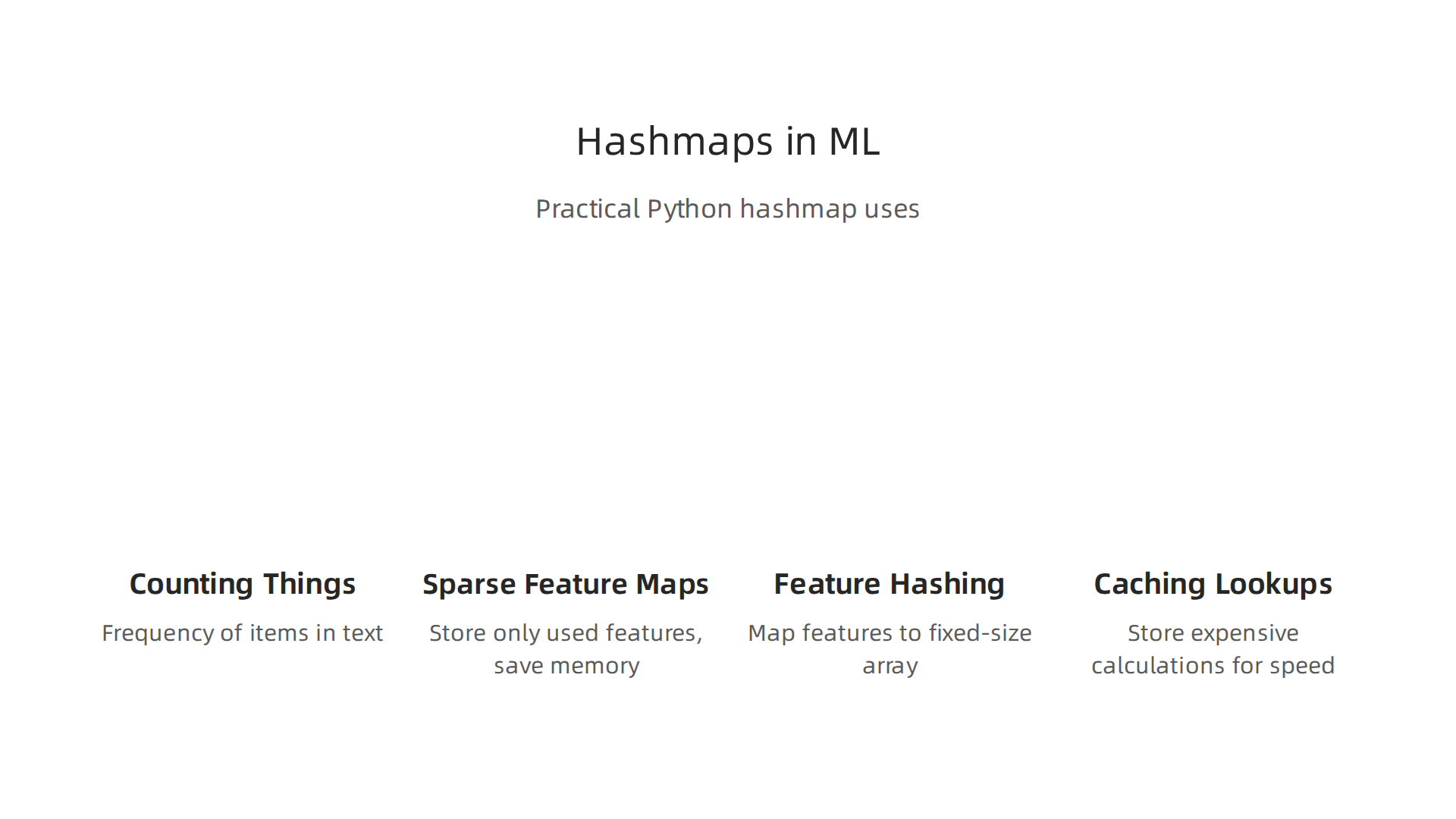
- Counting Things: When you’re making features from text, like counting how many times each
python string(word) shows up, aCounterordefaultdict(int)is perfect. These make it easy to quickly see the frequency of different items, turning raw text into numbers your model can understand. - Sparse Feature Maps: Imagine you have many possible features, but for each data point, only a few of them are actually used. For example, if you’re dealing with millions of possible words, but each email only has a few hundred. Storing all those zeros would waste a lot of space. A
python hashmaplets you store only the features that actually have a value, saving memory and making your code faster. This is great for sparse data. - Feature Hashing: This is a technique where you take many features and map them into a smaller, fixed-size
array in python. A hash function decides where each feature goes in the array. This helps manage very large sets of features without needing to store every single unique feature name. - Caching Precomputed Lookups: Machine learning models often need to look up the same information again and again. If these lookups take a long time, your model will be slow. Caching means storing the results of expensive calculations in a
python hashmapso you can quickly get them back later without re-calculating. This is super helpful for speeding up how fast your models can make predictions, especially for things that are used often or don’t change much How to Use Caching for Faster Machine Learning. You might use a local cache (in your program) for very fast, small things, and bigger caches for larger items shared across your system Caching in Machine Learning Systems: Ways to speed up you …. This can even apply to parts of your ML models, like caching complex feature calculations or even model weights Caching ML Model Weights: Sub-Microsecond Guide | Cachee.ai.
Integration Points: Serialization and Trade-offs
When you’re working with ML models, you often need to save your data or models and then load them back later. This process is called serialization. Hashmaps are key here, especially when saving model settings or features.
- Serialization for Model I/O: When you train an ML model, its settings often look like a dictionary. To save this model or its features to a file and load it back, you need to "serialize" it. Python has tools like
pickleandjsonfor this.- Pickle: This is Python’s own way to save almost any Python object. It’s often very fast for Python-only systems and can save custom objects, keeping their exact state Python Pickle Tutorial: Object Serialization – DataCamp. However, it’s not human-readable and only works well within Python pickle — Python object serialization.
- JSON: This format is human-readable and works across many different programming languages. This makes it great for sharing data, for example, with web applications. But for complex Python objects,
jsoncan sometimes be slower or less efficient thanpicklePython JSON vs Pickle – cr0hn – Medium.
- Memory vs. Persistence Trade-offs: Deciding whether to keep data in memory (fast but temporary) or save it to disk (slower but permanent) is important. Hashmaps are super fast when they are in memory. But for very large datasets or models, you might need to save parts to disk and only load what you need, or use special techniques like memory-mapped files to handle the size.
Understanding how to use hashmaps effectively, both the basic dict and the specialized types, is crucial for building efficient and scalable machine learning systems in 2026. For more detailed insights into AI and broader technology trends, consider getting regular updates.
The AI Newsletter Worth Reading
When you work with machine learning, your python hashmap objects, like regular dictionaries, can get very big. If you’re dealing with huge amounts of data, like millions of unique python string items, keeping all that information in your computer’s memory can become a problem. It’s like trying to fit too many toys into a small box.
Memory footprint and serialization: pickle, JSON, and efficient alternatives
For very large datasets, your computer might run out of memory if you try to load everything at once into a dictionary. One smart way to handle this is to only load the data you need at any given moment. You can also think about how you store the data. Sometimes, using a simple array in python for numbers can use less memory than a dictionary if you don’t need all the dictionary’s special features. When dealing with big files, like large JSON files, loading them fully into memory can cause issues, so people often use methods that read the file bit by bit instead of all at once JSON Parsing for Large Payloads: Balancing Speed ….
When you want to save your machine learning model’s settings or features to a file and load them later, you need to "serialize" them. This turns your Python objects into a format that can be stored.
-
Pickle: This is Python’s special way to save almost any Python object. It can be very fast, especially for systems that only use Python. It’s good because it saves the exact state of your objects, even complex ones Python Pickle Tutorial: Object Serialization. However, you can’t easily read what’s inside a pickle file yourself because it’s not human-readable. Also, it’s not safe to load pickle files from sources you don’t trust, and it only works well with Python Python object serialization.
-
JSON: This format is much easier for people to read, and many different computer languages can understand it. This makes JSON great for sharing data between different parts of a system or with web applications. But for very complex Python objects, JSON can sometimes be slower or take up more space than pickle when saving or loading Python JSON vs Pickle – cr0hn – Medium.
-
More Efficient Options: Sometimes, you need even faster or smaller ways to save data. Tools like
marshalare super fast for basic Python types. Other options like MessagePack or Protobuf are built to be very small and quick, which is helpful for sending data over networks or saving lots of information efficiently Python serialization – jmoiron. These options often perform better than standard JSON or pickle for speed and size, especially when you need to send data between different systems or save it very often A benchmark tool comparing the performance of JSON, Pickle, MessagePack, and Protobuf serialization methods in Python.
Choosing the right way to store and save your data means thinking about how big your data is, how fast you need to load it, and if other computer languages need to understand it. For more insights on how to handle data efficiently in your ML projects, you can explore guides on master Python data analysis tools for machine learning in 2026.
When you have large amounts of data, like with your python hashmap objects, it’s not just about how you store it. Sometimes, many different parts of your computer program need to look at or change the same data at the same time. This is called "concurrency" or "working together."
Concurrency, thread-safety, and multi-process patterns
Beyond just saving data, sometimes you need many parts of your program to work on the same data at the same time. This is tricky because if two parts try to change a python hashmap at the very same moment, they might mess each other up. Imagine two kids trying to write in the same notebook at the exact same time. It would be hard to read!
Python has something called the Global Interpreter Lock, or GIL. This lock means that even if you have many workers (called "threads") in your Python program, only one of them can run Python code at any given time. This can make sharing data like a python hashmap feel safer because real chaos is avoided. However, the GIL doesn’t stop problems if one thread is changing a dictionary and another thread tries to read it halfway through the change. This is why dictionaries are not "thread-safe" for changes. To learn more about how dictionaries work, you can check out this guide on Python Dictionary Methods: A Complete Guide.
To work with shared data safely in 2026, people use special patterns:
- Locks: You can use a "lock" to make sure only one part of your program can touch the
python hashmapat a time. It’s like having a key for a door. Only the person with the key can go in. This way, no one accidentally writes over someone else’s changes. - Managers for Many Programs: If you need truly separate programs (called "processes") to work together, Python’s
multiprocessingtools can help. Amultiprocessing.Managercan create special shared objects, like a sharedpython hashmap, that all the different processes can use safely. - External Storage: For very large or important data, it’s often best to keep your data outside of your program. You can use special databases, like Redis, that are made for many different programs to read from and write to at the same time without problems. These are naturally designed to handle lots of access from different places. Using strong approaches for handling your data can make your machine learning projects much more reliable, as discussed in Mastering Python Variables to Build Reliable ML Systems.
Summary
This article explains the python hashmap—Python’s dictionary—and why ML engineers should master it to keep large datasets organized and fast to access. It covers the basic key/value model, what makes a key