Artificial Intelligence Photos 2026 Models Evaluation and Ethics
Introduction: The AI Photo Revolution
You have probably seen them online. Stunning artificial intelligence photos of things that do not quite exist in real life. A cozy cabin on Mars. A dog wearing a business suit. These images grab your attention, and they keep getting better.
Just a few years ago, creating a realistic image from text was slow and hit or miss. In 2026, the technology has made huge leaps. The Stanford HAI 2026 AI Index Report shows that AI models are getting much better at hard tasks every single year. New tests like T2I-CompBench help us see exactly how well these tools understand what we ask for.
This fast progress is exciting for anyone who makes content. Businesses, freelancers, and creators can now produce professional visuals in seconds. But this speed also brings new problems. How do you know if an image is real or AI made? How do you get a tool to create exactly what you picture in your head? Researchers use systems like SpatialGenEval to find out how well AI handles these tricky requests.
Understanding these challenges helps you get the most out of artificial intelligence photos.
Whether you use a dedicated generator or an ai personal assistant with visual skills, knowing the basics makes a difference.
Before we jump into the latest tools, it helps to start with the core ideas. Check out our beginner friendly guide on how AI models actually create images from scratch. It gives you a solid foundation for everything else we cover here.
The Cutting-Edge of AI Image Generation: Models and Architectures
So what actually powers these artificial intelligence photos? The magic happens under the hood.
And in 2026, the engines driving them are more powerful than ever.
Diffusion Models: The Workhorses
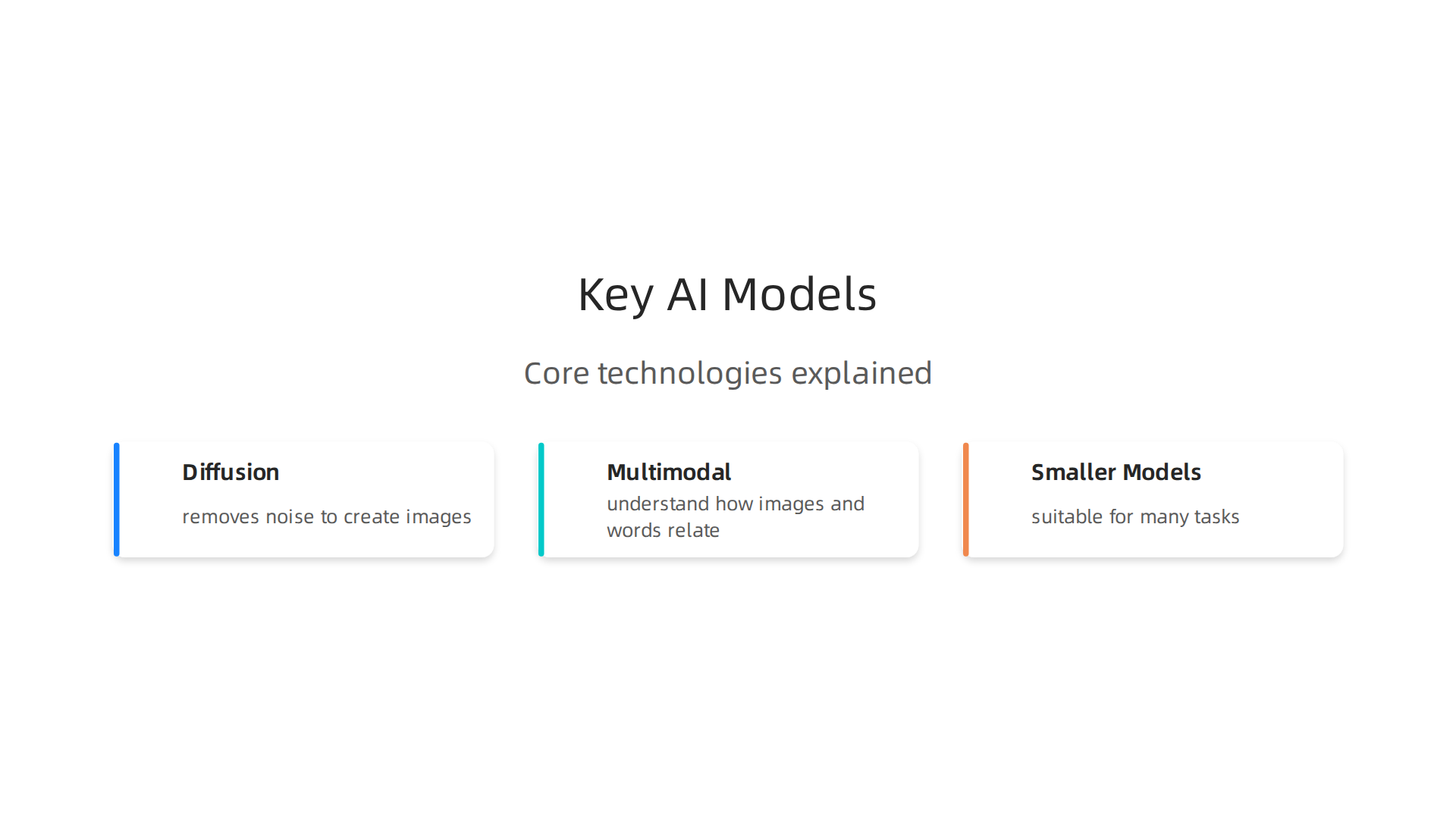
Most of the top image generators today use something called a diffusion model. Here is how it works. The model starts with a picture full of random noise, like TV static. Then, step by step, it removes that noise until a clear image appears. Latent diffusion models do this inside a compressed space. That makes them faster and more efficient.
These models give you high fidelity. That means the images look sharp and real. They also give you lots of control. You can guide the style, the composition, and even specific details. The Hugging Face community has detailed guides on how to evaluate different diffusion pipelines.

This helps developers pick the right model for their project.
Multimodal Models: Understanding What You Mean
The next big leap is multimodal models. These tools do not just read your text prompt. They also understand how images and words relate to each other. For example, if you type "a black cat sitting on a red chair next to a blue table," a multimodal model knows exactly where each object goes.
This is a hard problem. Researchers use benchmarks like T2I-CompBench to test how well models follow complex prompts. The latest version, T2I-CompBench++, adds even more challenges. These tests push models to get better every year. The Stanford HAI 2026 AI Index Report shows that top models improved by 30 percentage points on the hardest exams in just one year. That is a huge jump.
Smaller Models Open the Door
You do not always need a massive cloud service. Smaller open-source models are now strong enough for many real world tasks. You can download them, tweak them, and run them on your own computer. This is a game changer for businesses that want privacy or a custom style.
For example, you can train a small model on your own product photos. Then you can create new marketing images that match your brand perfectly. The tools are getting easier to use every month.
If you are ready to start making your own artificial intelligence photos, take a look at our step by step guide on how to create pics of artificial intelligence that actually work. It walks you through the practical side of using these models.
Diffusion Models Take Center Stage
Of all the engines behind artificial intelligence photos, diffusion models are the undisputed stars in 2026. Here is why they work so well for almost everything you want to create.
First, latent diffusion changed the game. Instead of processing giant images directly, the model works inside a smaller, compressed space. This slashes the computing power needed while keeping the final picture sharp. You can run powerful tools on a decent laptop, not just a server farm.
Second, the conditioning mechanisms now give you incredible control. You can guide the output with text, masks, depth maps, or even rough sketches. This means you can place objects exactly where you want them. Researchers use benchmarks like T2I-CompBench to see how well models follow these complex instructions. The latest versions test harder combinations every year.
Third, speed has gotten a huge boost. New techniques called consistency models and distillation cut generation time from seconds to milliseconds. The Stanford HAI 2026 AI Index Report shows that top models improved by 30 percentage points on the hardest exams in just one year. That level of progress means you spend less time waiting and more time creating.
If you want to dive deeper into how these models understand space and objects, our guide on using visuals to understand complex AI models breaks it all down.
Multimodal Models and the Rise of Unified Generation
Diffusion models are great, but the real game changer in 2026 is how artificial intelligence photos now appear inside chat conversations. Models like Gemini and GPT-5 Vision generate images directly within their interfaces. You no longer switch between tools. You ask for a picture, and it appears. This changes everything for generative ai assistants and even your ai personal assistant.
How does this work? These models train jointly on image text pairs. That means they learn the deep connection between words and pictures. A benchmark called SpatialGenEval tests how well these unified models place objects in the right positions. The results show huge leaps in understanding.
Unified generation goes beyond still images. Text to video artificial intelligence now runs inside the same systems. You can prompt a story, and the model writes the script and creates the visuals together. The line between text, image, and code is fading fast.
If you want to start making your own images with these tools, check out our guide on how to create pics of artificial intelligence that actually work. It walks you through the best techniques step by step.
From Prompt to Publication: How AI Photos Are Used in Real‑World Content
Here’s a stat that might surprise you. In 2026, 71% of social media images are AI‑generated. That means most of the pictures you see on your feed come from a prompt, not a photoshoot. And that’s just one slice of the pie. Artificial intelligence photos are everywhere now, and they’re changing how businesses create content at scale.
Let’s look at three big ways companies use these images in the real world.
1. Marketing teams run faster experiments
Marketing teams love to test things. Which headline works? Which image drives more clicks?
In the past, creating multiple visuals for A/B tests took days. Now teams generate dozens of variations in minutes.
According to recent data, 78% of marketing teams use AI content for SEO and A/B testing. They also create personalized ad creatives for different audiences. Instead of one generic image, a brand can show a different photo to each customer segment. The result? Higher engagement and lower costs.
One real example comes from companies using AI for marketing in 2026.
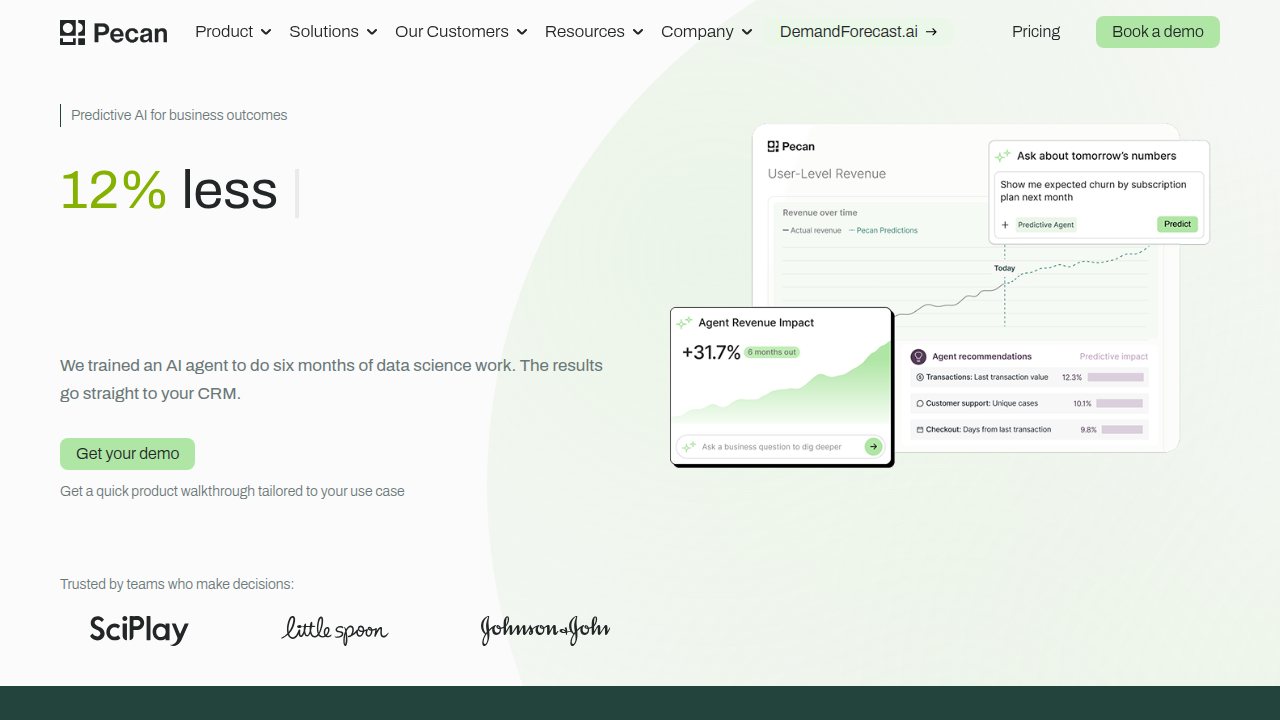
They report measurable ROI gains across email, social ads, and product pages. And with 94% of marketers planning to use AI for content creation, this trend is only growing.
2. E‑commerce cuts studio costs
Product photography used to be expensive. You needed a studio, a photographer, lighting gear, and models. Then you had to shoot every angle and every color variant.
Not anymore.
E‑commerce sites now generate product images on‑the‑fly using artificial intelligence photos. They describe a product in text, and the model creates a realistic image. Need a blue version in a different setting? Just change the prompt. This slashes studio costs and speeds up catalog updates.
If you want to understand how these visuals work behind the scenes, check out our guide on using AI images to understand complex models. It explains the tech that makes this possible.
3. News media and editorial teams illustrate ideas fast
Think about a news article about a new technology. You can’t always take a real photo of something that doesn’t exist yet. That’s where AI images come in.
News outlets and editorial publications are using generative AI to create illustrations, concept art, and visual metaphors. Instead of hiring an illustrator and waiting days, they can generate a fitting image in seconds. The quality is good enough for publication, and the cost is a fraction of traditional illustration.
Of course, ethical guidelines are still evolving. Many publishers add disclaimers so readers know the image is AI‑generated. But the practice is becoming standard. In fact, AI marketing is now a $47 billion industry and growing fast, with news media playing a big part.
What this means for you
Whether you run a small blog or a large brand, artificial intelligence photos can save you time and money. The key is knowing how to use them effectively.
If you’re ready to start creating your own images, our step‑by‑step guide on how to create pics of artificial intelligence that actually work will walk you through the process. It’s practical advice from people who use these tools every day.
Marketing and Social Media: Speed and Personalization
Let’s say you’re running a social media campaign. You need ten different images for ten different audiences. In the past, that meant waiting days for a designer. Now you can generate all ten in minutes.
That’s the power of artificial intelligence photos in marketing and social media. Teams are using these tools to move fast and speak directly to each viewer.
Speed comes first. Need to test which image gets more clicks? Create twenty variations in one sitting. According to recent data, 78% of marketing teams now use AI content for A/B testing. That means more experiments, faster results, and lower costs.
Personalization makes it stick. Instead of showing the same photo to everyone, brands can tailor visuals to age, location, or interest. A fashion brand might show winter coats to cold-weather users and swimwear to warm-weather ones. All generated with a few clicks. This personalization boosts engagement and builds stronger connections.
Tools like Canva and Adobe Firefly have made this easy by embedding AI directly into design workflows. You don’t need to be a designer or a coder. Just type what you want, and the tool generates a polished image.
The trend is huge. In fact, 94% of marketers plan to use AI for content creation in 2026. And the numbers back it up. The AI marketing industry has already reached $47 billion and keeps growing (source).
If you want to understand how these tools work behind the scenes, check out our guide on using AI images to understand complex models. It explains the tech in simple terms.
E-Commerce and Product Visualization
Now let’s talk about your online store. In the past, getting product photos was a huge headache. You needed a studio, a photographer, and expensive models. It took weeks and cost a fortune.
Artificial intelligence photos change all of that. You can now build a full product catalog from just one single image or a 3D model. Need to show that new shirt in ten different colors? Generate them all in a few minutes. This lets you scale your inventory visuals without any extra cost.
Virtual try-on is another huge win. Generative AI assistants let customers see how a sofa fits in their living room. Or how a pair of sunglasses looks on their face. This used to be impossible for small shops. Now it is available to anyone. In fact, 71% of images on social media are already AI-generated, and e-commerce is quickly catching up.
Some teams are even using text to video artificial intelligence to turn single product photos into short promotional clips. It feels like having a smart ai personal assistant doing the work of an entire creative team.
We have a simple guide that shows you exactly how to do this for your own products. Check it out: how to create pics of artificial intelligence that actually work. It covers the best tools and prompts to get started.
Evaluating AI-Generated Photos: Metrics That Matter
So you have started using artificial intelligence photos for your products or content. But how do you know if the images are actually good? A blurry picture of a shirt with six arms might look cool. But it won’t help your sales. You need a way to measure quality. Let’s look at how experts do it.
Automated Metrics: Fast but Flawed
The easiest way to check AI images is with computer scores. Two of the most common are FID and CLIP.
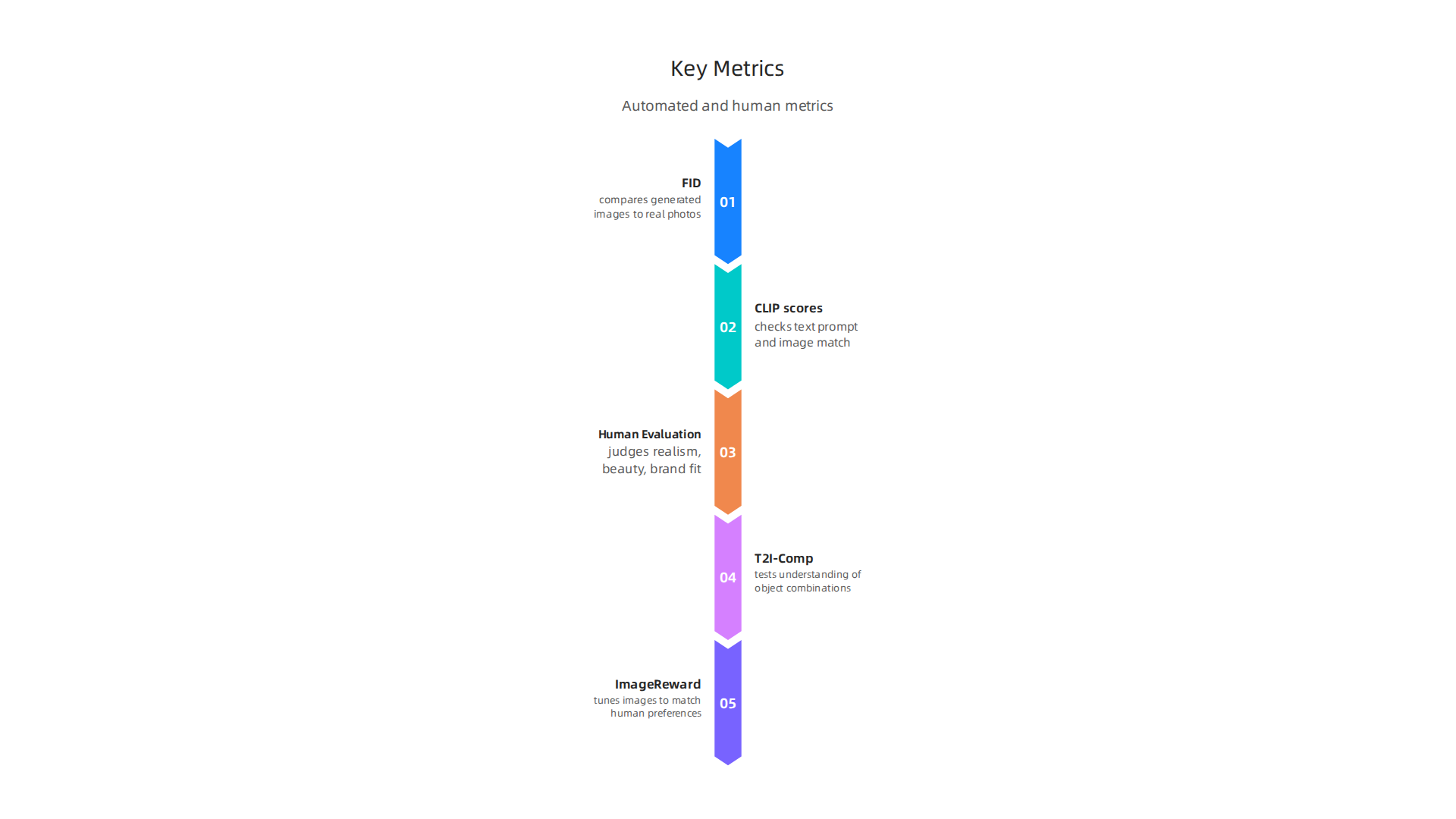
FID (Fréchet Inception Distance) compares how similar a set of generated images is to real photos. A lower FID score means the AI images look more realistic. The SoftwareMill guide on evaluation metrics explains FID well. But FID has problems. Research from CVPR 2024 warns that relying only on FID can give you wrong rankings of which AI model is best. A 2026 paper on arXiv points out that FID does not always match what humans actually think is good.
CLIP scores are different. They check if the text prompt and the generated image match. For example, if you say "a red apple on a blue table," CLIP measures how well the image follows that description. The Eureka PatSnap article on CLIP-based evaluation calls this a big step forward. Still, CLIP does not catch things like weird hands or bad lighting.
Why Human Eyes Still Matter
Numbers are useful, but they miss a lot. An AI image might score well on FID and CLIP but still look strange to you. That is why human evaluation is still super important. People are the best at judging realism, beauty, and whether the image actually does what you asked. When you are choosing generative AI assistants for your workflow, you should always look at outputs with your own eyes. A score cannot tell you if the image fits your brand style or feels right.
Newer, Better Benchmarks
The field is moving fast. In 2026, researchers use smarter benchmarks like T2I-Comp (tests how well AI understands combinations of objects) and ImageReward (tunes images to match human preferences). These go beyond simple scores and try to catch the things real people care about.
If you want to understand how these metrics work in practice, check out this guide: artificial intelligence images how to use visuals to understand complex AI models. It shows you how to look at AI images like a pro.
The best approach? Use automated metrics for a first pass. Then trust your own eyes for the final call. That way you get the speed of artificial intelligence photos without losing the quality your customers expect.
Automated vs. Human Evaluation: Striking the Balance
So you know that both automated scores and your own eyes matter. But neither is perfect.
Automated metrics like FID are fast and cheap. But they can also be gamed or miss real quality. Research presented at CVPR 2024 warns that relying only on FID can lead to wrong rankings. A model might score well but still produce weird, unusable images. The metrics themselves have what a 2026 arXiv paper calls a "fundamental objective mismatch." They don’t always capture what humans actually think looks good.
On the other hand, human evaluation is the gold standard for realism and brand fit. But it is slow, expensive, and subjective. One person might love an image while another hates it. That’s not reliable at scale.
So what is the answer? Hybrid approaches.
In 2026, many teams use AI judges to approximate human preferences. These are reward models trained to score images based on what real people have liked before. They are not perfect, but they are much better at catching things like weird hands or bad lighting than raw FID scores. Tools like ImageReward work this way.
Also, the field is starting to use standardized protocols like Elo ratings for image quality. Think of it like a tournament where users compare two images and pick the better one. Platforms such as Chatbot Arena now test image models this way, giving you a human-centered ranking without the full cost of professional evaluators.
If you want to see how to actually create prompts that score well with both humans and metrics, check out our guide: how to create pics of artificial intelligence that actually work.
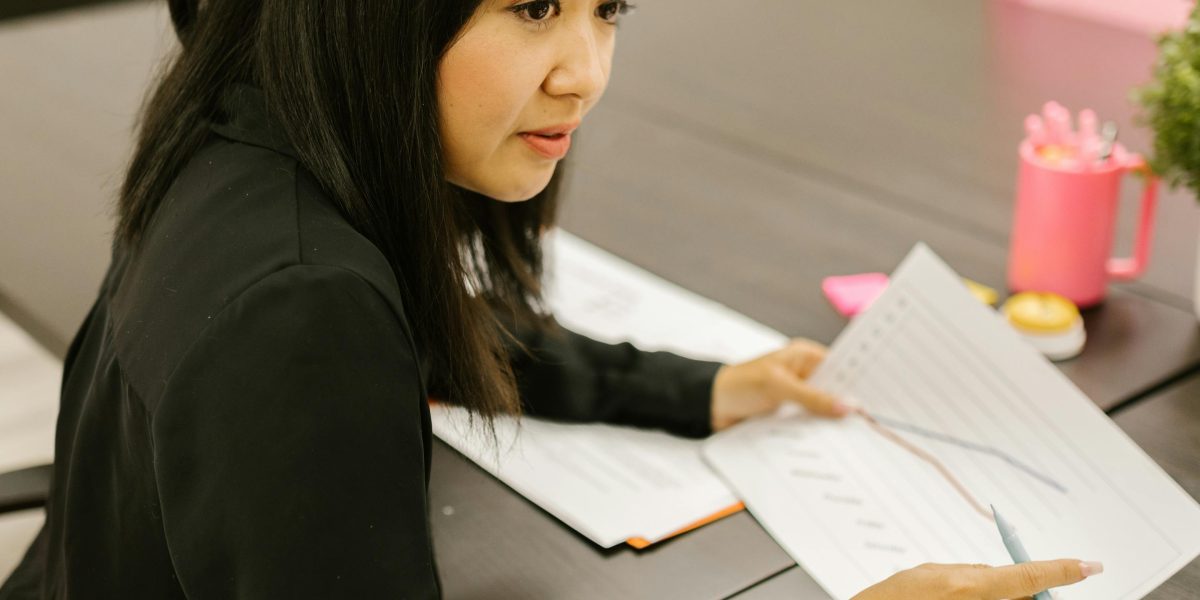
The smartest workflow uses automated metrics for a fast first pass, then a hybrid AI judge to narrow down the options, and finally a few human eyes on the finalists.
That way you get the speed of artificial intelligence photos without sacrificing the quality your customers expect.
Navigating the Ethical Minefield: Bias, Copyright, and Authenticity
Even when your evaluation workflow is solid, bigger questions loom. Creating artificial intelligence photos comes with serious ethical responsibilities. Get this wrong, and your brand can face legal trouble, public backlash, or worse.
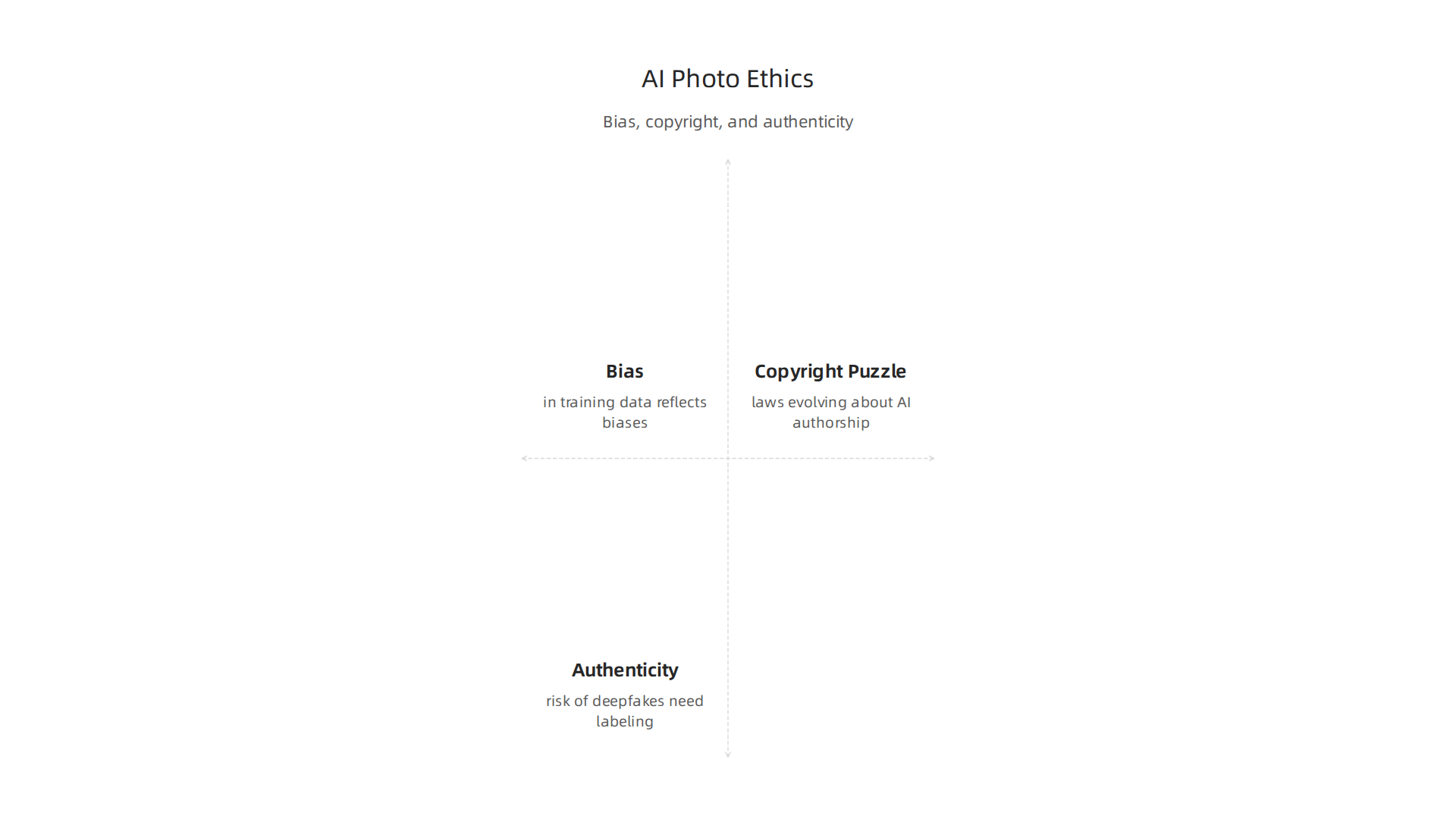
Let’s break down the three biggest ethical challenges you need to know about in 2026.
Bias in Training Data
The images you generate are only as fair as the data used to train the model. Most training datasets come from the internet, which is full of historical and cultural biases.
So your AI can easily spit out stereotypes. Think doctors always looking like men, or nurses always looking like women. Or it might show mostly lighter skin tones by default.
This is not a small problem. It means your artificial intelligence photos can accidentally exclude or offend whole groups of people. The best practice is to actively check your outputs for diversity and fairness. Add prompts that describe the people you want to see, like "a diverse group of engineers" or "a senior woman in a leadership role."
If you want to learn more about writing prompts that avoid bias, our guide on how to create pics of artificial intelligence that actually work has practical tips.
The Copyright Puzzle
Copyright law for AI images is still shifting under our feet. A few major rulings in 2026 have made things clearer, but also more strict.
In March 2026, the U.S. Supreme Court declined to hear Thaler v. Perlmutter, which means AI cannot be an author under the Copyright Act. That ruling is now final. Over in Europe, three German court rulings in May 2026 said the same thing: if an image is made fully by AI, you cannot copyright it.
What does this mean for you? You should assume that purely AI-generated images are in the public domain in many countries. Anyone can copy and reuse them. That is risky for brand assets. The U.S. Copyright Office is still working on official rules, and more lawsuits are underway.
For a detailed look at what is protected and what is not, check out this practical guide on AI art copyright in 2026.
A smart workaround is to add significant human edits to your AI outputs. If you change the image enough, you might claim copyright on your contribution. But the law is not fully settled yet.
Authenticity and Deepfakes
The same tools that make beautiful marketing images can also create convincing fakes. This is a major concern for text to video artificial intelligence and image generators.
Deepfakes can spread misinformation, harm reputations, or trick customers. That is why there is a growing push for provenance and watermarking systems. Many generative ai assistants now add invisible watermarks or metadata tags that say "this was made by AI."
You should always label your AI-generated content. It is not just honest. It protects your brand if someone tries to fake an image using your company’s name. Even your ai personal assistant tools need to be transparent about their outputs.
When you generate images for your business, always check if the tool you use includes strong tamper-proof metadata. And think twice before using AI to create realistic images of real people without their consent.
The bottom line? Use artificial intelligence photos responsibly. Check for bias, respect copyright laws, and always be honest about what is AI-made. Your customers will trust you more for it.
Bias and Representation in AI Photos
Now let’s zoom in on one of the trickiest issues: bias and representation. Even when you write the perfect prompt, your artificial intelligence photos can still reflect unfair stereotypes.
The problem starts in the training data. Most AI models learn from images all over the internet. And the internet has a lot of bias. So the model learns that some groups are shown more often than others. For example, a generative ai assistant might default to showing a CEO as a white man while showing a cleaner as a person of color. That is a real problem.
Here is the thing. Prompt engineering alone cannot fully fix this. You can add "diverse group" to your prompt, but if the dataset is heavily skewed, the model still leans toward the majority. The bias is baked into the data.
But there is good news. New debiasing techniques are gaining traction. Things like rebalancing the training dataset and using constraint-based generation help models produce fairer outputs. These methods are not perfect yet, but they are improving quickly.
What can you do right now? Always review your generated images for diversity. Add specific descriptors in your prompts. And if you want to master the art of writing effective prompts, our guide on how to create pics of artificial intelligence that actually work gives you step-by-step tips.
Remember, creating artificial intelligence photos that represent everyone is not just ethical. It is better for your business. People trust brands that show the real world fairly.
Copyright and Ownership: The Legal Landscape
Here is a big question that comes up a lot. Can you legally own the artificial intelligence photos you create? The answer is complicated and changing fast.
In March 2026, the U.S. Supreme Court made a major decision. They refused to hear a case called Thaler v. Perlmutter. This means, for now, AI cannot be listed as the author of a copyrighted work. The Baker Donelson summary of the Thaler ruling explains that the door is mostly closed on that idea.
But the legal fight is just getting started. Big companies are also suing over how AI models are trained. For example, Getty Images sued Stability AI for using their photos without permission. The Copyright Alliance roundup from January 2026 notes that two more AI copyright lawsuits were filed just in that month alone. Courts around the world are split on what is fair.
In Europe, things are also shifting. Courts in Germany recently ruled that if an AI generates something completely on its own, there is no copyright protection. You can read about these three German rulings on AI content to see how strict some places have become.
Meanwhile, new types of licenses are appearing. Groups like Creative Commons are working on special AI licenses to make the rules clearer. The U.S. Copyright Office is also studying how copyright law should change for AI.
So what does this mean for you? If you create artificial intelligence photos for your business, stay careful. Do not assume you own the full rights. Always check the terms of the tool you use. And if you want a practical guide on making these images safely, our article on how to use visuals to understand complex AI models can help you stay on the right track.
Building Trust with Audiences: Transparency and Labeling
Beyond the legal questions around ownership, there is another layer you need to think about: trust. When you share artificial intelligence photos with your audience, how do they know what is real and what is AI made? As more people use tools like text to video artificial intelligence and generative ai assistants to create content, the line between human and machine blurs. Your audience wants to know the truth.
Major platforms are now requiring clear labels on AI generated content. Meta and TikTok both have rules that force creators to disclose when a photo or video was made by an ai personal assistant or other generative tool. If you skip the label, your content might get removed or your account could face penalties. These rules are not just suggestions. They are becoming standard practice.
Behind the scenes, engineers are building technical solutions to prove where an image came from. The C2PA standard (Coalition for Content Provenance and Authenticity) embeds invisible metadata into the file. Google’s SynthID adds a digital watermark that stays even after edits. These tools act like a digital birth certificate for every piece of artificial intelligence photos you create. Government agencies are also stepping in. The U.S. Copyright Office is actively studying how AI content should be handled, which may lead to stricter labeling rules in the near future.
Being transparent about AI use is not just about avoiding fines. It builds real trust with your audience.

People appreciate honesty. When you clearly label what was made by a machine, you show that you respect their intelligence. This honesty can become a competitive advantage. Brands that hide their use of AI risk losing customers who feel tricked. Brands that are upfront earn loyalty.
If you want to learn how to create AI images that feel authentic and trustworthy, our guide on how to create pics of artificial intelligence that actually work will help you get started the right way. Remember, in 2026, transparency is not optional. It is the price of entry.
The Future of AI in Visual Content: 2026 and Beyond
Now that you know how to be transparent with your audience, let’s talk about what is coming next. The world of artificial intelligence photos is moving faster than ever. In 2026, we are not just looking at static images anymore. We are entering an era where AI creates video, personalized visuals, and consistent brand styles in real time.
Real-Time Video Generation
One of the biggest shifts is the move from still images to full video. Tools like OpenAI’s Sora 2 and Google’s Veo 3.1 can now generate high-quality video clips from a simple text prompt. This is text to video artificial intelligence at its best. Instead of spending hours editing, you can type a description and get a realistic video in minutes. According to a detailed analysis on Higgsfield AI, models like Sora 2 and Veo 3.1 have moved from experimental toys to actual production tools that businesses use every day.
This change means you can create marketing videos, explainers, or even short films without a big production crew.
Personalized Visuals for Each User
The next big trend is personalization. Imagine an ai personal assistant that knows your preferences and creates images or videos just for you. In 2026, generative ai assistants are getting smarter. They can look at your browsing history, location, or past purchases and generate a visual that feels personal. For example, a travel site could show you a custom video of a beach vacation tailored to your favorite activities. This kind of context-aware generation makes content more engaging and relevant. A report from AnimateAI predicts that by 2027 we will see real-time collaborative editing in AI video tools, which means you and your team can adjust these personalized visuals together on the fly.
Brand Consistency Through Fine-Tuning
For brands, one of the biggest challenges is keeping a consistent look across all their artificial intelligence photos and videos. That is where fine-tuning tools like LoRA and DreamBooth come in. These methods let you train an AI model on your specific style, logo colors, or character designs. Once trained, every image or video the AI makes will match your brand guidelines perfectly. No more strange color shifts or mismatched fonts. This is a game changer for companies that want to use AI but stay on brand. Whether you are creating product shots, social media clips, or training videos, fine-tuning gives you control over the output.
What This Means for You
The future of visual content is personalized, real-time, and consistent. If you want to stay ahead, start experimenting with these tools now. Learn how AI models create images and video so you can use them effectively. For a deeper look at how visuals help explain complex AI concepts, check out our guide on using artificial intelligence images to understand complex models. The tools are ready. The question is: are you ready to use them in 2026 and beyond?
Summary
This article reviews the state of AI‑generated photos in 2026, explaining the core technologies, practical uses, evaluation methods, and ethical pitfalls you need to know. It describes why diffusion and multimodal models now lead the field, how smaller open‑source models let teams run generation locally, and how unified generators put images directly into chat workflows. You’ll learn where businesses get value—faster marketing tests, cheaper product photography, and on‑demand editorial visuals—and how to keep quality high by combining automated metrics with human review. The piece also covers legal and trust issues, from recent copyright rulings to watermarking and labeling best practices, and offers guidance on reducing bias in outputs. Finally, it outlines near‑term trends like real‑time video, personalization, and brand fine‑tuning so you can plan practical next steps for using AI visuals responsibly.