
Replit Python for Data Manipulation and Machine Learning in 2026
Introduction
Setting up a local Python environment for data tasks can be a real pain.

You have to install libraries, manage versions, and hunt down system conflicts. That is why so many people turn to Replit. It gives you a powerful online Python development environment that runs right in your browser. No downloads, no setup, no drama.
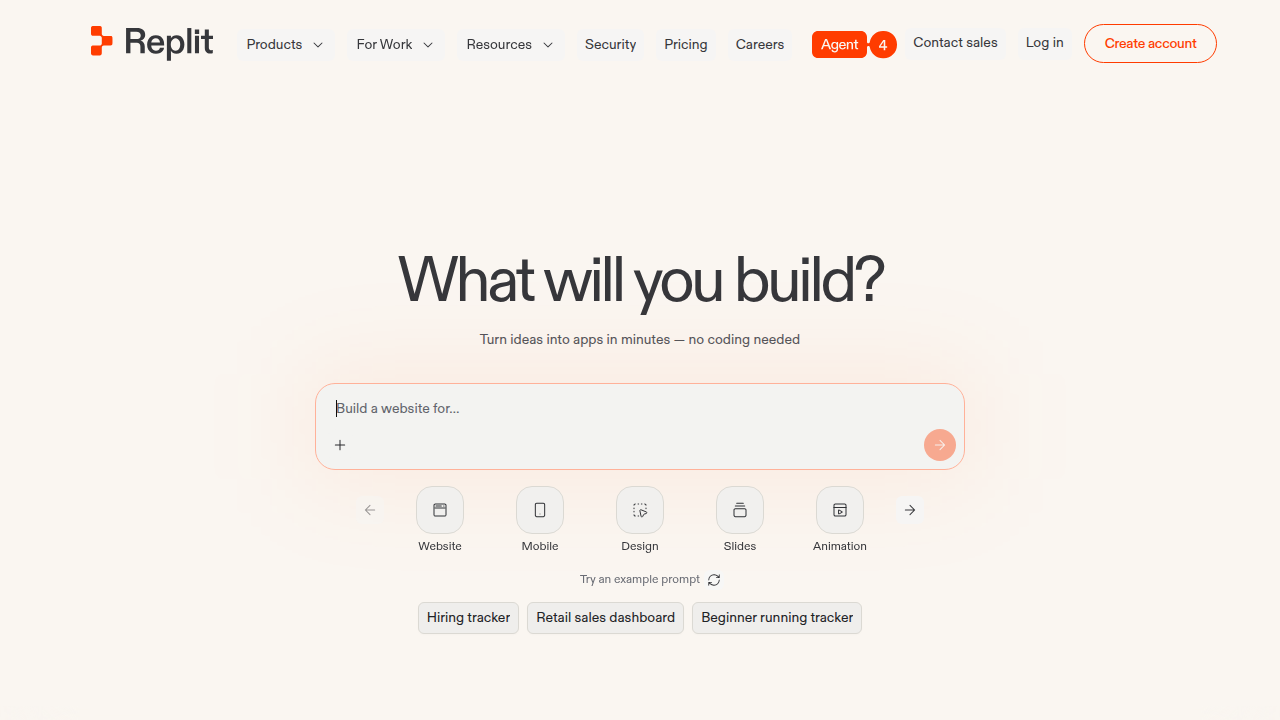
In 2026, Replit has become a favorite tool for data scientists and machine learning professionals. You can quickly prototype data pipelines, run scripts, and even build full apps without ever touching your local machine. The AI features make it even better. According to the Replit AI Review 2026, the platform helps you generate code and automate repetitive tasks so you can focus on the actual data work.
Whether you need to use a set in Python to clean duplicates, sort a list for analysis, or just practice how to learn Python, Replit gives you everything in one place. It includes a built-in database, hosting, and monitoring. So you can go from idea to deployed app fast.
If you want to dive deeper into using Python for data work, check out this guide on how to master Python data analysis tools for machine learning.
And hey, staying on top of AI news can feel overwhelming. The AI Newsletter Worth Reading delivers clear daily updates so you never miss important breakthroughs.
In this guide, we will cover the essential features, libraries, and best practices for using Replit Python in 2026. You will learn how to set up your workspace, use AI assistants, and build efficient data pipelines without the local setup friction. Let us jump in.
Why Replit Python for Data Manipulation in 2026?
So you already know Replit saves you from local setup headaches. But let’s get specific about data manipulation. When you need to clean a messy CSV, deduplicate records, or apply a sort on a list, Replit Python shines for three big reasons.
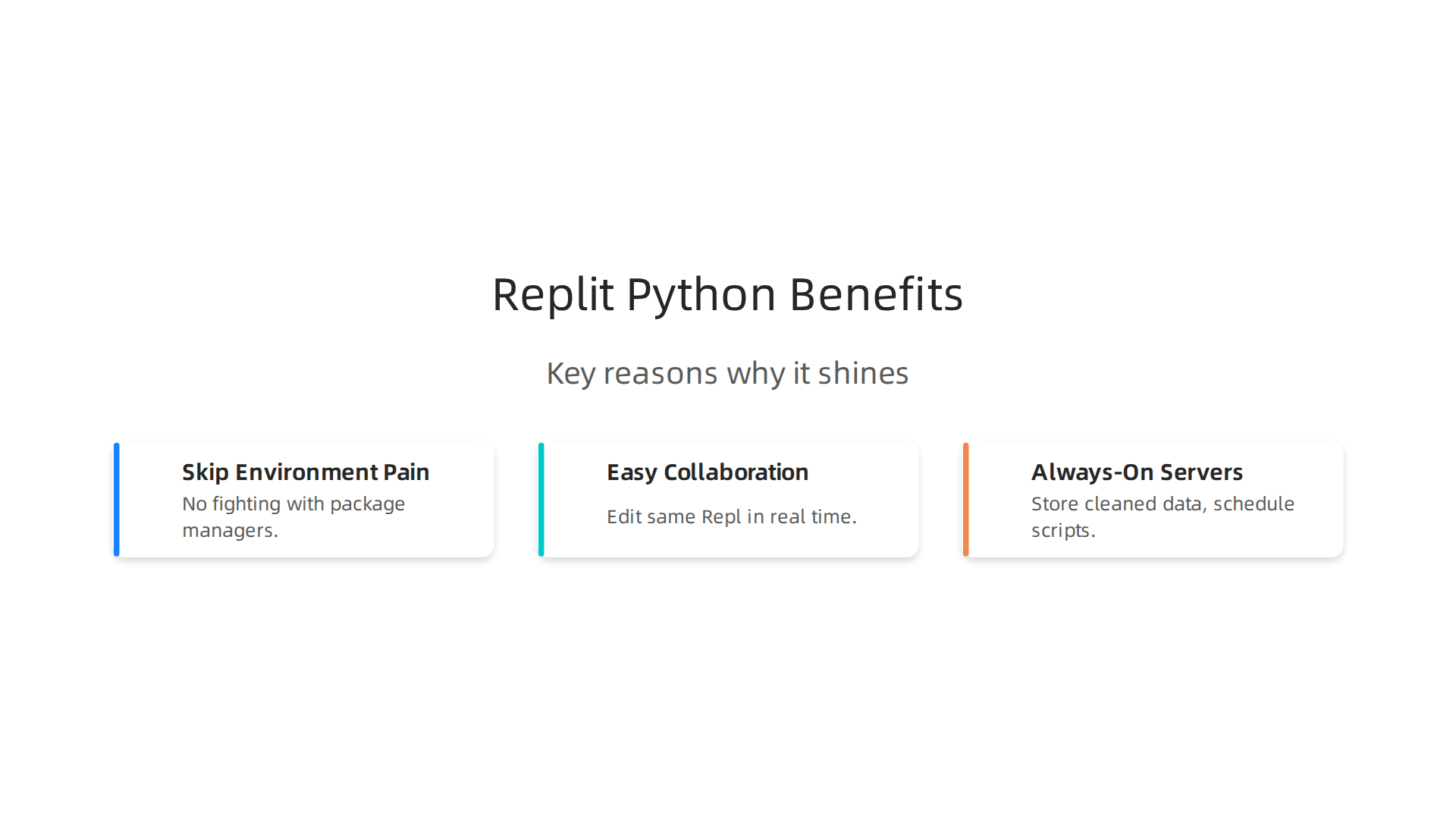
First, you skip all the environment pain. On your local machine, installing pandas, numpy, and scikit-learn can take hours and break things. In Replit, every library is one click away. You can start writing a set in python to remove duplicates almost instantly. No fighting with package managers.
Second, Replit makes collaboration dead simple. Working on a data script with a teammate? You can both edit the same Repl in real time.

No sharing ZIP files or dealing with merge conflicts. This is huge when you need to verify data transformations together. One Replit Review 2026 notes that jumping between Python data analysis scripts and other apps requires zero context switching.

That speed matters when you are iterating on a data pipeline.
Third, Replit DB and always-on servers let you keep your data flowing automatically. You can store cleaned data in Replit’s built-in database and schedule scripts to run around the clock. For example, you might pull new data every hour, clean it with a set in python, and write the results to a table. This Replit Database Tutorial 2026 shows how to get started in minutes.
If you want to see how to use a specific data structure for speed, check out this guide on Python set data cleaning. It will show you exactly how to remove duplicates fast, right inside your Replit workspace.
Key Features of Replit for Data Work
Now that you can see how Replit Python makes data manipulation easier, let’s dig into the specific features that make it stand out.
First, Replit comes with pre-installed Python packages like pandas and numpy. You can import them right away and start cleaning data. No downloading or installing needed. This saves hours of setup time, especially when you are just starting to learn Python and want to focus on the logic instead of environment configuration.
Second, Replit includes built-in secret management for API keys. When you work with live data sources, you often need to store tokens and passwords safely. Replit lets you add secrets in one click, so your keys never end up in your code. This keeps your data pipelines secure without extra effort.
Third, the Replit Database offers a simple storage option right inside your workspace. You can save cleaned records, store intermediate results, or keep track of processed files. One Replit Review in 2026 highlights how this built-in database removes the need for external services, making it easier to prototype data workflows fast.
If you want practical techniques for analyzing datasets, check out this guide on exploratory data analysis techniques that work great inside Replit.
And if you want to stay ahead of the latest AI and machine learning trends, consider The AI Newsletter Worth Reading for daily updates that help you apply new techniques in your Replit projects.
Setting Up Your Replit Python Environment
So you are ready to get your hands dirty. Let’s walk through how to set up a Replit Python workspace for data work, step by step.
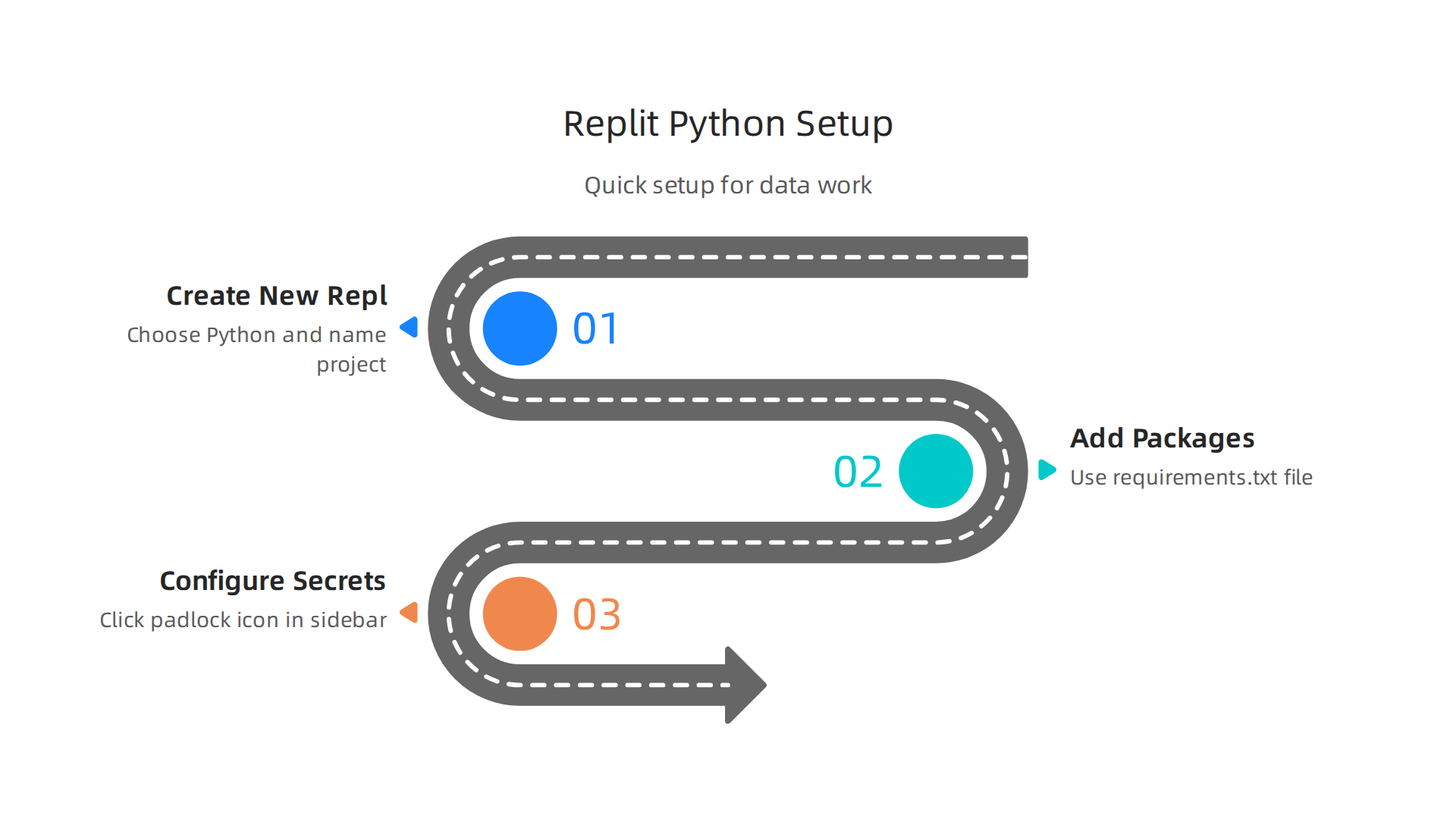
First, create a new repl. Log into Replit and click the Create button. Choose Python as the language. Name your project something like "data-analysis-playground." In seconds, you have a blank Replit Python environment with a ready-to-use editor and terminal.
Now you need to add the packages your data project requires. The easiest way is through a requirements.txt file. Type the names of the libraries you need, one per line, like this:
pandas
numpy
matplotlib
Replit automatically detects this file and installs everything when you run your code. No command-line pip commands needed. This is a huge time-saver when you are still learning how to learn Python and want to focus on writing code.
Next, configure your secrets. If your project connects to an API, you need to store keys safely. Click the padlock icon in the sidebar to open the Secrets tool. Add your key name and value there. Replit encrypts these values so they never appear in your code. The official Secrets documentation explains how to set this up in detail.
Once your environment is ready, you can start exploring data. A great next step is to master Python data analysis tools so you know which packages work best for cleaning, sorting, and visualizing.
With your Replit Python environment set up, you are ready to build real data workflows.
Managing Secrets and Environment Variables
Now that your environment is ready, let’s talk about keeping your data safe. When you connect to APIs, you need keys and tokens. Never put them directly in your code. That is how leaks happen.
Replit makes this simple with its Secrets tool. Instead of typing your API key into a Python script, you click the padlock icon in the sidebar. Add the key name and value there. Replit encrypts everything. If you share your repl with others, your keys stay hidden.
This is a much better approach than the old .env file method. Replit’s advice on keeping your API keys safe in Replit covers exactly why this matters. The tool even prompts you to save a key when it detects you pasting one into the editor.
One best practice: always access your secrets through environment variables in your code. For example, import os and then os.getenv("MY_API_KEY"). This way your code contains no sensitive values at all.
To stay current with data security and machine learning trends, The AI Newsletter Worth Reading delivers clear daily updates. For more on building secure data pipelines, check out this guide on mastering Python data workflows.
Essential Python Libraries for Data Manipulation on Replit
Now that your secrets are locked down, it is time to actually use Replit Python for real work. One of the best parts of coding on Replit is that it comes with many popular Python libraries already installed. You do not need to waste time setting things up. Just start writing code.
If you want to work with data, three libraries will be your best friends: Pandas, NumPy, and Matplotlib.
Pandas is the go-to tool for data wrangling. Think of it like a supercharged spreadsheet inside Python. You can load data from CSV files, clean up messy columns, filter rows, and group results. It handles most of the boring work for you. If you ever feel stuck on how to organize a messy dataset, Pandas is the answer.
NumPy handles the math. When you need to run calculations on large numbers or work with arrays, NumPy makes it fast. It is the engine behind many other data tools. You will use it constantly for numerical operations.
Matplotlib (and its cousin Seaborn) lets you see your data. Making charts inside Replit is easy. You just call a quick plot function, and the graph shows up right in your output window. Visualizing your results helps you spot patterns you might miss in a table of numbers.
Together, these three libraries turn Replit into a full data analysis environment. You can load data, clean it, run math, and make charts without ever leaving your browser.
For a deeper look at how to use these tools with real datasets, check out this guide on master Python data analysis tools for machine learning in 2026. It walks through practical examples step by step.
And if you are still learning the basics of how to learn Python, starting with these libraries is a smart move. They give you immediate results, which keeps you motivated.
Scripting Workflows: Automating Data Tasks
Once you feel comfortable with Pandas, NumPy, and Matplotlib, the next logical step is to start automating your data tasks.

Instead of running the same code over and over manually, you can write scripts that do the work for you on autopilot. This is where Replit Python really shines.
Write Scripts That Do the Heavy Lifting
Think about your most common data chores. Maybe you need to download a CSV from a URL, clean duplicate rows, calculate averages, and export a summary. You can write a single Python script that handles all of that. Use Pandas to read the file, NumPy to run the math, and then save the result somewhere new. Once the script works, you just run it whenever you need fresh data.
If you need to remove duplicate entries, you can use a set in Python to quickly deduplicate lists. And when you need to reorder data before analysis, a simple python sort list command does the trick. These small building blocks make your automation scripts fast and reliable.
Schedule Your Scripts to Run Automatically
You do not need to sit at your computer to run scripts manually every day. Replit lets you keep your repl running continuously with its always-on feature. You can also use an external cron service to trigger your script on a schedule, like every morning at 8 AM. This way your data pipeline runs without any extra clicks.
For a deeper look at setting up automation workflows, check out the Replit blog on AI coding with Python. It shows how Replit Agent can turn ideas into working automations fast.
Handle Errors and Log Everything
Automation only works if you know what happened. Add try-except blocks to catch errors when a file is missing or a server goes down. Then write log messages to a file using Python’s logging module. That way you can check what went wrong later. Simple logging saves you hours of debugging later.
Keep Learning by Automating More
The best way to learn Python is to build things that save you time. Start with one small automation, then add more steps. Before you know it, you will have a full data pipeline running on autopilot.
For more advanced techniques, read this guide on Python data workflows for peak performance. It covers optimization tricks that make your scripts run even faster.
And if you want to stay up to date with the latest AI and automation tools, consider subscribing to The AI Newsletter Worth Reading. It delivers clear daily updates so you never miss a key development.
Best Practices for ML Engineers Using Replit Python
Getting your data scripts to run is one thing. Keeping them reliable and shareable over time is another. For ML engineers using Replit Python, a few simple habits make a big difference. These practices help you avoid broken code, wasted time, and confusion when you revisit your work later.
Version Control with Git
Replit has built-in support for Git. You can initialize a repository, commit changes, and push to GitHub or GitLab right from the editor. This is not just for teams. Even if you work alone, version control lets you roll back when something breaks. It also serves as a log of your learning journey. Every time you improve a script, commit it with a short note. Later you can see exactly what changed.
To get started, click the Version Control tab in Replit. It works just like Git on your local machine. If you are new to Git, Replit’s interface makes it easier because you do not need to remember command line options.
Ensure Reproducibility
Your code from today might stop working next week if a library updates. The fix is simple: create a requirements.txt file that lists every Python package and its exact version. Replit lets you set environment settings so your repl always uses the same Python version and dependencies. When you share your repl with a colleague or come back to it months later, those exact versions get installed.
This habit is essential for any ML project where results depend on specific library versions. As noted in a recent Replit AI Guide 2026, proper environment management prevents many common errors.
Test Your Data Scripts
Short tests catch mistakes before they spread. In Replit, you can write simple test functions using Python’s built-in assert statements. For example, after loading a CSV, test that the number of rows matches your expectation. After cleaning data, test that no duplicates remain.
You can also learn more about validating data quickly with a guide on Python dataclass for data validation. That technique works great inside Replit to check data shapes and types automatically.
Testing does not need to be complicated. Even one or two checks per script save hours of debugging later. Run your tests after every change. Over time, you build a safety net that lets you make changes with confidence.
Now that you know how to keep your Replit Python projects organized, it helps to understand how Replit stacks up against working on your own machine. Each setup has clear trade-offs. Let’s break them down.
Convenience vs. Control
Replit runs entirely in your browser. You do not need to install Python, manage environments, or configure hardware. That makes it perfect for beginners and quick prototypes. According to the Replit vs Local Development: The Cloud IDE Revolution article, this zero-setup approach saves hours compared to traditional development. On the flip side, a local setup gives you full control over your operating system, libraries, and hardware. If you need a specific GPU or a custom kernel, your laptop or desktop is the better choice.
Performance for Large Datasets
Replit works great for small to medium data projects. But when you start processing large CSVs or training complex models, resource limits can slow you down. The free tier caps CPU and RAM. Paid plans give you more power, but still less than a dedicated machine. A Replit Review 2026 notes that for compute-heavy tasks, a local environment often runs faster because you are not sharing resources with other users.
Cost Analysis
| Setup | Upfront Cost | Monthly Cost | Best For |
|---|---|---|---|
| Replit Free | $0 | $0 | Learning, small scripts |
| Replit Paid (Core) | $0 | ~$25 | More CPU, private repls |
| Local Hardware | $500+ | $0 (electricity) | Heavy ML, full control |
For ML engineers who work on small datasets or prototype often, Replit Python is cost effective. But if you regularly train models on thousands of records, buying a decent laptop or renting cloud GPUs may save time and frustration. If you are still deciding, a guide to choose an AI-powered collaboration platform can help you match the setup to your workflow.
To stay ahead of the fast-moving AI and ML landscape, consider subscribing to The AI Newsletter Worth Reading for clear daily updates on tools, research, and trends that matter to practitioners like you.
H3: Cost Analysis: Free vs. Paid
Beyond the basic cost comparison, the real question is what you get for your money. The free Replit tier gives you enough memory and storage for small Replit Python scripts and learning projects. But it limits always-on time, meaning your app stops running when you close the browser. That’s fine for quick experiments, but frustrating if you want a prototype to stay live.
Paid plans unlock more CPU, RAM, and persistent hosting. The Core plan costs around $25 a month and removes those resource caps, which helps when you need to run a Python sort list on a bigger dataset or learn how to learn Python with a consistently running workspace.
How does that compare to other cloud IDEs like AWS Cloud9 or GitHub Codespaces? According to a guide on the 10 Best Replit Alternatives in 2026, each platform has different pricing models. Cloud9 charges based on the underlying EC2 compute, often costing more for heavy use. Codespaces gives free hours for personal accounts but can get pricey for teams. Replit’s simple monthly subscription often wins for solo developers who want predictable costs without cloud configuration.
If you are still weighing your options, a guide on choosing the right data analysis tools for ML teams can help you match your budget to your actual workflow needs.
H2: Advanced Tips: Integrating Replit Python with MLOps
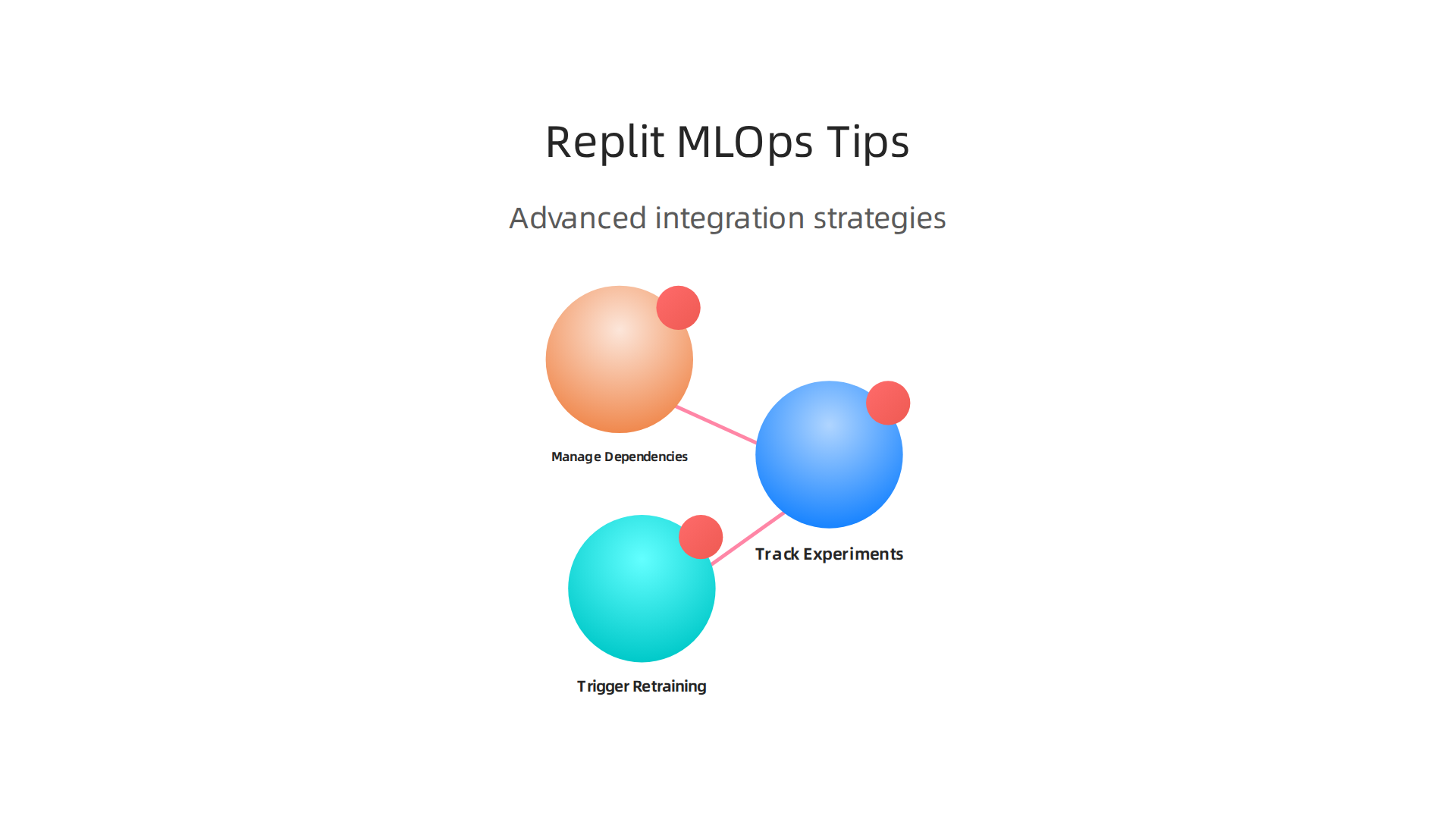
Once you get comfortable writing Python in Replit, the next step is tying your work into real MLOps workflows. MLOps helps you track, automate, and scale your machine learning projects. Here are three advanced ways to connect Replit Python with MLOps practices.
Track experiments with MLflow
MLflow is the go to tool for logging model parameters, metrics, and artifacts. You can install it directly in your Replit workspace with pip install mlflow. Then use it to log every training run. This makes it easy to compare different model versions and pick the best one. Replit’s always on workspaces keep your experiment history available even after you close the browser. For a deeper look at building efficient ML pipelines, check out this guide on how to optimize your machine learning workflow.
Trigger model retraining with webhooks
Webhooks let your Replit Python app listen for events from other services. You can build a simple webhook endpoint using Flask or FastAPI. Whenever new training data arrives, the webhook fires and kicks off a retraining script. No manual steps needed. The 2026 Replit AI capabilities make setting up these automations faster than ever, as covered in this Replit AI Guide 2026.
Manage dependencies with Docker
Dependency issues slow down every ML team. Replit supports Dockerfiles, so you can define your exact environment once. Specify the Python version, system libraries, and pip packages in a single file. This guarantees everyone on your team runs the same setup. No more "it works on my machine" problems.
These integrations turn Replit from a simple coding playground into a serious MLOps workspace. And if you want to keep learning about the latest MLOps tools and AI trends, The AI Newsletter Worth Reading sends clear daily updates right to your inbox.
H2: Conclusion and Next Steps
Replit Python gives you a browser-based workspace that cuts through the usual setup headaches. You can start writing code, testing ideas, and building small machine learning projects without installing anything on your local machine. For 2026, that is a serious advantage.
The platform keeps getting better. A recent Replit Review 2026 found that you can build a working app in just 36 minutes. That speed matters when you want to test a new model idea or run a quick data experiment.
Here are the main takeaways from this guide:
-
Start fast, refine later. Replit Python removes the friction of setup. You can jump straight into writing code, cleaning data, and training models. When you are ready to scale, add tools like MLflow and Docker.
-
Follow good practices from day one. Use virtual environments, write clean functions, and keep your code modular. These habits save hours of debugging down the road.
-
Explore the ecosystem. Replit’s AI features in 2026 help you generate code, explain errors, and plan projects. Pair that with solid Python skills, and you have a powerful combo.
If you are still getting comfortable with Python, focus on the fundamentals. Learn how to use common data structures and methods. For example, understanding the Python set for data cleaning speeds up membership checks and removes duplicates fast. Knowing how to sort lists efficiently makes your data pipelines cleaner.
For anyone wondering how to learn Python in 2026, Replit is one of the best places to do it. The built-in AI assistant acts like a coding tutor. You can ask it questions, get explanations, and fix bugs without leaving your workspace.
The bottom line is simple. Replit Python is not just a toy. It is a real environment for real machine learning work. Whether you are a beginner writing your first script or an ML engineer setting up automated retraining pipelines, the tool scales with you. Set up your workflow right, keep learning the core Python skills, and you will build better models faster.

Summary
This guide explains how to use Replit Python in 2026 as a quick, browser-based environment for data cleaning, analysis, and lightweight machine learning workflows. It walks you through creating a Repl, adding dependencies via requirements.txt, and using Replit’s Secrets and built-in database to keep credentials and intermediate results safe. The article covers essential libraries—Pandas, NumPy, Matplotlib—shows how to automate and schedule scripts, and gives practical tips for logging, testing, and version control to keep projects reproducible. It also compares Replit’s convenience and cost to local setups, outlines when to move to heavier compute, and offers advanced integrations like MLflow, webhooks, and Docker for MLOps. Read this to learn how to get a data pipeline running fast in your browser, avoid common pitfalls, and scale workflows responsibly as your projects grow.