
Python Dataclass for Data Validation and Faster Machine Learning Pipelines

Introduction
Python keeps growing as the go-to language for data science. As of 2025, 57.9% of developers worldwide use Python, and 51% of those developers use it for data exploration and processing (46 Python Statistics for 2026).

That huge adoption rate shows just how central Python is to modern machine learning work.

One big reason Python stays so useful is how easy it makes writing clean, readable code. The Python dataclass is a perfect example. Introduced in Python 3.7, dataclasses cut out tons of boilerplate. Instead of manually writing __init__, __repr__, and __eq__ for every class, you just declare your fields. The official Python documentation explains that the @dataclass decorator "automatically adds generated special methods" to your class. That means less typing and fewer bugs from repetitive code.
But dataclasses do more than save keystrokes. With __post_init__, you can run validation right after an object is created. Using field() and frozen=True, you can enforce rules and make objects immutable. These advanced patterns make your data pipelines much more robust. And just like Python list comprehension lets you process data in one clean line, dataclasses let you define data structures cleanly.
To get the most out of dataclasses in production, you need to understand their performance tradeoffs and how they work with type hints and serialization libraries. That’s exactly what this article covers. For a deeper look at building efficient data workflows, check out our guide to Python data analysis tools for machine learning.
As you build better Python code and stronger data pipelines, staying current on AI developments helps too. Get clear daily AI updates from The AI Newsletter Worth Reading.
Why Python Dataclass Matters for Modern Data Science
Data science involves handling lots of structured data: configuration parameters, feature definitions, model predictions, and experiment results. Each of these needs a clear structure to avoid confusion and bugs. That’s where the Python dataclass shines.
Instead of writing a class with __init__ and __repr__ by hand, you just declare your fields. This declarative style makes your code shorter and easier to read. It also reduces mistakes. When you have fewer lines of boilerplate, there are fewer places for bugs to hide.
Dataclasses also work hand in hand with Python’s type hints. When you add type annotations to your dataclass fields, your code becomes self-documenting. IDEs can autocomplete and catch errors before you run the code. This is a huge time saver in team projects. Many developers agree that dataclasses are incredibly convenient for cutting boilerplate, as shared in this Stack Overflow discussion.
In machine learning pipelines, these advantages really pay off. Dataclasses are ideal for configuration objects. You can define a TrainingConfig dataclass with fields like learning_rate, batch_size, and epochs. This keeps all settings in one place and makes experiments reproducible. The same goes for feature definitions and result storage. By setting frozen=True, you make your config objects immutable. This prevents accidental changes deep in your pipeline.
Just like Python list comprehension lets you process data in one clean line, dataclasses let you define data containers cleanly. And when you combine dataclasses with Python logging, you can log structured information for easier debugging. While plain dictionaries work for simple cases, dataclasses offer better structure and validation. For more on using dictionaries in data science, check out this guide on the Python dictionary for faster data science and machine learning.
Put simply, the Python dataclass brings order to the chaos of data science code.
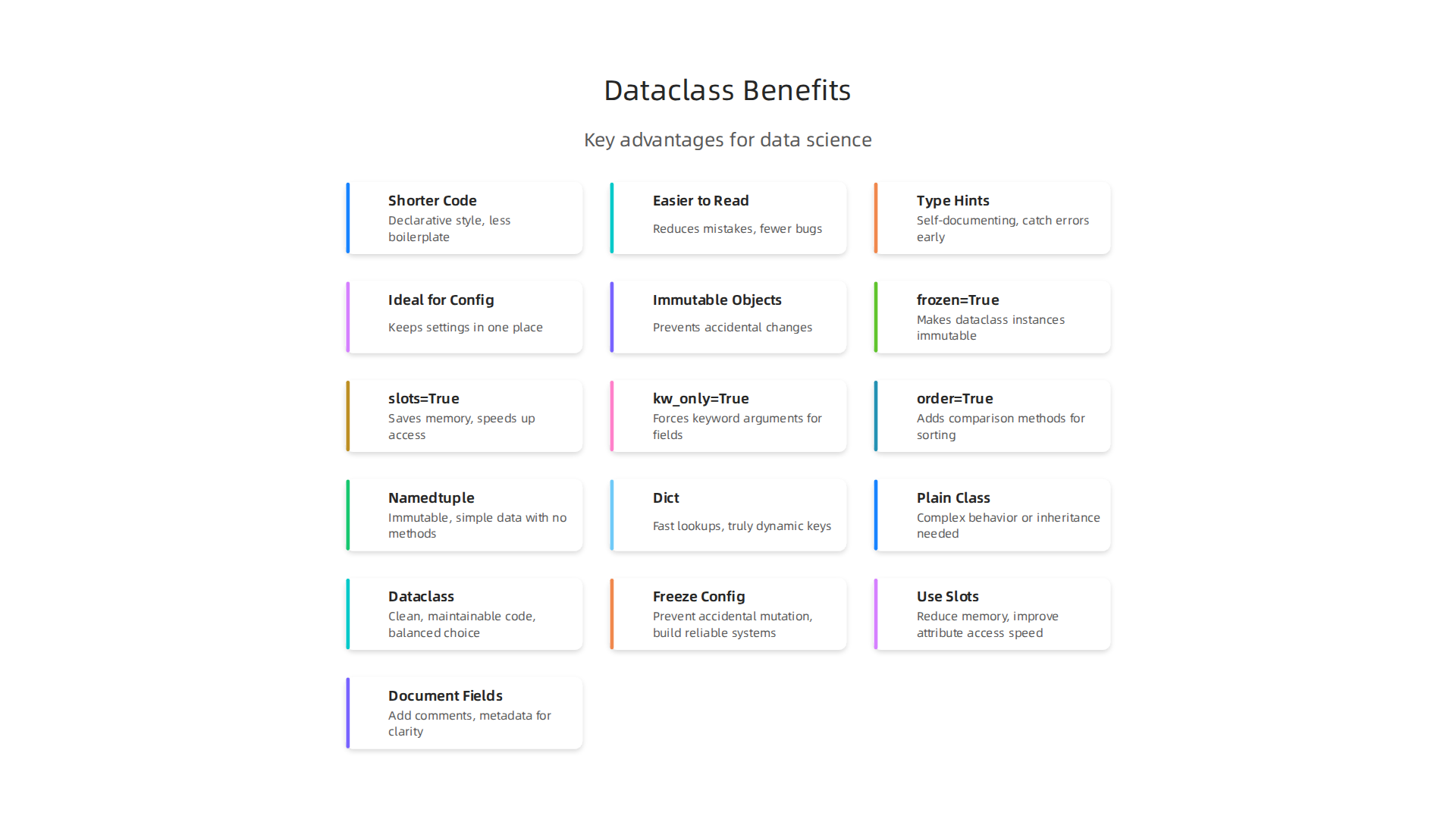
It makes your work more reliable, easier to read, and simpler to maintain — exactly what you need when you’re building complex ML pipelines.
Core Features and Advanced Configuration
Now that you see why dataclasses matter, let’s look at the knobs you can turn. The @dataclass decorator accepts several arguments that change how your class behaves.
The three most impactful are frozen, slots, and kw_only. They are all True/False flags and each tackles a different problem.
Setting frozen=True makes your dataclass immutable. Once you create an instance, you cannot change its fields. This is great for configuration objects because you don’t want some part of your pipeline accidentally overwriting a setting. Frozen dataclasses also become hashable, which lets you use them as dictionary keys or put them in sets. The InfoWorld guide on Python dataclass features explains how this works in practice.
The slots=True argument tells Python not to create the default __dict__ for each instance. Instead, it uses __slots__, which saves memory. The savings really add up when you create thousands of dataclass instances. Running a large experiment with many configuration objects? Slots can cut memory usage by around 40 percent.
The kw_only=True flag forces every field to be passed as a keyword argument when creating an instance. No more positional arguments that get mixed up when you add a new field. This makes your code more explicit and prevents bugs.
You also have the order=True flag, which adds comparison methods. Useful if you need to sort your dataclass instances, like ranking model results.
Beyond the decorator flags, the field() function gives you fine control. You can set a default value using default_factory to avoid the mutable default argument trap. And you can attach metadata, like a description or validation rules. The official Python documentation covers field() in detail in the dataclasses module reference.
The __post_init__ method is your hook for custom logic. It runs automatically after the generated __init__ finishes. Use it to compute fields based on other fields, to coerce types, or to cross-validate values. For example, you might ensure that end_date comes after start_date. The CodeSignal lesson on Dataclasses That Scale calls this the real sophistication of dataclasses. Combine this with frozen=True and use object.__setattr__ inside __post_init__ to set computed values on an otherwise immutable object.
These core features make dataclasses far more powerful than plain dictionaries for structured data.

If you want a deeper look at how data types like dataclasses fit into data science, check out this guide on why Python data types are the foundation of data science.
As you build more complex pipelines, these advanced settings keep your code clean and your data safe. Stay ahead of the latest breakthroughs in AI and machine learning by subscribing to The AI Newsletter Worth Reading, The Deep View Newsletter.
Using post_init for Data Validation and Derived Attributes
Let’s get practical. You’ve seen __post_init__ mentioned as a hook. Now here’s how to actually use it to protect your data and save yourself from bugs.
Imagine you are building a configuration for a machine learning experiment. You have fields like learning_rate, batch_size, and num_epochs. A user could accidentally pass a negative learning rate or a batch size of zero. Without validation, your training script might crash hours later with a confusing error. That is exactly where __post_init__ shines.
You write it as a regular method inside your dataclass. Python calls it automatically right after __init__ finishes. Inside it, you can check values and raise a ValueError if something is wrong. The Python Morsels guide on customizing dataclass initialization shows a clean example of this pattern.
Here is a simple example:
@dataclass
class ExperimentConfig:
    learning_rate: float
    batch_size: int
    num_epochs: int

    def __post_init__(self):
        if self.learning_rate <= 0:
            raise ValueError("learning_rate must be positive")
        if self.batch_size < 1:
            raise ValueError("batch_size must be at least 1")
        if self.num_epochs < 1:
            raise ValueError("num_epochs must be at least 1")
Now any invalid config gets caught at creation time, not during training. No more silent failures.
You can also use __post_init__ to compute derived fields. For example, you might want a total_steps field based on num_epochs and steps_per_epoch. Just set it inside the method. If your dataclass is frozen, use object.__setattr__ to bypass the freeze.
Another common use is normalizing units. Maybe your config accepts learning_rate in either decimal or percentage format. In __post_init__, you convert it to a standard form. This keeps your downstream code simple.
These small checks and transformations add up to big reliability gains, especially when multiple people contribute to a project. For a broader look at structuring data in your Python pipelines, check out this guide on mastering Python data workflows for peak performance. It covers how clean data structures lead to faster, more maintainable code.
Field Types, Metadata, and Validation with Python 3.10+
You’ve already seen how __post_init__ guards your data at creation time. But the field() function gives you even more control before that hook runs.
With field(), you can set a default_factory for mutable defaults like lists or dicts. Without it, sharing a mutable default across instances leads to nasty bugs. You can also attach metadata dictionaries. These hold extra info for serialization tools or custom logic later.
@dataclass
class TrainingRun:
    metrics: list = field(default_factory=list)
    config: dict = field(
        default_factory=dict,
        metadata={"description": "Hyperparameters for the run"}
    )
The metadata stays invisible to normal attribute access, but tools like dataclasses.fields() can read it. This is perfect for building serialization hints or generating schemas.
Now, what if you need runtime type coercion and deep validation without writing all those checks yourself? That is where Pydantic comes in. You can swap @dataclass for @pydantic.dataclasses.dataclass and get automatic validation on every field. The Pydantic documentation on dataclasses explains how __post_init__ runs after validation, letting you keep your existing patterns while adding a safety net.

For less strict projects, the lightweight attrs library is another solid alternative.
Finally, you can make your dataclass reusable for different types. Use TypeVar and Generic to create a dataclass that works with any data type. This pattern shines in ML pipelines where you might want a Dataset[T] that holds either images or text without rewriting the container.
Understanding these field types and validation patterns helps you write cleaner, safer Python code. For a deeper dive into how good data types keep your work solid, check out this guide on Python data types as foundation of data science.
As you build more complex systems, staying up to date with the latest tools and best practices makes all the difference. The AI Newsletter Worth Reading delivers clear daily AI updates so you never miss a breakthrough.
Performance and Memory Considerations
So far you have seen how dataclasses keep your data clean and validated. But what about speed and memory? If you are creating thousands or millions of objects, every byte and microsecond matters.
By default, every Python object stores its attributes in a dictionary called __dict__. That dictionary gives you flexibility at runtime, but it costs a lot of memory. For data-heavy work, this overhead adds up fast.
Python 3.10+ brought a game changer: slots=True for dataclasses. When you write @dataclass(slots=True), Python does not create a per-instance dictionary. Instead, it uses a compact, fixed-size array. This cuts memory usage dramatically and speeds up attribute access.
@dataclass(slots=True)
class Point:
    x: float
    y: float
Benchmark tests show slots can reduce memory usage by up to 60% and improve attribute access speed by up to 20%. You can see the numbers in this slots memory and speed comparison. Those gains may seem small for a single object, but repeat them across a million points and you save megabytes and milliseconds.
Frozen dataclasses (@dataclass(frozen=True)) also help with performance. When an object cannot change, Python can safely cache its hash value and reuse it. Immutable objects are thread-safe too, which makes them perfect for parallel processing pipelines.
How does a slotted dataclass stack up against a regular class or a namedtuple? A namedtuple is still more memory efficient than a regular class, but a slotted dataclass is very close. And unlike a namedtuple, a dataclass gives you type annotations, methods, and __post_init__ for validation. You get the best of both worlds: efficiency and expressiveness.
If you are building performance-critical ML pipelines, these optimizations can make a real difference. For more ways to speed up your code, check out this guide on optimizing your machine learning workflow. Use slots=True when you have many instances and fixed fields. Skip it when you need dynamic attributes or complex inheritance. Most of the time, the memory savings are worth the small trade-off.
Dataclass vs. Namedtuple, Dict, and Plain Class: When to Use What
Picking the right data container in Python can save you hours of debugging.

Each option has strengths and weaknesses. Here is a simple breakdown to help you choose.
Namedtuple: Lightweight and Immutable
Namedtuple is great for simple records that should not change. It is immutable, meaning once you create it, you cannot modify its values. This makes it safer for data that must stay constant. But namedtuple lacks flexible type annotations and custom methods. If you need validation or behavior attached to your data, namedtuple falls short.
Plain Dict: Fast but No Safety Net
Dictionaries are the fastest option for storing key-value pairs. No import needed. No boilerplate. But there is no schema enforcement. You can accidentally misspell a key, and Python will not catch it until runtime. In large codebases, this leads to nasty bugs. Dicts work well for temporary data or when you truly need dynamic keys. For structured data that many parts of your code touch, dicts become risky.
Plain Class: Full Control, Lots of Typing
A regular class gives you total control. You can write custom __init__, __repr__, and methods. But you have to write all that code yourself. For a simple data holder, you end up typing a lot of boilerplate just to get started. That is where the Python dataclass shines.
Dataclass: The Balanced Choice
Dataclasses give you the best of both worlds. You get automatic __init__, __repr__, and comparison methods with minimal code. They support type annotations, default values, and validation via __post_init__. And with slots=True (available in Python 3.10+), they become nearly as memory efficient as namedtuples while keeping all the expressive power of a class.
Performance comparisons show that dataclasses are slightly slower than namedtuples for pure creation and access, but for mixed use cases the difference is often negligible. For most applications, the added readability and safety of dataclasses outweigh the small speed trade-off.
Quick Decision Guide
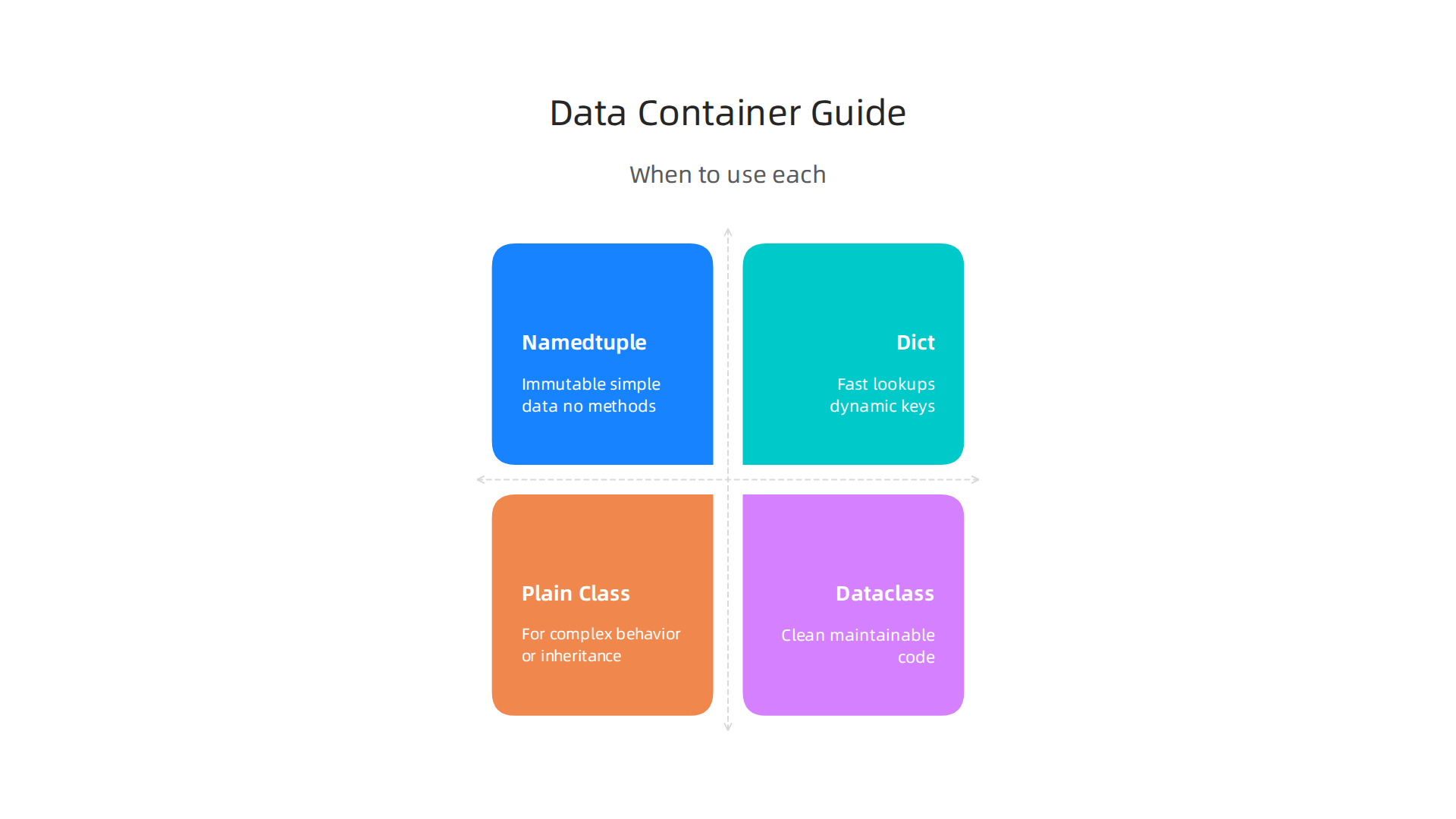
- Use namedtuple when you need immutable, simple data with no methods or validation.
- Use dict for quick lookups or when keys are truly dynamic.
- Use plain class when you need complex behavior or inheritance.
- Use dataclass for everything else — especially when you want clean, maintainable code.
If you work heavily with dictionaries in your data pipelines, you might want to learn more about Python dictionary for data science to see when dicts still make sense.
For a deeper look at how dataclass performance compares to other options, check out this discussion on dataclass startup performance.
Making the right choice early in your project will save you refactoring headaches later. And if you want to stay on top of the latest Python and machine learning trends, get clear daily updates from The Deep View Newsletter. It is the AI newsletter worth reading.
Integration with Type Hints, Serialization, and Validation Libraries
Dataclasses already support Python type hints out of the box. You add name: str and the dataclass stores that type information. But what if you want actual runtime checks? That is where tools like Pydantic come in.
Pydantic takes a standard dataclass and adds automatic validation. When you create an object, Pydantic checks that every field matches its type. If you pass a string where a number is expected, it raises a clear error. This is a big help when data comes from APIs or external sources. Pydantic also works with the __post_init__ method. But in Pydantic dataclasses, __post_init__ runs after validation, not before. This detail matters if you rely on that method for extra setup. You can see more in the Pydantic dataclass documentation.
For serialization, dataclasses need a little extra help. You can convert a dataclass to a dictionary using dataclasses.asdict(), then to JSON with json.dumps(). Libraries like dataclass_json make this smoother by adding .to_dict() and .from_dict() methods. Pydantic handles JSON directly with .json() and .model_validate_json(). If you work with APIs, that built-in support saves time. For a deeper look at handling data in Python, check out this guide on mastering Python data workflows.
Python 3.10 brought structural pattern matching, and dataclasses work great with it. You can use match statements to check a dataclass type and its fields at the same time. Combined with isinstance() checks, this gives you clean, readable logic for handling different data shapes. So whether you validate with __post_init__, use Pydantic for strict checks, or lean on pattern matching, dataclasses fit right in.
Best Practices for Production Data Pipelines
When you take a python dataclass from a small script into a real production pipeline, a few simple habits make all the difference.

Let’s look at three practices that keep your code safe, fast, and clear.
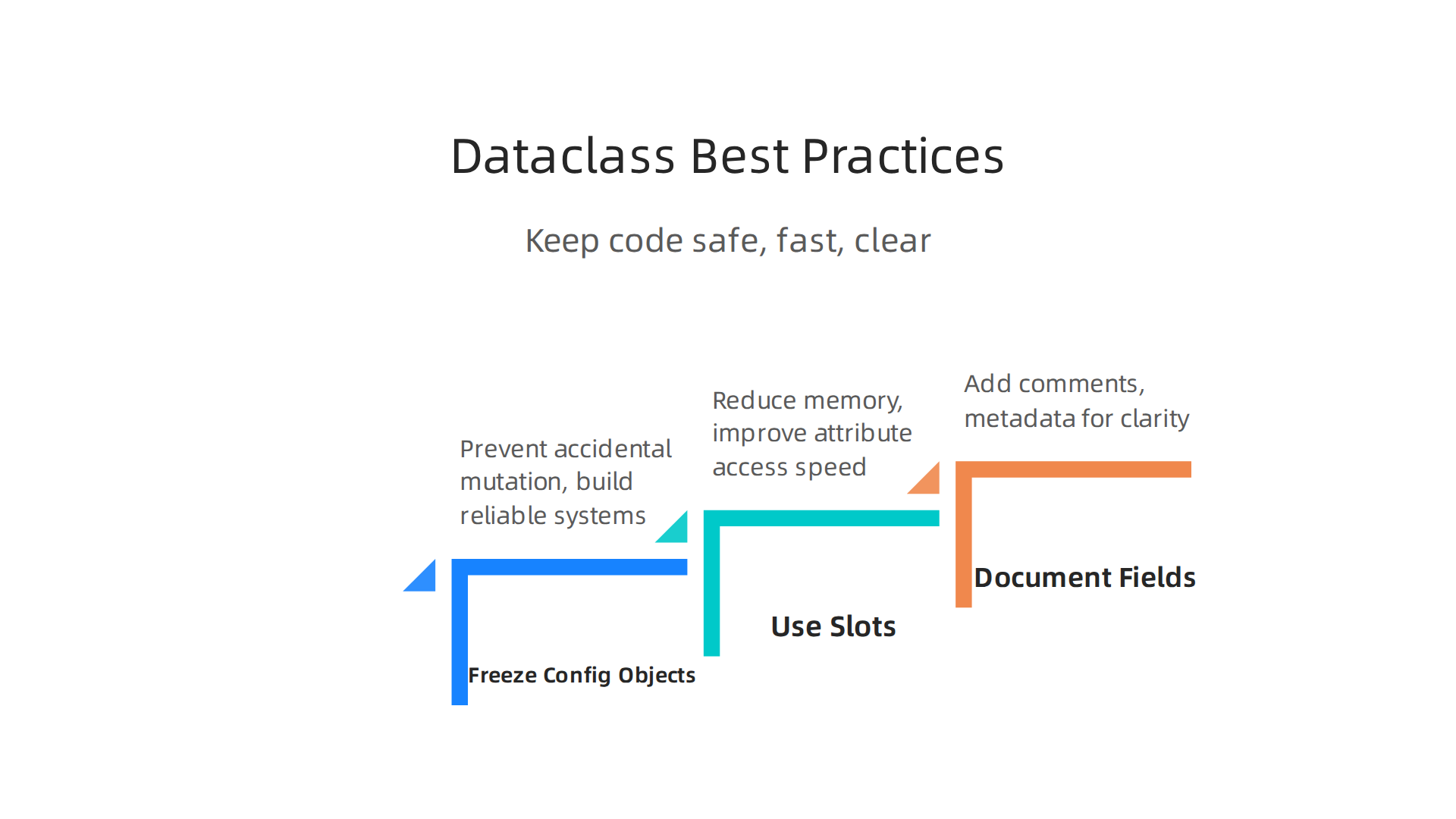
1. Freeze your configuration objects
Configuration objects should never change after they are created. A single accidental mutation can cause hard-to-find bugs. Set frozen=True on your dataclass and Python will raise an error if any code tries to modify a field. This turns a silent mistake into an immediate alert. The Python dataclass best practices guide explains why enforcing immutability helps build reliable systems.

2. Use slots for high-throughput processing
Every Python object carries a little overhead. In pipelines that process millions of records, that overhead adds up. Starting with Python 3.10, you can add slots=True to your dataclass decorator. This uses __slots__ under the hood, reducing memory usage significantly. The guide on clean data models with dataclasses points out that slots are especially helpful when you are handling large data volumes.
3. Document fields with comments and metadata
When a dataclass has ten fields, you and your teammates will forget what each one means. Add clear comments above each field and use the field() function to attach metadata like repr=False for sensitive data or a default_factory for mutable defaults. For example, items: list = field(default_factory=list) handles the list python default problem cleanly. The data classes in Python guide shows how to fine-tune fields with metadata.
These three habits do not add complexity. They prevent bugs, reduce memory, and make your code readable for everyone on the team.
If you are building data pipelines in 2026, staying current with best practices is half the battle. For daily, digestible updates on AI and machine learning, check out The AI Newsletter Worth Reading. It delivers clear insights straight to your inbox, so you never miss a shift in the field.
Summary
This article explains how Python dataclasses simplify and harden data science and machine-learning code by removing boilerplate and adding declarative structure. It walks through core features—frozen, slots, kw_only, order—and shows how field(), default_factory, and metadata give you precise control over defaults and serialization. You’ll learn practical patterns for using post_init to validate inputs and compute derived fields, plus when to reach for Pydantic or attrs for stronger runtime checks. The piece compares dataclasses to namedtuple, dict, and plain classes so you can pick the right container, and it covers performance tradeoffs (slots can cut memory by a large margin and improve access speed). Finally, it offers production best practices—freeze configs, use slots for high-throughput, and document fields—to keep pipelines reliable, maintainable, and efficient.