
Best AI Powered Coding Assistants in 2026

The Rise of AI-Powered Development Assistants
Remember when writing code meant spending hours in a quiet editor, hunting down bugs by hand? Those days are fading fast. In 2026, ai powered coding assistants have become everyday tools for developers around the world.

Actually, they are now essential.
The numbers tell the story. According to the AI Coding Assistant Adoption Rates 2026: Complete Stats, 90% of developers now use at least one AI tool at work. Over half use one every single day. These assistants help you write code faster, catch mistakes earlier, and even explain complex logic. For many teams, they have turned into a must have.
But here is the thing. The market is moving fast. New players appear all the time. Features change. What worked last year might not be the best choice today. That makes it critical to stay informed and pick the right tool for your workflow.
This article gives you a curated, evidence-based look at the top AI coding tools in 2026. We cover what they do well, where they fall short, and how to choose the one that fits your style. Whether you are a seasoned developer or just starting out, this guide will help you make a smart decision.
If you want to zoom out and get a bigger picture of where AI is heading, check out our AI overview 2026 for broader trends across machine learning.
Staying on top of AI news takes effort. That is why many developers rely on The AI Newsletter Worth Reading for clear daily updates on tools, research, and industry shifts.

It helps you skip the noise and focus on what matters.
Let us dive into the top AI powered coding assistants shaping development in 2026.
1. GitHub Copilot: The AI Pair Programmer Everyone Knows
When GitHub released Copilot in 2021, it changed how many developers write code.
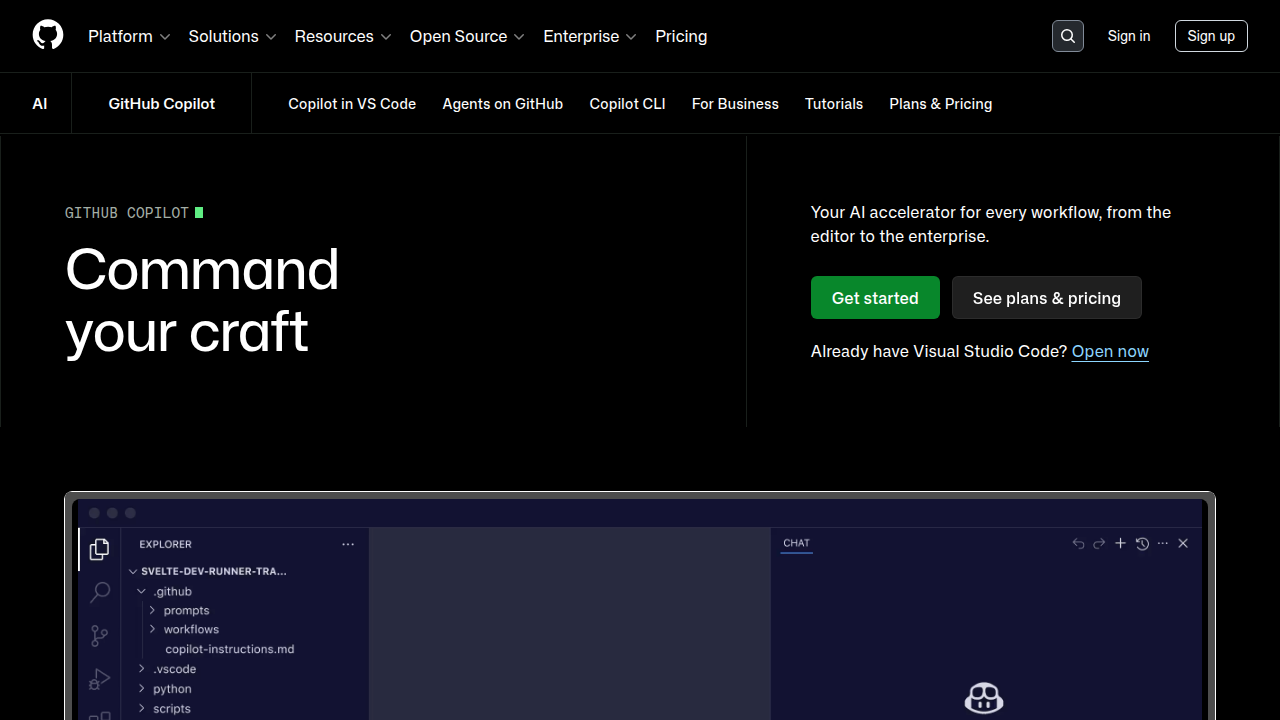
In 2026, it remains one of the most popular ai powered coding assistants you can use. It plugs right into editors like Visual Studio Code, JetBrains, and Neovim, offering real-time suggestions as you type.
Think of it as a pair programmer who never sleeps. You type a comment like "function to calculate average sales by region", and Copilot fills in the code. It does not just autocomplete lines. It can generate entire functions, test cases, and even full files based on natural language prompts.
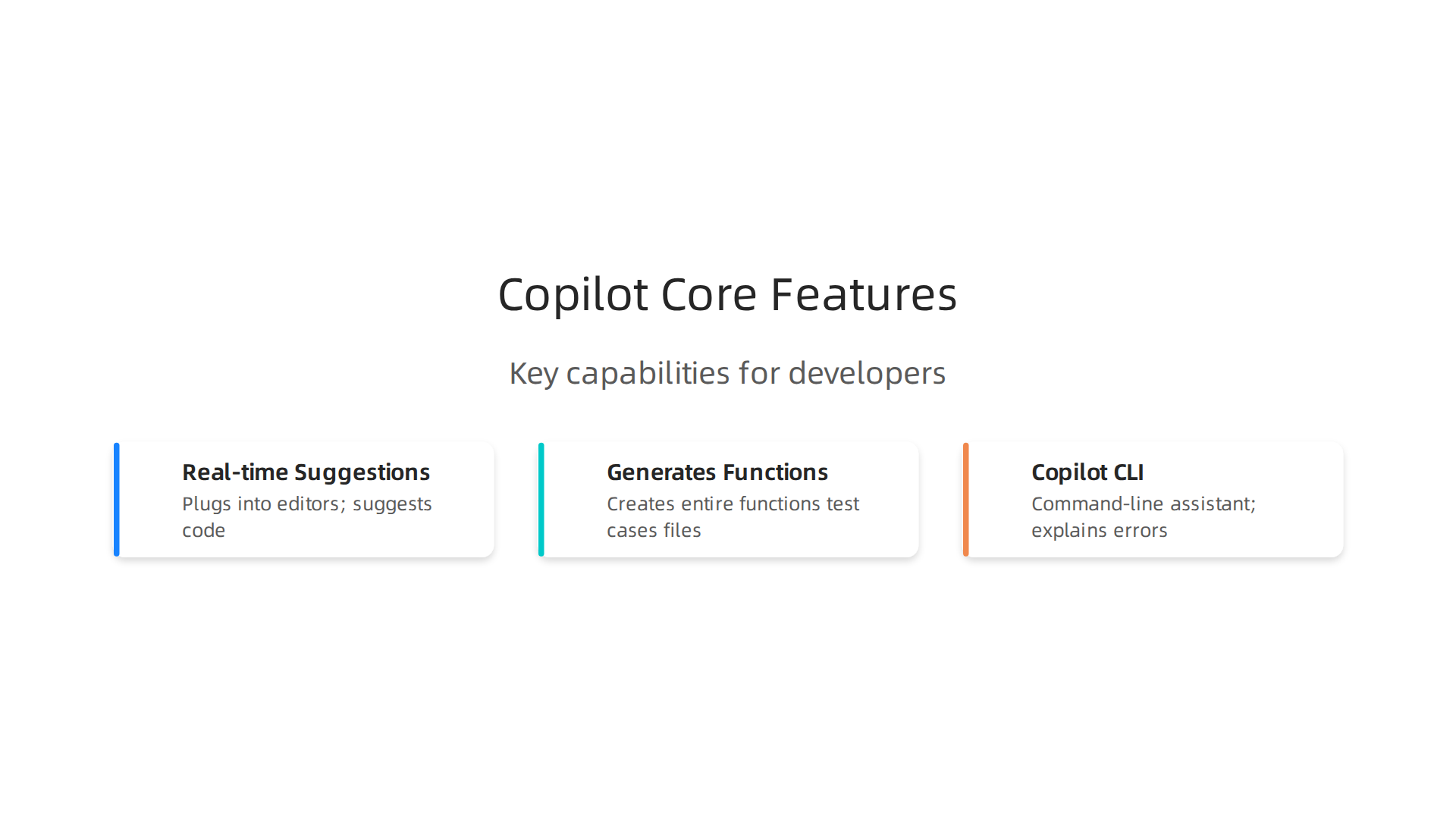
Recent updates have kept it competitive. By early 2026, Copilot solved 56% of SWE-Bench tasks, a standard coding benchmark, edging ahead of some rivals on accuracy. The team also released Copilot CLI in February 2026, giving you a command-line assistant that explains errors and generates shell commands. According to the GitHub Copilot vs Cursor 2026 review, Copilot is especially strong for inline completions and GitHub integration.
So where does it shine? If your team lives inside the GitHub ecosystem, Copilot is a natural fit. It works with pull requests, code reviews, and Actions. It also offers a solid value at $10 per month for the basic plan.
The main limitation is depth. Copilot sees your active workspace and attached files, but it does not index your whole codebase the way some tools do. For large projects that require multi-file refactoring, you might find it less capable.
Still, for everyday coding tasks, Copilot is a reliable workhorse. If you want to understand the larger LLM landscape that powers tools like this, check out our guide on LLM and AI 2026 technologies and research. It will help you see how models like GPT-4 and beyond shape these assistants.
2. Cursor: The AI-First Code Editor Built for Speed
If Copilot feels like a smart assistant living inside your editor, Cursor is a completely different kind of ai powered coding assistant. It is a standalone code editor built from the ground up with AI at its core.
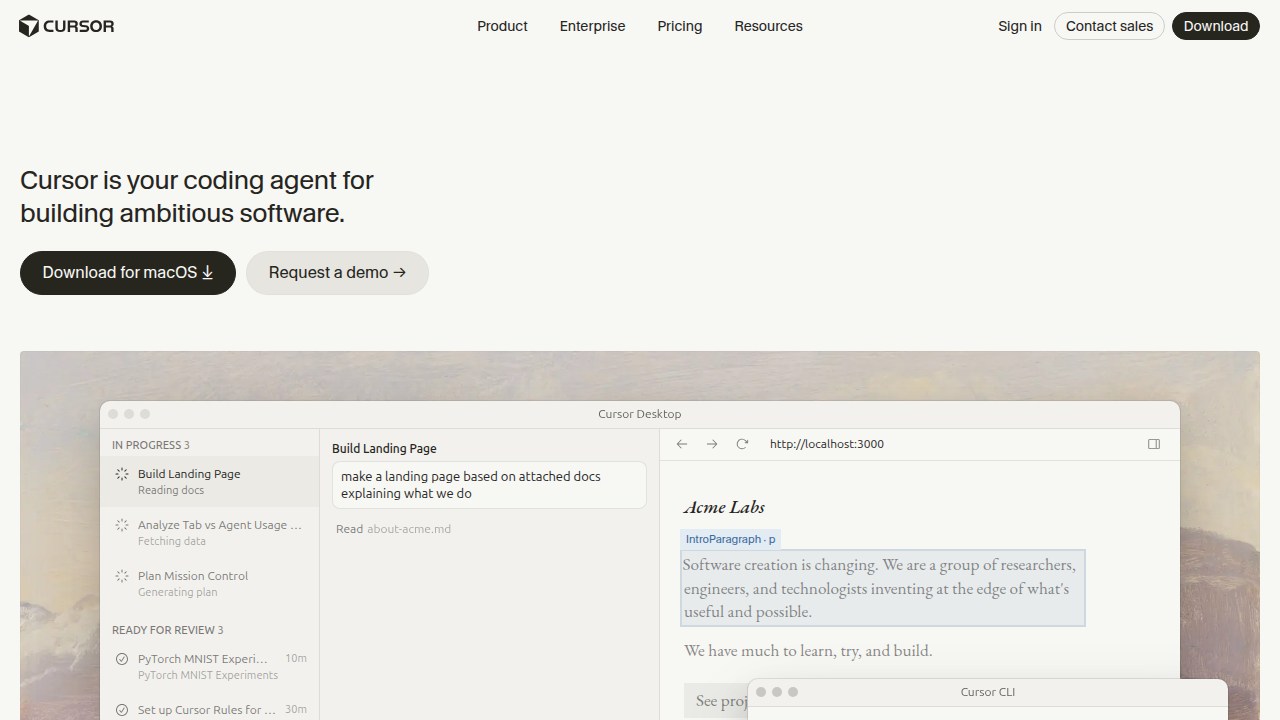
You do not add Cursor to an existing IDE. You open Cursor itself, and it brings deep AI integration from the start.
Cursor uses multiple large language models under the hood, including GPT-4 and Claude, and lets you switch between them depending on your task. Need a cheap model for quick autocomplete? Pick a fast one. Need powerful reasoning for a complex refactor? Switch to a top-tier model. This flexibility is a major advantage over simpler plugins.
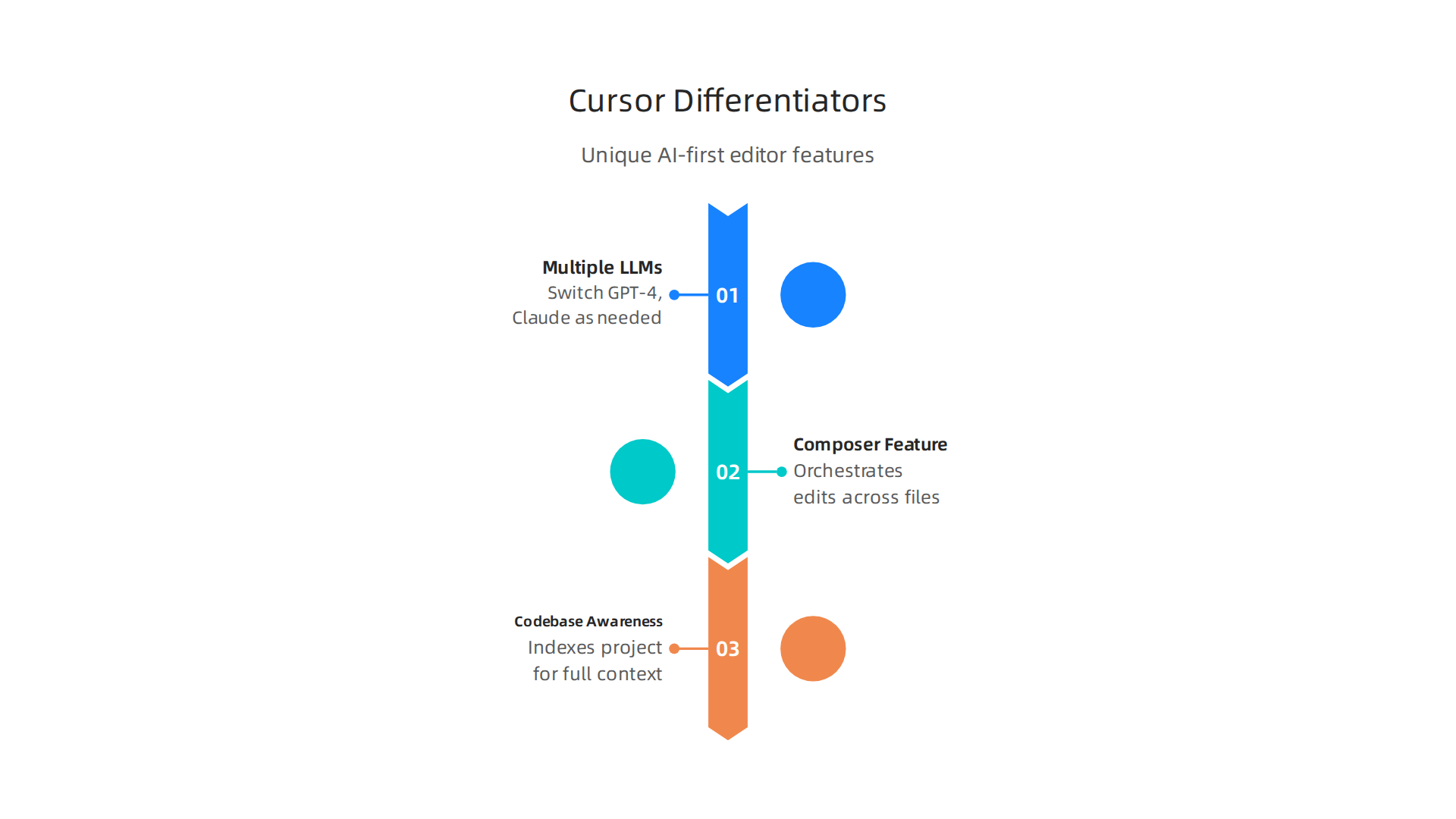
One standout feature is Cursor’s Composer. It lets you describe a change in plain language, and Composer orchestrates edits across many files at once. For example, you could say "add a new user profile page with routes, controller, service, and tests" and Cursor handles the whole thing. Before applying changes, it shows you a diff view so you can review every change. This gives you control while saving huge amounts of time.
Another key difference is codebase awareness. Cursor indexes your entire project, not just the open file. So when you ask a question or request a refactor, it understands the full context. According to a 2026 comparison of AI coding tools, Cursor’s ability to see the whole project makes it much more capable for large-scale changes.
Who should choose Cursor? If you work on big projects with many files, or if you want to use different AI models for different tasks, Cursor is a strong pick. It costs about $20 per month for the full plan, which is double Copilot’s basic tier. But for the speed and depth you get, many developers find it worth the price.
For more context on how Cursor fits into the wider world of AI development tools, check out our guide on evaluating and choosing the right tools for your workflow.
Keeping up with tools like Cursor and Copilot means staying current with rapid AI changes. For daily insights on the latest AI developments, subscribe to The AI Newsletter Worth Reading. It is a clear, daily update that helps you stay ahead.
3. Tabnine: Enterprise-Ready Code Completion with Privacy
Now, what if your company works in a regulated industry like finance, healthcare, or defense? You might love the idea of an AI coding assistant, but you cannot send your code to an external cloud server. That is where Tabnine stands apart from the other ai powered coding assistants on this list.

Tabnine offers on-premise deployment options and strong data privacy controls. You can run its models inside your own infrastructure, fully air-gapped from the internet. This is a big deal for teams that must follow strict compliance rules like HIPAA or SOC 2. According to a detailed GitHub Copilot vs. Cursor vs. Tabnine comparison, Tabnine provides enterprise-grade security with role-based access controls and private model hosting.
Beyond privacy, Tabnine delivers fast, reliable code completions. Its models specialize in whole-line and full-function suggestions with very low latency. The tool uses proprietary models trained on permissive open-source code, so your completions stay relevant and safe. It also integrates with over 15 IDEs, including VS Code, JetBrains, Eclipse, and more. And it supports dozens of programming languages.
The trade-off? Some developers feel Tabnine’s suggestions are less creative or intuitive compared to Copilot or Cursor. It excels at repetitive patterns and boilerplate code but can struggle with complex logic generation. For teams that prioritize security over raw creativity, that is a fair swap.
Who should pick Tabnine? If your organization needs an AI coding assistant that keeps all data on premises, or if compliance is a top concern, Tabnine is the clear winner. It costs more at around $46,800+ annually for a 100-developer team, but that price includes the peace of mind only private deployment can offer.
For more on how enterprise teams are securing their AI workflows, check out our guide on AI gateway security for enterprise operations to see how to protect your machine learning pipeline end to end.
4. Amazon CodeWhisperer: Free and Cloud-Native
So you have seen Tabnine if privacy is your top concern. But what if you want a powerful AI coding assistant that costs nothing? Or what if your team already lives inside the Amazon Web Services (AWS) cloud? That is where Amazon CodeWhisperer shines. It is one of the most accessible ai powered coding assistants for individual developers and AWS-heavy stacks.
CodeWhisperer is completely free for individual use. You just install the AWS Toolkit extension in your IDE (VS Code, JetBrains, AWS Cloud9, and others), authenticate with a free Builder ID, and you are ready to go. It supports Python, Java, JavaScript, TypeScript, C#, and more. As you type a comment like "upload a file to S3," CodeWhisperer generates real-time code suggestions tailored to your project. This is possible because it uses large language models trained to understand natural language and AWS APIs.
A standout feature is the built-in security scanning. According to the official Amazon CodeWhisperer announcement from AWS, the tool can scan your code for vulnerabilities like insecure cryptographic libraries and AWS best-practice violations. It also includes a reference tracker to flag code that might be too similar to training data, helping you avoid licensing issues. Plus, AWS has built filters to reduce biased or toxic suggestions.
One thing to know: CodeWhisperer is now being merged into Amazon Q Developer. All its features are moving to that new conversational assistant, but the free tier for individual use remains. If you already use CodeWhisperer, you can migrate easily. This evolution makes it a solid choice for developers who want a free, always-improving AI companion.
Who should pick CodeWhisperer? If you work extensively with AWS services like Lambda, EC2, or S3, the seamless integration saves you time. The free tier also makes it a no-risk option for students, freelancers, and hobbyists. The trade-off is that it is deeply tied to the AWS ecosystem, so if you use a different cloud provider, the suggestions may be less relevant.
For a broader look at how AI tools are transforming development workflows, check out our guide on AI overview 2026 for machine learning practitioners.
If you want to stay ahead of all these fast-changing AI tools, getting daily updates in your inbox helps a lot. The AI Newsletter Worth Reading delivers clear, practical summaries of the latest breakthroughs every day.
5. ChatGPT & Claude: General-Purpose LLMs for Code Generation
Now, not all AI coding help comes from a dedicated code assistant. General-purpose large language models (LLMs) like ChatGPT (powered by GPT-4) and Claude 3.5 can also write, explain, and debug code. These are the same ai powered coding assistants you might use for writing emails or summarizing articles. But they are surprisingly good at programming too.
What makes them different from tools like CodeWhisperer? Their strength is in handling big-picture tasks. Need to design the architecture for a new app? ChatGPT can outline the whole structure. Want to understand a complex sorting algorithm? Ask Claude to explain it step by step in plain English. These models excel at giving you context, not just code snippets.
They are also great for debugging. You can paste a broken function and ask "Why does this error keep showing up?" The model reads your code, spots the logic error, and suggests a fix with an explanation.

That is much more useful than just getting a corrected line.
Another big use case is learning a new language. If you know Python but need to write in Go, you can ask ChatGPT to translate your code and explain the differences. This helps you pick up syntax and conventions quickly. Prototyping is also fast. Describe the feature you want, and the LLM generates a working version you can refine.
Of course, there are limits. These models work best when you give clear, specific instructions. They can also make mistakes or produce code that is not optimized. Always test and review what they give you. But as a thinking partner, they are hard to beat.
For the latest on what OpenAI is doing with these models, check out our coverage of OpenAI news and research breakthroughs in 2026.
Pick ChatGPT or Claude when you need more than just autocomplete. Use them for planning, learning, and fixing code across projects large and small.
6. AI-Powered Code Review: CodiumAI and CodeRabbit
Writing code is only half the work. Checking it is the other half. Manual code review takes time, and even experienced developers miss bugs after staring at a screen for hours.

That is where ai powered coding assistants like CodiumAI (now called Qodo) and CodeRabbit come in. They automatically review every line of your pull request, catching issues before they reach production.
These tools do not just flag style problems. They find real bugs, point out security risks, and suggest better ways to structure your code. CodeRabbit, for example, reviews pull requests and posts comments directly inside GitHub, GitLab, Bitbucket, and Azure DevOps. According to a ranked comparison of AI code review tools on TechSy, CodeRabbit has one of the lowest false positive rates in the industry — just 2 mistakes per full benchmark run. That means nearly every comment it makes is worth your attention.
CodiumAI (Qodo) takes a different approach. It not only reviews your code but also generates test cases for you. When you open a pull request, Qodo writes unit tests that match your changes. Independent testing shows this can cut testing time significantly, as highlighted in time-saving tests of AI code review tools.
Both tools integrate seamlessly with GitHub and GitLab. You connect your repository once, and the AI reviewer starts analyzing every new pull request automatically. You get a plain-language summary of what changed, what might be wrong, and concrete fixes to apply. This turns code review from a slow bottleneck into a fast safety net.
If you want to evaluate which tool fits your workflow best, read our detailed guide to choosing AI tools for 2026. It covers the criteria that matter most when picking any AI platform.
To keep up with the fast pace of AI development, consider The AI Newsletter Worth Reading. It delivers clear daily updates to help you stay ahead of changes in tools, research, and best practices.
7. Automated Documentation with MutableAI and Documatic
Reviewing code is crucial. But without clear documentation, even the best code becomes hard to maintain. Developers often skip writing docs because it is slow and boring. That is where tools like MutableAI and Documatic step in. They use AI to write, update, and organize documentation automatically. This saves hours of work and keeps your project readable.
MutableAI generates docstrings, READMEs, and even user-facing documentation straight from your code. When you change a function, MutableAI updates the related documentation at the same time. No more outdated API references or missing explanations. It works inside your editor and CI pipeline, so documentation stays in sync with every commit.
Documatic takes a different approach. It builds a searchable internal knowledge base for your codebase. You can ask questions in plain English and get answers drawn directly from your code and existing docs. This is especially useful for onboarding new team members or navigating large projects.
Both tools save time on tasks that developers often put off. Independent research shows AI tools can cut manual work significantly across the development lifecycle. For example, an AI code review tools comparison found that AI code review reduces manual review time by 50%. Documentation tools offer similar time savings for writing and maintaining docs.
If you are exploring how to pick the right AI platform for your workflow, our guide on choosing an AI collaboration platform for your team covers the key criteria to consider.
These AI powered coding assistants handle the boring parts so you can focus on building. Next we will look at how AI can help with testing.
8. Debugging and Testing with AI: Warp and Bloop
Even the best code has bugs. Finding and fixing them can eat up hours of your day. That is where ai powered coding assistants shine. They help you spot errors faster, explain confusing error messages, and even write tests for you.
One standout tool is Warp. Warp is a terminal that comes with AI built in. You can right-click any error message and ask Warp to explain it in plain English. It identifies missing dependencies, suggests fixes, and lets you apply them with one click. Warp also runs multiple AI agents in parallel to debug or refactor code from a single prompt. The official site provides more details on Warp AI natural language coding agents.
Another powerful tool is Bloop AI. Think of it as a "ChatGPT for your code." You can search your entire codebase using natural language and get instant answers. This makes understanding large projects and debugging complex logic much easier. You can learn more in this Bloop AI natural language code search review.
Beyond interactive debugging, automated test generation is a game changer. Tools like Diffblue Cover can read your code and automatically create unit tests. That means less manual test writing and higher coverage. These best ai platforms combine to form a workflow where you debug faster and ship with more confidence.
If you want to take your AI workflow further, check out our guide on building and deploying autonomous AI agents. It covers the full lifecycle of creating smart solutions.
Staying up to date with the latest AI coding tools can feel overwhelming. That is why thousands of developers rely on The AI Newsletter Worth Reading to get clear daily updates straight to their inbox.
9. How to Choose the Right AI Coding Assistant for Your Team
Picking the right ai powered coding assistants for your team can feel like a big decision. The wrong choice wastes time. The right one makes everyone faster and happier. Here are the key factors to think about before deciding.
What to Look For
- Language Support: Does the tool handle the programming languages your team uses daily? Python, JavaScript, Go, Rust, C++ — not every assistant covers them all equally.
- IDE Integration: Some tools work inside VS Code, JetBrains, or a terminal like Warp. Others run as standalone apps. Pick one that fits your team’s existing workflow.
- Pricing: Costs range from free tiers to per-seat subscriptions. For a solo developer, free may be enough. For a startup or enterprise, you need per-user pricing that scales.
- Privacy and Security: Does the tool process code locally or send it to the cloud? If you work with sensitive data, you may need an option that supports on-premise deployment or strict data handling policies.
- Team Size: Larger teams need collaboration features like shared context, review workflows, and central billing.
Quick Comparison Table
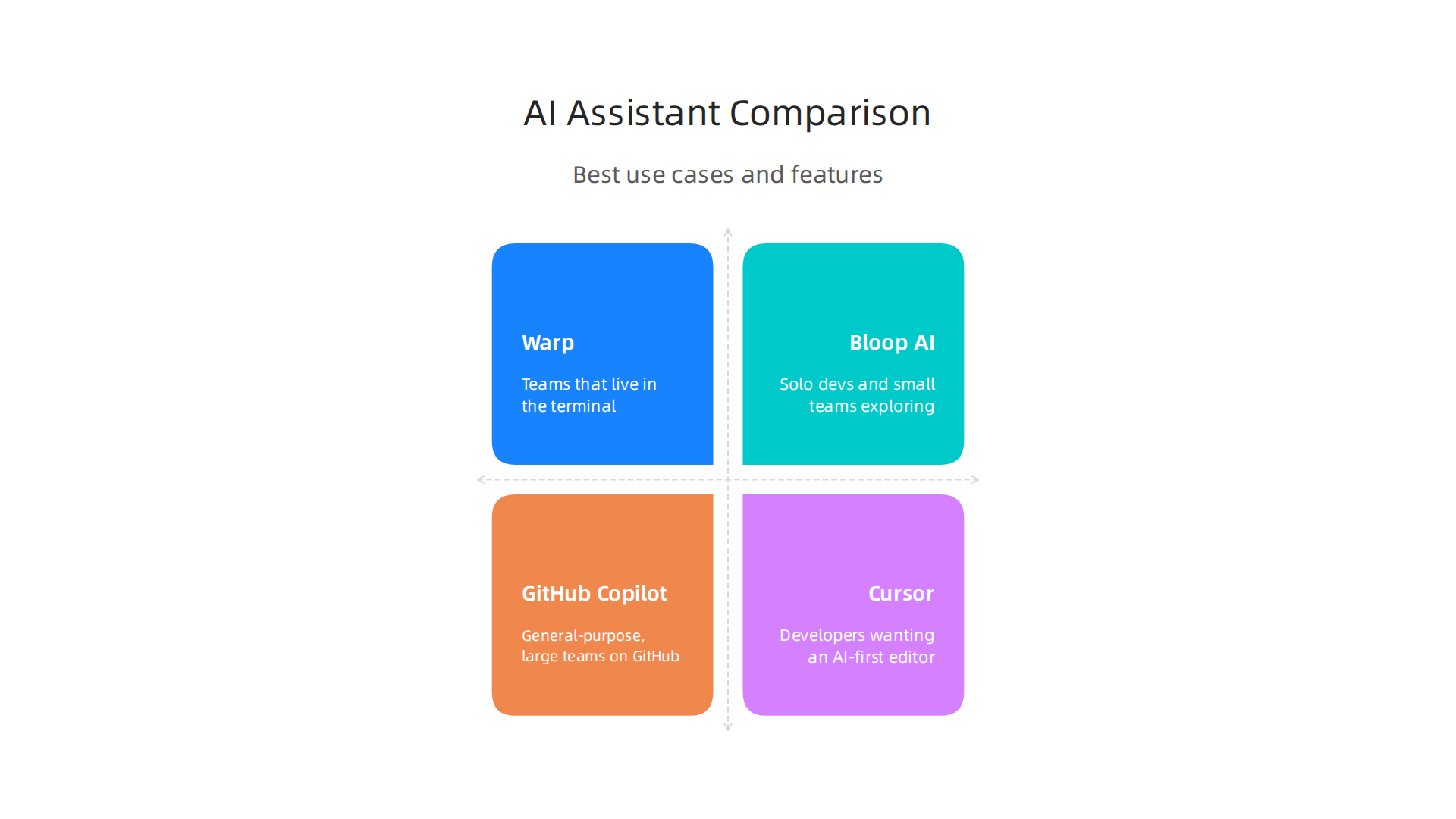
| Tool | Best For | Key Feature |
|---|---|---|
| Warp | Teams that live in the terminal | Built-in multi-agent AI, one-click fixes, and inline diffs |
| Bloop AI | Solo devs and small teams exploring large codebases | Natural language code search across entire projects |
| GitHub Copilot | General-purpose, large teams on GitHub | Deep IDE integration and broad language support |
| Cursor | Developers wanting an AI-first editor | Context-aware autocomplete and multi-file edits |
Recommendations by Scenario
- Solo developer: Start with Bloop AI (free) or the free tier of Copilot. You need fast code search and light debugging help without high cost.
- Startup team (2-10 devs): Warp is excellent for its agentic workflows and human-in-the-loop review. Its Warp AI natural language coding agents let you run multiple agents in parallel, speeding up debugging and refactoring.
- Enterprise (10+ devs): Look for tools with admin controls, audit logs, and enterprise-grade privacy. Platforms like Braintrust offer production debugging and evaluation for larger teams, as detailed in this overview of top AI agent debugging tools for 2026.
No matter your team size, choosing an assistant that matches your stack and culture will pay off in saved hours and cleaner code. For a deeper look at how to evaluate different solutions, read our guide on choosing AI tools by type, evaluation, and workflow.
Staying current with these tools can be overwhelming. That is why thousands of developers rely on The AI Newsletter Worth Reading to get clear daily updates straight to their inbox.
Summary
This article surveys the leading AI-powered coding assistants of 2026 and explains what each tool does best, where it falls short, and how to choose the right one for your workflow. It profiles major players — GitHub Copilot, Cursor, Tabnine, Amazon CodeWhisperer, general LLMs like ChatGPT and Claude, plus specialist tools for code review, documentation, debugging, and test generation — and gives practical scenarios (solo dev, startup, enterprise) for selection. You’ll learn how features such as whole-project indexing, on-premise deployment, multi-model switching, and built-in security scanning affect real teams, how pricing varies from free tiers to enterprise contracts, and which integrations speed everyday work. The article also covers automated code review and doc generation, explains common trade-offs, and points to evaluation criteria so you can pick, deploy, and govern an assistant that saves time without increasing risk.