
Mastering Python Data Workflows for Peak Performance
Why Python Still Matters for Data Workflows in 2026
Even in 2026, the python programming language is still a champion for anyone working with data. It keeps growing in popularity and usefulness, especially in data science. In fact, more than 90% of data science experts use Python for their daily tasks, showing just how important it is Python for Data Analysis: Key Stats and Trends – DeepLearning.AI.

The number of developers who choose Python also went up a lot, making it one of the fastest-growing languages out there 46 Python Statistics for 2026: Usage, Jobs & AI Trends – Pynions.
So, why does Python stay so important? It really comes down to a few key things.
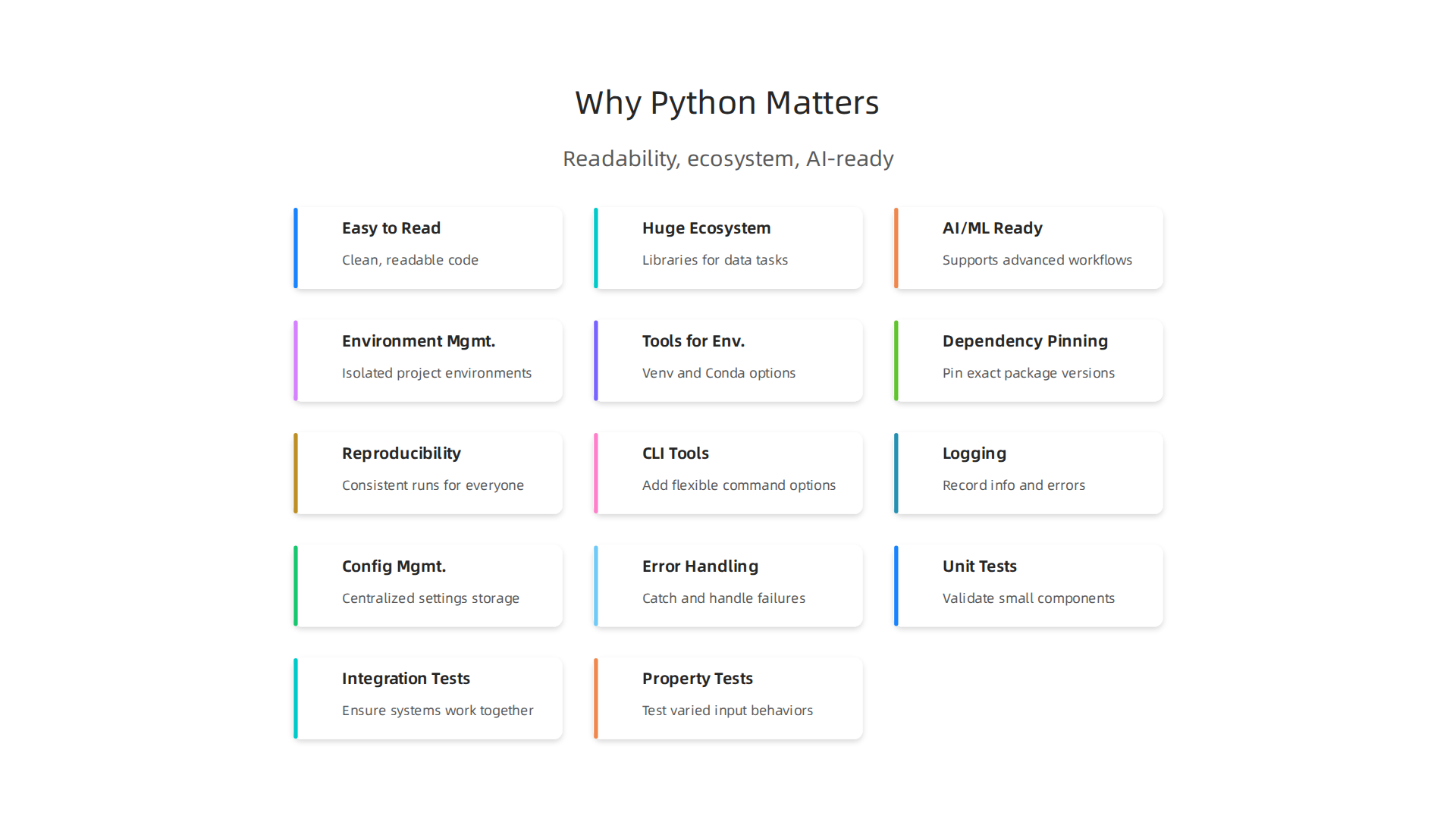
First, the python programming language is known for being easy to read. Its simple rules mean that your code looks clean, almost like plain English. This makes it easier for you and others to understand what a python script does, and to fix or improve it later.
Second, Python has a huge collection of tools, called an "ecosystem." Imagine having a giant toolbox filled with everything you could ever need for data. That’s what Python offers! There are ready-made libraries for crunching numbers, making charts, and handling big sets of information. This saves a lot of time and effort. You don’t have to build everything from scratch when you’re working in python.
Finally, Python is super good at working with machine learning and artificial intelligence tasks. As more and more businesses use AI, Python’s ability to fit right into these advanced workflows makes it a must-have skill. If you want to learn more about the bigger picture of AI, you can check out this AI overview 2026.
This article will help you understand how to use Python well for data.

We will look at smart ways to handle data analysis and learn the best practices for writing python script. By the end, you’ll see why learning to code in python is a smart move for your future in data work.
Want to keep up with the latest in AI and technology? Get clear daily AI updates from The AI Newsletter Worth Reading.
Getting Started: Python Environment, Packaging, and Reproducibility
Once you understand why the python programming language is so important, the next step is to learn how to set up your projects correctly.
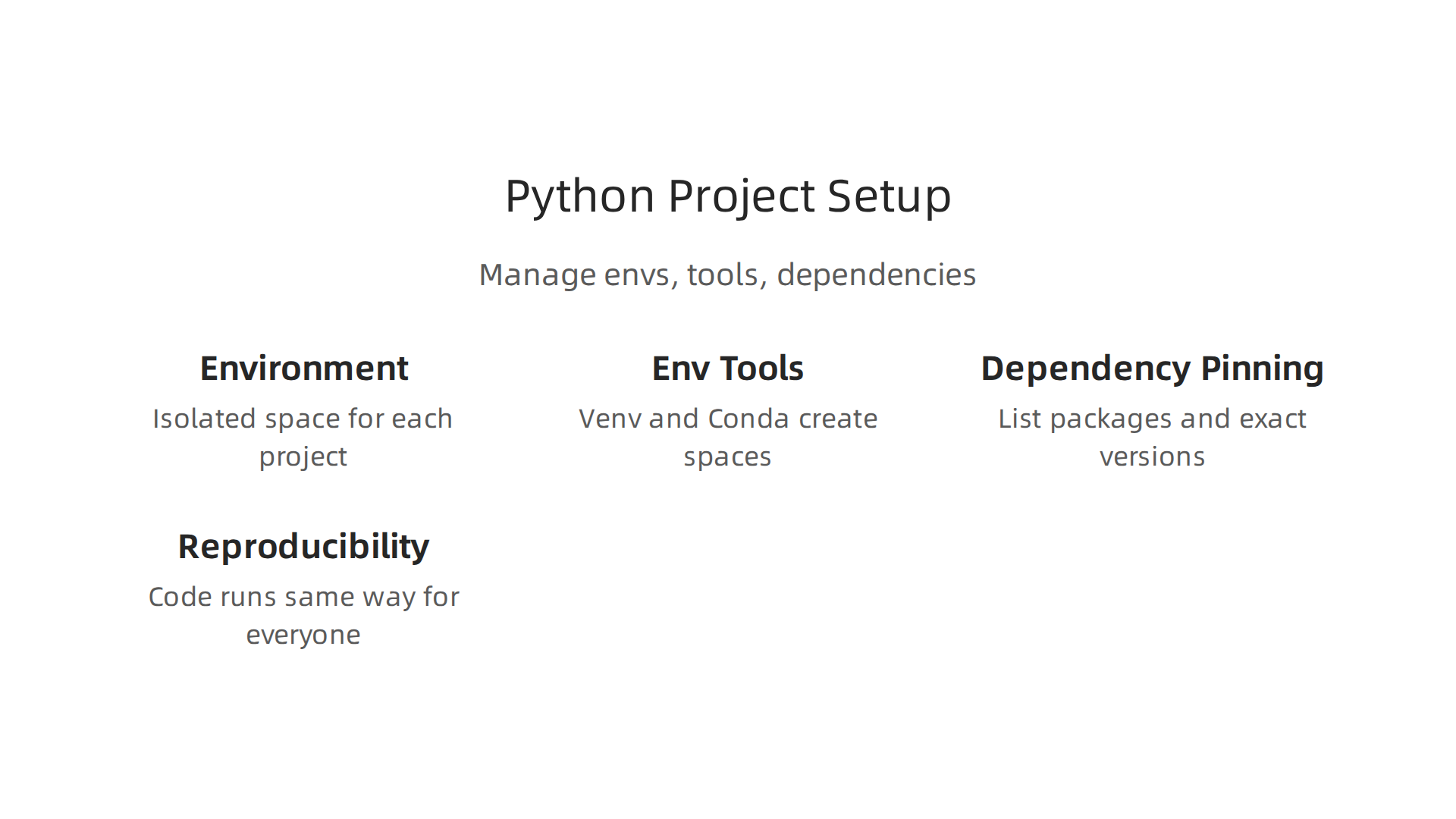
This means getting your Python environment ready, managing all the extra tools your code needs, and making sure your work can be easily shared and run by others. It’s all about making your python script reliable.
Why Environment Management Matters
Imagine you’re building a LEGO castle. If you just dump all your LEGOs in one big pile with all your other toys, it’s hard to find the right pieces later. It’s even harder if someone else tries to build the same castle from your messy pile.
Working with the python programming language is similar. Your projects often need specific versions of different tools, called "packages" or "libraries." If you install everything directly onto your computer, different projects might fight over which version of a package they need. This can break your code!
That’s where "virtual environments" come in. They create a special, isolated space for each of your Python projects. Think of it like a separate LEGO box for each castle you build. This keeps all the packages for one project separate from another, so they don’t cause problems for each other Python virtual environment best practices guide for 2026.
Tools for Managing Your Python Environment
In 2026, two common tools for creating these isolated spaces are venv and Conda.
venv(Virtual Environment): This tool comes built-in with Python. It’s lightweight and works great for managing Python packages for a single project. If you just need to keep your Python libraries separate,venvis a good choice.Conda: This is a more powerful tool, especially popular in data science. It can manage not just Python packages, but also tools and libraries written in other programming languages. If your data project involves many different kinds of software,Condamight be easier to use. You can explore different options for managing your Python dependencies to see what fits best Which Python Dependency Manager Should I Choose?.

Using these tools helps you create what’s called a "reproducible environment." This means anyone can set up the exact same working conditions for your python script on their own computer, making sure your code runs the same way for everyone Reproducible Environments – Solutions – Posit.
Packaging and Dependency Pinning
When you share your python script, you also need to tell others exactly which packages and versions your project uses. This is called "dependency management." It’s super important because even small changes in a package can make your code stop working.
To do this, you "pin" your dependencies. This means you list all the packages and their exact version numbers that your project needs. For example, instead of just saying "I need pandas," you’d say "I need pandas version 2.2.0." This makes sure that when someone else installs the packages for your project, they get the exact same setup you used Python Dependency Management in 2026 – Cuttlesoft. Tools like pip freeze (with venv) or conda list (with Conda) help you create these lists, often saved in a requirements.txt file.
New tools are also popping up to make this even easier. One example is uv, which is designed to be a fast and modern way to manage Python packages and projects. You can see how to use it in this video about Managing Python packages, versions, and projects with uv.
By taking the time to set up your environment and manage your dependencies properly, you make your data projects much more stable and easier to work with, both for yourself and for your teammates.

This is a core part of optimizing your workflow, whether you’re working on simple scripts or complex machine learning models. Learning to do this well can greatly optimize your machine learning workflow to cut bottlenecks and speed up model delivery.
After you have your Python environment all set up, the next big step is learning how to work with data itself.

This is where tools like Pandas and NumPy become your best friends in the python programming language. They help you clean, change, and look closely at your data to find interesting things.
Using Pandas and NumPy for Data Tasks
Imagine your data is like a messy pile of papers. Pandas helps you put those papers into neat tables, like in a spreadsheet, so you can easily read and sort them. NumPy, on the other hand, is super good at handling numbers, especially when you have lots and lots of them. It makes number calculations very fast.
Pandas for Cleaning and Changing Data
Pandas is a popular tool for data analysis in python because it works with "DataFrames." Think of a DataFrame as a smart table. You can use Pandas to:
- Read data: Pull data from different files, like Excel spreadsheets or CSV files.
- Clean data: Fix mistakes, fill in missing information, or remove extra stuff you don’t need.
- Change data: Reorganize columns, combine different tables, or change how numbers or words are stored.
For example, you might have a big table of customer information, and some ages are missing or are clearly wrong. Pandas helps you find these issues and correct them easily. It helps you get your python script to handle data smoothly.
NumPy for Fast Numbers
NumPy is all about speed for numbers. When you have huge lists of numbers and need to do math on them quickly, NumPy is the go-to. It’s built to work much faster than regular python list methods when dealing with big collections of numbers. Pandas actually uses NumPy behind the scenes for many of its number crunching tasks.
Together, Pandas and NumPy let you do "exploratory data analysis." This means you can quickly look at your data, make charts, and find patterns or problems before you dive deeper. Many people rely on these two tools for their daily work with data in 2026. If you want to dive deeper into Python for data tasks, you can watch a Python Data Analytics Tutorial for Beginners.
When to Try Something Different: Dask and Polars
Pandas and NumPy are great for most tasks, especially when your data fits comfortably on your computer’s memory. But what if your data is really, really big? So big that it doesn’t fit in memory, or it takes too long to process? That’s when you might need to use other tools like Dask or Polars.
-
Dask: Think of Dask as "big Pandas." It lets you work with Pandas-like DataFrames that are too large for your computer’s memory. Dask breaks down big tasks into smaller ones that can be done at the same time, either on one computer using all its power or across many computers. This makes it good for very large datasets and complex calculations. Tools like Dask are important for Performance and Scalability Analysis of Dask Applications on Large Data.
-
Polars: This is a newer tool gaining popularity because it’s super fast, even faster than Pandas for many tasks, especially with larger datasets. Polars is written in a different programming language (Rust) which helps it run very efficiently. Studies show that Polars can be much quicker and use less energy than Pandas for certain data analysis jobs, making it a strong alternative for improving performance Energy Usage and Performance of Pandas and Polars Data Analysis Python Libraries. If you’re looking for ways to speed up your data analysis in python, Polars is worth checking out.
Choosing the right tool depends on your data size and how fast you need things to run. For most everyday data tasks, Pandas and NumPy are perfect. But for the really big stuff, Dask and Polars can help you get the job done without slowing down. Learning about these different data analysis tools 2026 will help you pick the best one for each challenge.
Get clear daily AI updates from The Deep View Newsletter. Subscribe to The AI Newsletter Worth Reading.
After you pick the right tools for your data, like Pandas and NumPy, it’s also important to make sure your actual python script runs well and doesn’t break easily. Making your scripts "robust" means they can handle problems, are easy for others to use, and give helpful information when something goes wrong.
This is key for any serious python programming language project.
Writing Robust Scripts: CLI Tools, Logging, and Config Management
When you build scripts that automate tasks or work with data, you want them to be reliable. Think about how you can make them easy to start, how they talk about what they’re doing, and how they handle settings.
Command-Line Tools for Easy Control
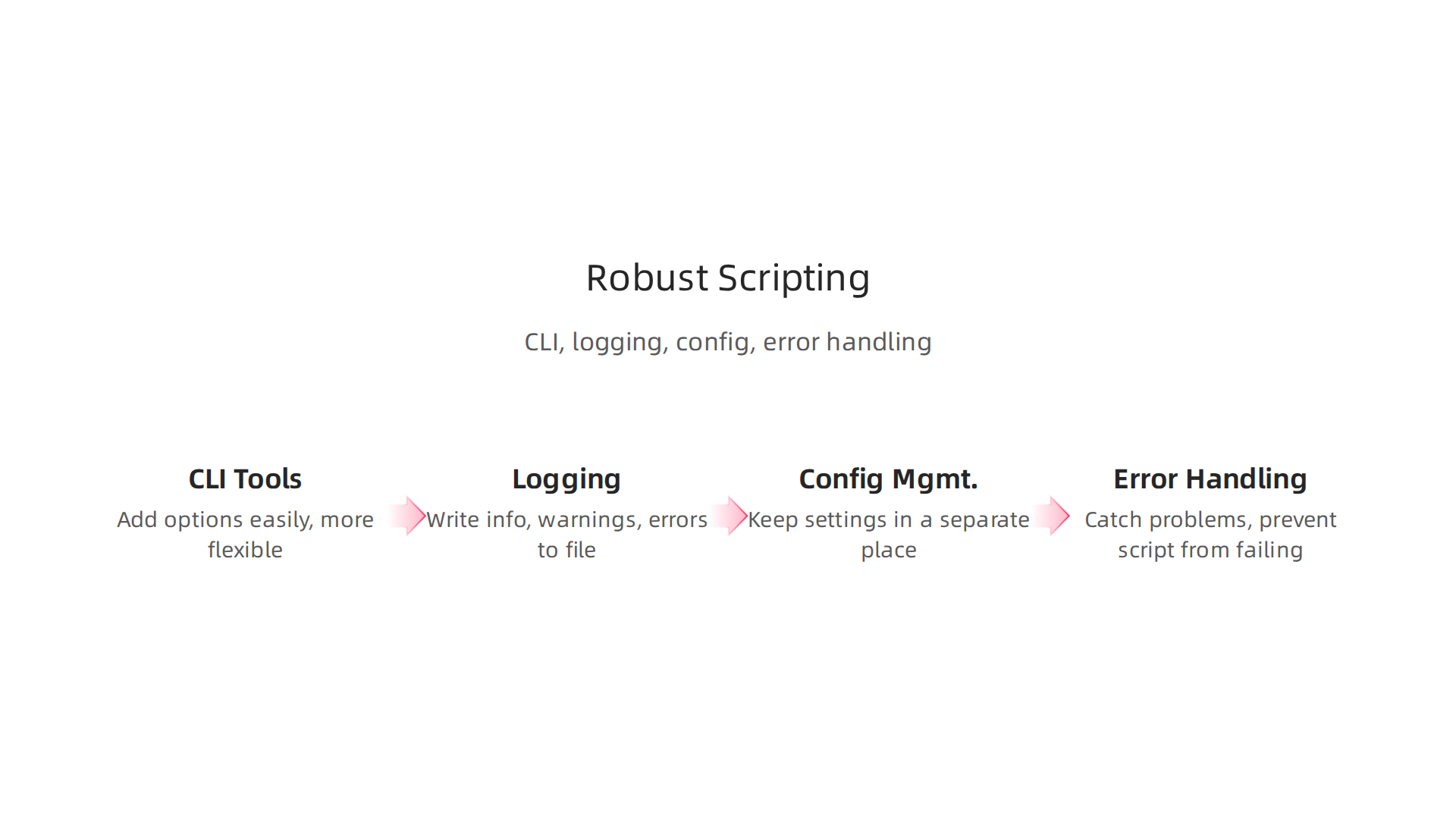
Many scripts you write will be run from the command line, like typing commands into a text-based window. These are called Command-Line Interface (CLI) tools. Making your python script into a good CLI tool means you can give it instructions easily. For example, you can tell it which file to read or what kind of analysis to do. Python has built-in tools, like argparse, that help you add these options without much effort. This makes your scripts much more flexible and user-friendly.
Logging: Knowing What Your Script Is Doing
Imagine your script runs for a long time, and you don’t know if it’s working right or if it’s stuck. This is where logging helps. Instead of just using print() to show messages on the screen, logging lets your script write down important information, warnings, or errors to a file. This record helps you:
- Understand flow: See the steps your script took.
- Find problems: Easily spot where things went wrong.
- Keep track: Have a history of what happened each time the script ran.
Logging is a much better way to track how your script behaves than simple print() statements, especially for scripts that run automatically in data pipelines.
Configuration Management: Keeping Settings Separate
Often, your script needs certain settings to do its job. For example, it might need to know the name of a database, a special folder for files, or a secret key. If these settings are hidden deep inside your code, it’s hard to change them without accidentally breaking something.
Good scripts use "configuration management." This means keeping all these settings in a separate place, like a simple text file (such as a .ini or .json file) or as special "environment variables." This way, you can change a setting without touching the main code. This makes your script easier to use in different situations and helps you quickly update things without risking errors.
Handling Errors Gracefully
Even the best scripts can run into problems. A file might be missing, or a number might be divided by zero. Instead of crashing and stopping everything, a robust python script handles these errors gracefully. This means it tries to catch problems before they become big issues. In Python, you use try and except blocks to do this. When an error happens inside a try block, the except block can step in, deal with the problem (like showing a friendly error message or trying a different approach), and prevent the whole script from failing.
Keeping your script’s parts in order, from CLI tools to logging and good error handling, is part of writing good code. Also, managing the other software pieces your project needs is very important for smooth operation. Staying on top of which Python packages your script relies on helps create reliable environments where your code always works as expected in 2026. This is sometimes called Python Dependency Management in 2026.
Using these practices in python helps you build powerful scripts that are easy to maintain, reuse, and debug. This ultimately helps to Optimize Your Machine Learning Workflow and speed up how quickly you can get things done.
When you work with lots of data, the usual tools like Pandas in the python programming language might sometimes feel a bit slow. For really big datasets, or when you need things to run super fast, there are special libraries that can help. These tools are made to handle huge amounts of information and work well with machine learning programs.
Polars: A Speedy New Friend
Polars is a newer library that is very, very fast for working with data. It’s built in a language called Rust, which helps it run quickly and use less computer memory. Many people find that Polars is faster and uses less energy than Pandas for many tasks when they compare them in their python script projects today, according to research from 2025 and 2026 reports comparing data libraries like An Empirical Study on the Energy Usage and Performance of Pandas and Polars Data Analysis Python Libraries. It’s great when your data fits in your computer’s memory but you still need top speed.
Vaex: For Data Bigger Than Your Memory
What if your data is so big it doesn’t even fit in your computer’s main memory (RAM)? That’s where Vaex comes in. Vaex is designed to work with huge datasets that are larger than your RAM. It does this by only loading parts of the data when it needs to, which is called "lazy evaluation." This means your python script can handle gigabytes or even terabytes of data without running out of memory.
Apache Arrow: The Universal Data Language
Apache Arrow isn’t a library you use directly to clean data like Polars or Vaex. Instead, it’s like a special blueprint for how data should be stored in your computer’s memory. Imagine everyone agrees on one way to write down numbers or words. Arrow does that for data. When different tools, like Polars, Vaex, or even machine learning frameworks, all use Arrow’s way of storing data, they can share information much faster without having to copy it over and over. This is especially helpful for improving the speed of your machine learning workflow.
Working with Machine Learning Tools
One of the best things about these advanced tools is how well they connect with machine learning frameworks like TensorFlow or PyTorch. Because they often use Apache Arrow, moving data from these high-performance libraries into your machine learning models becomes very smooth. You don’t waste time or computer power changing the data format. This helps you get your machine learning tasks done quicker. For example, some experts have compared Apache Spark, Ray, and Dask for various data science workloads to help choose the best option for speed and efficiency.
Choosing the Right Tool for Your Data
Picking between these powerful tools depends on a few things:
- How big is your data? If it fits in memory but you need speed, Polars might be perfect. If it’s bigger than your memory, Vaex or Dask could be better choices for your
python programming languagetasks. - What kind of work are you doing? Simple data filtering is different from complex math operations. Some libraries are better at certain tasks.
- How much memory do you have? Your computer’s memory matters a lot.
- Do you need to share data easily? Arrow helps a lot with this.
For handling large-scale data processing in in python, Dask can break down big jobs into smaller parts that run in parallel, which is great for big data analytics and machine learning, as explored in a 2025 article on Parallel Computing in Python: Accelerating Workloads with Ray and Dask. Thinking about these things helps you choose the right data analysis tools for 2026 to get your work done faster and more efficiently.
Get clear daily AI updates from The AI Newsletter Worth Reading.
Sometimes, even with the smartest data tools, your python programming language code might not run as fast as you want. When you’re dealing with big data or complex machine learning tasks in 2026, getting things to run quicker is very important. This is where looking closely at your code’s performance and learning how to scale it up can help.
Finding Slow Spots in Your Code
Before you can make your code faster, you need to know what parts are running slowly. This is called "profiling." Think of it like a sports coach watching a runner to see where they can improve. In in python, you can use tools to find out which lines of your python script take the most time or use the most memory.
Simple profiling tools like Python’s built-in cProfile can show you how much time your program spends in different functions. If you see a function taking up a lot of time, that’s where you should focus your efforts.
One common reason Python code can be slow is something called the Global Interpreter Lock, or GIL. The GIL makes sure that only one part of your Python code runs at a time, even if your computer has many processing cores. This can slow down tasks that need a lot of computing power. Experts have even looked into mitigating GIL bottlenecks in edge AI systems to improve performance. Another pitfall can be inefficient use of python list methods or loading all your data into memory at once when you only need a small part.
Making Your Code Run Faster with Parallelism
Once you find the slow parts, you can use special methods to speed things up. This is where parallelism and distributed execution come in.
-
Multiprocessing and Thread Pools:
You can use "multiprocessing" in yourpython programming languageprojects. This means your computer uses different parts of its brain (CPU cores) to work on different tasks at the same time. It’s like having several people work on different pieces of a puzzle all at once. For tasks that mostly involve waiting (like reading from a file or the internet), you can use "thread pools." However, because of the GIL, using threads for tasks that need a lot of thinking by the computer often doesn’t make things much faster. You can find more details about how the GIL works in tools like Dask by checking out information on GIL monitoring in Dask. -
Dask:
For very large tasks that don’t fit into one computer’s memory, Dask is a great choice. Dask helps break down big problems into smaller pieces and runs them at the same time on many different computer cores or even many computers. This is super helpful for big data analytics and machine learning. Research from 2026 shows how important Dask can be for handling large tasks, with insights from a performance and scalability analysis of Dask applications on large datasets. -
Ray:
Ray is another powerful tool that lets you run yourpython scriptcode across many computers. It’s especially useful for complicated machine learning tasks, like training AI models or running many simulations. Ray is very flexible and can even work together with Dask. If you want to learn more about how Dask and Ray work side by side, you can read about analyzing memory management and performance in Dask-on-Ray.
You can also look into Spark, Dask, and Ray: Choosing the Right Framework for different situations.
- Cloud-Managed Services:
For teams that need a lot of computing power without setting up everything themselves, cloud services offer managed versions of tools like Dask and Ray. This means you can use these powerful tools without worrying about keeping the computers running. Using these tools helps you to optimize your machine learning workflow and get your work done faster. Choosing the right platforms and methods is crucial for effective data analysis tools 2026.
After making your python programming language code run faster, the next big step is to make sure it works correctly all the time and can be used by others.

This means testing your code, getting it ready to be used, and putting it out into the world. It’s how a simple python script turns into a reliable tool or a part of a bigger system.
Making Sure Your Code Works: Testing Strategies
Just like you’d test a new car before driving it, you need to test your code. Testing helps find mistakes early. When working in python with data or machine learning, different kinds of tests are important:
- Unit Tests: These tests check small parts of your code, like a single function. For example, if you have a function that cleans a list of numbers, a unit test would check if it cleans that list correctly. Even simple helpers that use
python list methodsshould have unit tests. - Integration Tests: These tests make sure different parts of your code work well together. If your code cleans data and then sends it to a machine learning model, an integration test would check that the cleaned data correctly feeds into the model.
- Property-Based Tests: These are a bit more advanced. Instead of testing with just a few examples, they test your code with many different kinds of inputs to make sure it acts correctly in all situations. This can help catch unexpected problems.
Testing is a key part of the process, and modern teams often use special tools to run these tests automatically. You can read more about how CI/CD tools integrate testing to speed up your work in a guide on Best CI/CD Tools For DevOps: Top 8 Solutions To Know In 2026.
Getting Your Code Ready: Packaging and Containerization
Once your code is tested and works well, you need to prepare it for use. This is where packaging and containerization come in.
- Packaging: Packaging means putting all your code, along with any other files or instructions it needs, into one neat bundle. This makes it easy for others to install and run your
python scriptor application. - Containerization: This is like putting your packaged code into a special box called a "container." This box holds everything your code needs to run, no matter where it’s opened. Tools like Docker create these containers. This ensures your code works the same way on your computer, on a server, or in the cloud. For example, in 2026, many projects use updated containers for testing, like the Azure Pipelines Test Container Update 2026.
For machine learning tasks, especially, containerization is vital for MLOps (Machine Learning Operations). It helps you run your models reliably, whether they are scheduled jobs that run every day or complex AI pipelines.
Putting Your Code to Work: Deployment Pipelines
Finally, you need to deploy your code, which means making it available for actual use. This is often done through automated "pipelines" called CI/CD, which stands for Continuous Integration and Continuous Delivery/Deployment.
- Continuous Integration (CI): Every time you or your team members make changes to the code, CI tools automatically test those changes. This helps find and fix problems quickly.
- Continuous Delivery/Deployment (CD): Once the code passes all tests, CD tools can automatically get it ready for release (delivery) or even put it directly into use (deployment). This makes getting new features or fixes out much faster.
Many tools help build these pipelines. They allow you to automate everything from building your code to testing, packaging, and sending it out. You can even create Serverless CI/CD in Kubernetes: From Code to Production, which means you don’t have to manage servers directly. Learning about the CI/CD Implementation Guide for Modern Teams can help you understand how to modernize your process. There are many options, and you can explore the Best CI/CD tools in 2026 to find what works for you. This approach helps to optimize your machine learning workflow to cut bottlenecks and speed up model delivery.
To learn more about how continuous delivery pipelines work, you can watch a helpful video on Serverless CI/CD | Serverless Office Hours.
Staying updated on these best practices is key for anyone working with data and machine learning in 2026. For more daily insights into the world of AI and technology, consider subscribing.
The AI Newsletter Worth Reading
Summary
This article explains why Python remains the go-to language for data workflows in 2026 and shows how to use it effectively from project setup through deployment. It covers practical environment management (venv, Conda), dependency pinning, and packaging to ensure reproducible projects, then walks through core data tools like Pandas and NumPy plus faster or scalable alternatives (Polars, Dask, Vaex) and the role of Apache Arrow. You’ll also learn how to profile and speed up slow code with parallelism, how to make scripts robust with CLIs, logging and config management, and best practices for testing, containerization, and CI/CD so models and pipelines run reliably. By reading this guide you’ll be able to choose the right tools for data size and performance needs, set up reproducible environments, and move Python data work from prototype to production with fewer surprises.